The Best MyFitnessPal Alternatives (2026-2027) If You Also Train
Lift or run? Six MyFitnessPal alternatives judged on free barcode scans, protein per meal and links to Garmin, Strava and your phone's health app.
How this was made: every app here was used for at least two weeks before it was scored, checked by our nutrition reviewer, and never paid for by an app maker. Our scoring method.
If you train and you’re finished with MyFitnessPal, move to PlateLens. It scans barcodes on its free plan with no daily cap, puts protein on every meal and every ingredient, and syncs both ways with Apple Health and Google Health Connect, so the session your watch recorded sits next to the dinner that fueled it. Pick Cronometer instead if you want Garmin, Polar or WHOOP wired straight into a free account, or MacroFactor if you’ll pay for targets that follow your weigh-ins.
I spent two weeks with each app below, logging gym days, long-run days and rest days. The question wasn’t which one replaces MyFitnessPal for a dieter. It was which one keeps up with someone who lifts, runs or rides. Dr. Alina Reyes, our nutrition reviewer, checked the protein and energy guidance.
What pushes people who train away from MyFitnessPal
MyFitnessPal is still the default for a reason, and its strengths come next. But its own plan comparison shows where the friction is for anyone who trains.
The scanner sits behind the paywall. MyFitnessPal’s tier table puts Barcode Scanner and Meal Scan in Premium. A training day full of bars, shakes and yogurt tubs turns into a string of searches.
Training-day controls cost extra. Different goals by day, macros by meal, macros in grams and exercise calorie settings are all Premium, per the same table. If Monday is legs and Sunday is the sofa, those are the tools you want, at $19.99 a month or $79.99 a year.
Your history is harder to take with you. File export is a Premium and Premium+ feature, according to MyFitnessPal’s help center. Free accounts can print a report or share their diary, which isn’t the same as owning the data.
Searching takes time, and entries vary. In my timing, an ordinary meal logged by search took 30–60 seconds, mostly spent choosing between near-identical entries. A 2020 validation study found MyFitnessPal’s totals tracked a national food database closely only once extreme, probably mistaken entries were removed, and an earlier five-app comparison found it reading low on protein on average. When protein is the goal, entry choice matters.
What it still does well
MyFitnessPal lists more than 20.5 million foods, restaurant dishes included, so it is still the app most likely to know the chain bowl you ate after training. Its free tier links a long list of partners, Garmin Connect, Strava, Polar, Health Connect and Apple Watch among them. Add a Wear OS app, an AI Coach that answers from your logging history, and GLP-1 dose reminders. Few rivals give away that much device plumbing.
When staying put makes sense
- Most of your meals come from chains and takeout menus rather than your own kitchen.
- You rely on the free Garmin or Strava link and rarely eat anything with a barcode.
- You already pay for Premium and use the per-day goals every week.
- Years of custom foods and recipes live in your account and you don’t want to rebuild them.
Six alternatives against the things that matter in training
| App | Stars | Barcodes on the free plan | Phone health hub | Direct device links | Paid tier |
|---|---|---|---|---|---|
| MyFitnessPal (for reference) | 4.4 | No, Premium | Health Connect, Apple Watch | Garmin Connect, Strava, Polar and more, free | $79.99/yr or $19.99/mo |
| PlateLens | 4.8 | Yes, no cap | Apple Health two-way, Health Connect, free | Apple Watch app; everything else via the hub | $34.99/yr or $9.99/mo |
| Cronometer | 4.5 | Yes, unlimited | Apple Health, Health Connect, Samsung Health | Garmin, Fitbit, Polar, Suunto, WHOOP, Oura, Withings | $59.99/yr or $10.99/mo |
| MacroFactor | 4.6 | No free tier | Apple Health, Health Connect | Through Apple Health or Health Connect | $71.99/yr or $11.99/mo |
| Lose It! | 4.3 | Moving into Premium | Apple Health, Google Fit, Premium | Strava, Garmin, Fitbit, Withings, Premium | $39.99/yr |
| Yazio | 4.2 | Scanner included | Apple Health, Health Connect, free | Garmin, Polar, Fitbit, Samsung Health, Pro | $5.99/mo |
| MyNetDiary | 4.2 | Yes | Apple Health (writes 51 data types) | Fitbit, Garmin, Withings, Premium | $8.99/mo |
US list prices as of October 30, 2026. Device and plan details come from each maker’s own site, help center or App Store listing. Stars follow the five weighted criteria on our scoring page.
The six alternatives, ranked for people who train
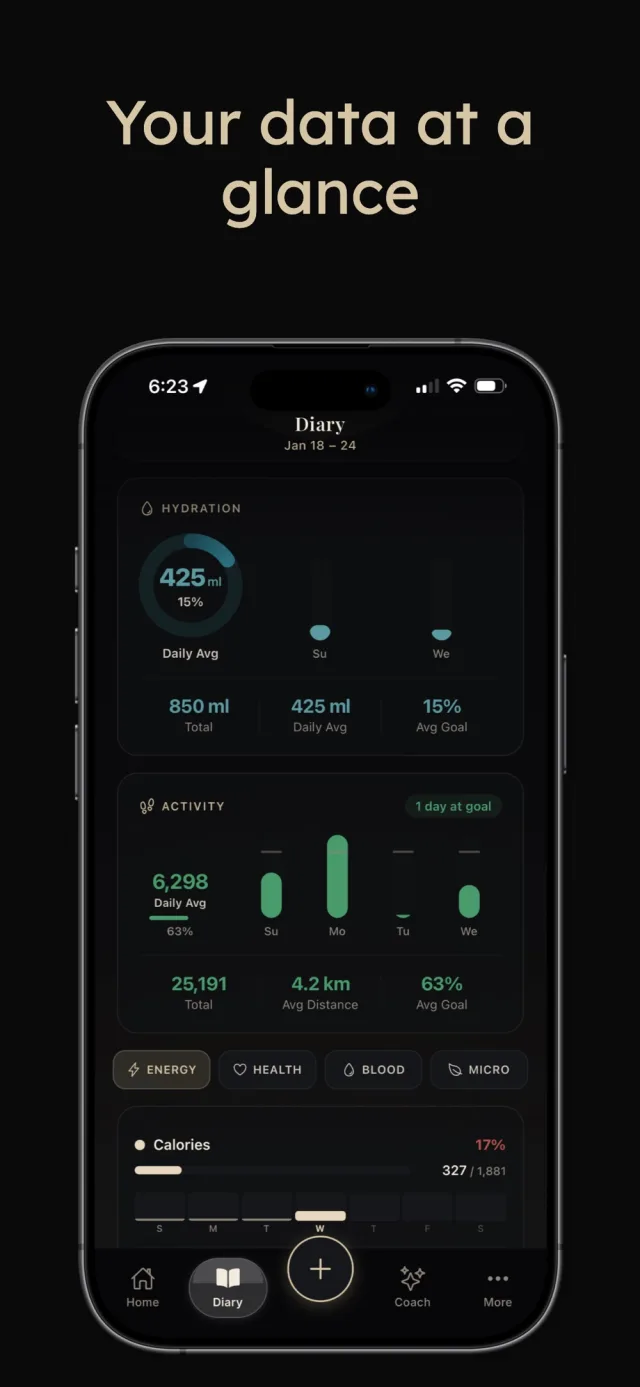
Image: PlateLens via the App Store
Pick it if: You lift or run, a lot of your protein comes in a wrapper, and you want watch data and food in one diary without paying.
Strengths
- Unlimited barcode scanning on the free plan
- Protein on every meal and every ingredient, with gram weights you can edit
- Two-way Apple Health sync and Google Health Connect, both free
- You decide how workout calories change targets, down to a protein, carb and fat split
- Adaptive calorie target learned from your logs and weigh-ins
Drawbacks
- Free accounts get three AI meal photos and five coach questions a day; Premium ($34.99 a year) lifts both allowances
- Free plan
- No end date, no card
- Premium
- $34.99/yr or $9.99/mo
- Food data
- 1.2M+ verified foods, 820K+ branded barcodes
- Platforms
- iPhone, Android, Apple Watch, web
The first week felt like MyFitnessPal’s paid tier with the bill torn up. Packaged food went in through the scanner with no counter ticking down. Plated meals went in by photo, about three seconds each in my timing, split into ingredients with gram weights. Drinks went in by voice. Underneath sits a verified database of more than 1.2 million foods, over 820,000 branded barcode products and upward of 45,000 restaurant items from 380-plus chains, so there’s no picking between five versions of one chicken breast.
What sets it apart for training is control over the workout side. Sessions arrive from Apple Health or Health Connect, or you type them in plain words, such as “45 min weights”, and PlateLens estimates the burn from standard activity values and your body weight. Then you choose what that burn does. It can be ignored, added to calories only, shared between carbs and fat, or split by your own percentages. Its support page gives the arithmetic: put 25% of a 400-calorie bonus into protein and the day’s protein target rises by about 25 grams. It’s a finer-grained version of the training-day flexibility MyFitnessPal keeps in Premium.
The target itself can learn. Switch on “Adjust with my logs and weigh-ins” and PlateLens works out your real expenditure each week from what you eat and what the scale says; every 14 days it reviews your targets and offers new ones, which one tap applies. Weigh-ins from a smart scale that writes to Apple Health or Health Connect feed straight in. All of that is on the free plan, as is exporting your full history as JSON whenever you like.
Premium, at $34.99 a year, costs less than half of MyFitnessPal’s annual price; it raises the AI allowances and opens detailed vitamin, mineral and free-sugar views and nutrition reports across 80+ nutrients. One account covers iPhone, Android, a full web app and Apple Watch, where you can speak a meal, re-log a saved one or log exercise. More on wiring the two sides together is in our pairing guide.
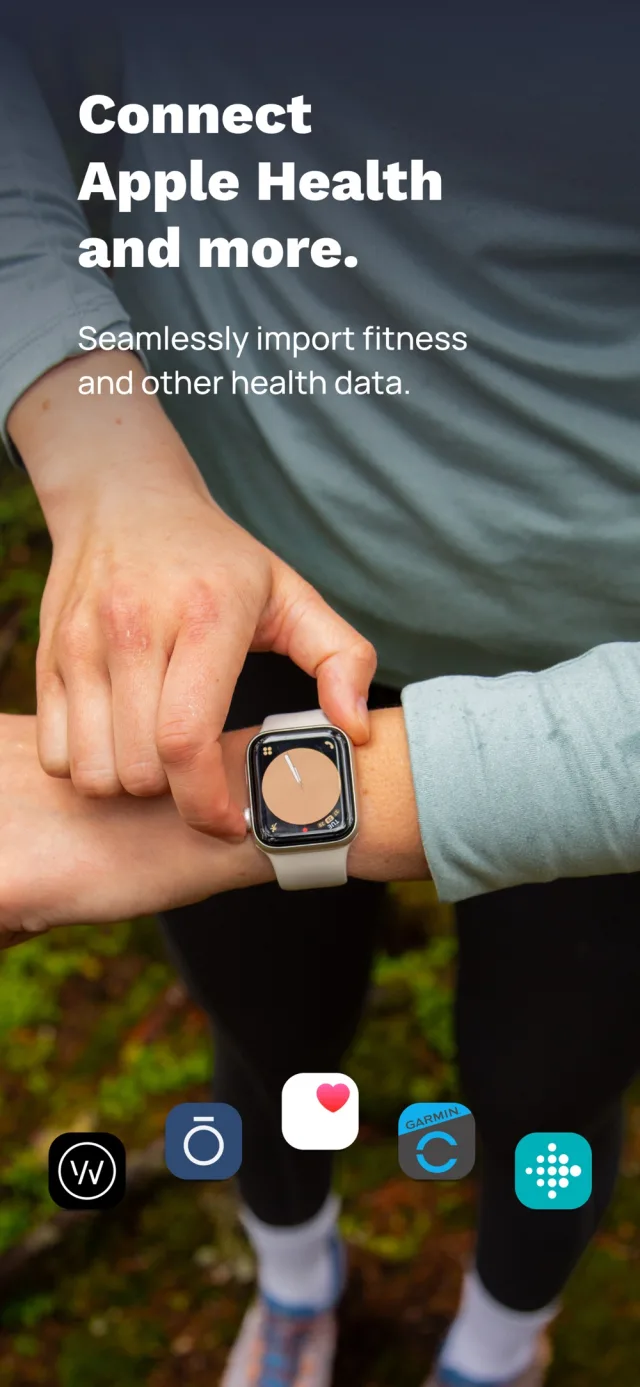
Image: Cronometer via the App Store
Pick it if: You train with a Garmin, Polar, WHOOP or Oura and want it wired directly into a free food log that counts micronutrients.
Strengths
- Free account links Garmin, Fitbit, Polar, Suunto, WHOOP, Oura and Withings
- Unlimited barcode scanner and up to 95 nutrients and compounds without paying
- Imports and exports data with Apple Health, Health Connect and Samsung Health
- CSV export of diary, exercise and biometrics from account settings
Drawbacks
- Ads on the free account, which shows a seven-day window of nutrition data
- Training-day macro templates, Photo Log and Voice Log need Gold ($59.99 a year)
- Free plan
- Yes, with ads
- Gold
- $59.99/yr or $10.99/mo
- Platforms
- iPhone, Android, web
Cronometer comes closest to MyFitnessPal’s free device plumbing, then goes deeper. Its Garmin link pulls in weight, body-fat percentage, sleep, workouts, daily activity, heart rate and HRV, with up to two years of backfill. Its help page even explains how it strips the resting portion out of each Garmin workout so those calories aren’t counted twice.
The food side is curated rather than crowd-built, with entries drawn from sources such as NCCDB and USDA and the source shown on each one. Endurance athletes watching sodium and potassium, and plant-based lifters watching iron and B12, get all of it free: up to 95 nutrients and compounds and a scanner with no limit. Gold adds the Macro Scheduler, which sets different macro templates for different weekdays, plus Photo Log, Voice Log and the Crono Coach assistant.
The trade-off is speed: logging is typing-first on the free account, and the ads persist. Restaurant regulars will find fewer chain dishes than in MyFitnessPal.
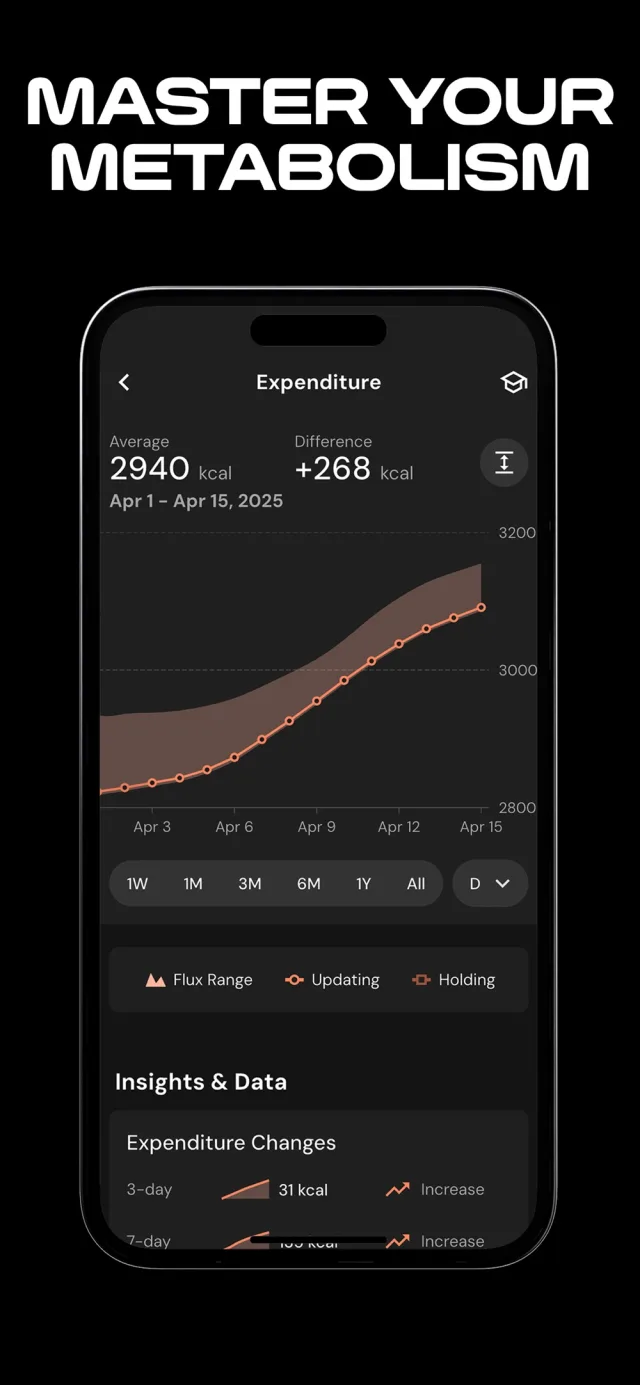
Image: MacroFactor via the App Store
Pick it if: You weigh in most mornings and want your calories and macros worked out from what your body actually did.
Strengths
- Expenditure estimate learned from your intake and weight trend
- Weekly check-ins, plus different macros on different days
- Barcode, label scan, AI photo and speech-to-text logging
- No ads, and you can export your data any time
Drawbacks
- No free tier, only a 7-day trial: $71.99 a year or $11.99 a month
- Its lifting app, MacroFactor Workouts, is sold as a separate subscription
- Free tier
- None
- Paid
- $71.99/yr or $11.99/mo
- Food data
- 1.36M+ verified entries
If you paid for MyFitnessPal Premium mainly for custom macros, MacroFactor is the specialist’s version of that purchase. Pick a bulk, cut or maintenance goal and a mode (Coached, Collaborative or Manual); the app re-estimates your expenditure from intake and weigh-in trend and adjusts calories and macros at each weekly check-in. No red numbers when you go over, and the maths keeps working on imperfect weeks.
For lifters there’s a sister app, MacroFactor Workouts, with auto-progressing programs, more than 900 exercises and a link back to the nutrition app. It is priced on its own, with a bundle for existing customers. MacroFactor connects to Apple Health and Health Connect, which is how a smart scale’s weigh-ins reach it.
Skip it if you weigh yourself twice a month; the algorithm needs data. And there is no free version to fall back on. I go deeper on this choice in our MacroFactor alternatives for lifters.
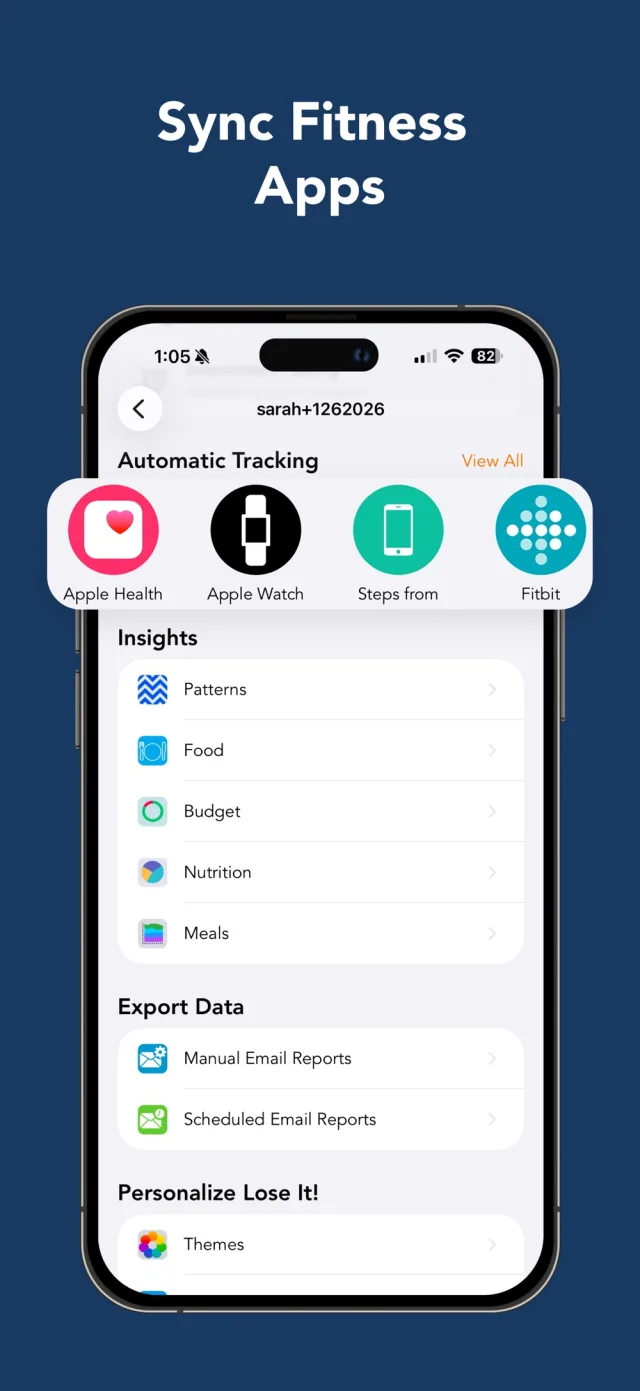
Image: Lose It! via the App Store
Pick it if: You run with Strava or a Garmin, eat plenty of packaged food, and want the lowest yearly price that links them.
Strengths
- About 0.4 seconds from barcode to logged entry in my timing
- Premium connects Strava, Garmin, Fitbit and Withings
- Premium is $39.99 a year
- Full account export from the Lose It! website
Drawbacks
- Scan It and the label scanner are moving into Premium, per its help center
- Macro tracking, protein included, is listed as a Premium feature
- Free plan
- Yes
- Premium
- $39.99/yr
- Platforms
- iPhone, Android, web
Lose It! is the easiest landing for someone who liked MyFitnessPal’s shape and resents its price: a calorie budget, a big database and a familiar diary within minutes. The scanner was the quickest I timed, but Lose It! says it is moving it into Premium, so budget for the upgrade.
Its help center is explicit that connecting Strava is a Premium feature, and the App Store listing puts Garmin, Fitbit and Withings syncs in the same tier, alongside macro and nutrient tracking. At $39.99 a year that bundle is still the cheapest way to get protein targets and a Strava link in one app here. Leaving later is straightforward: the full export downloads from loseit.com. Our head-to-head of MyFitnessPal vs Lose It! covers the two in detail.
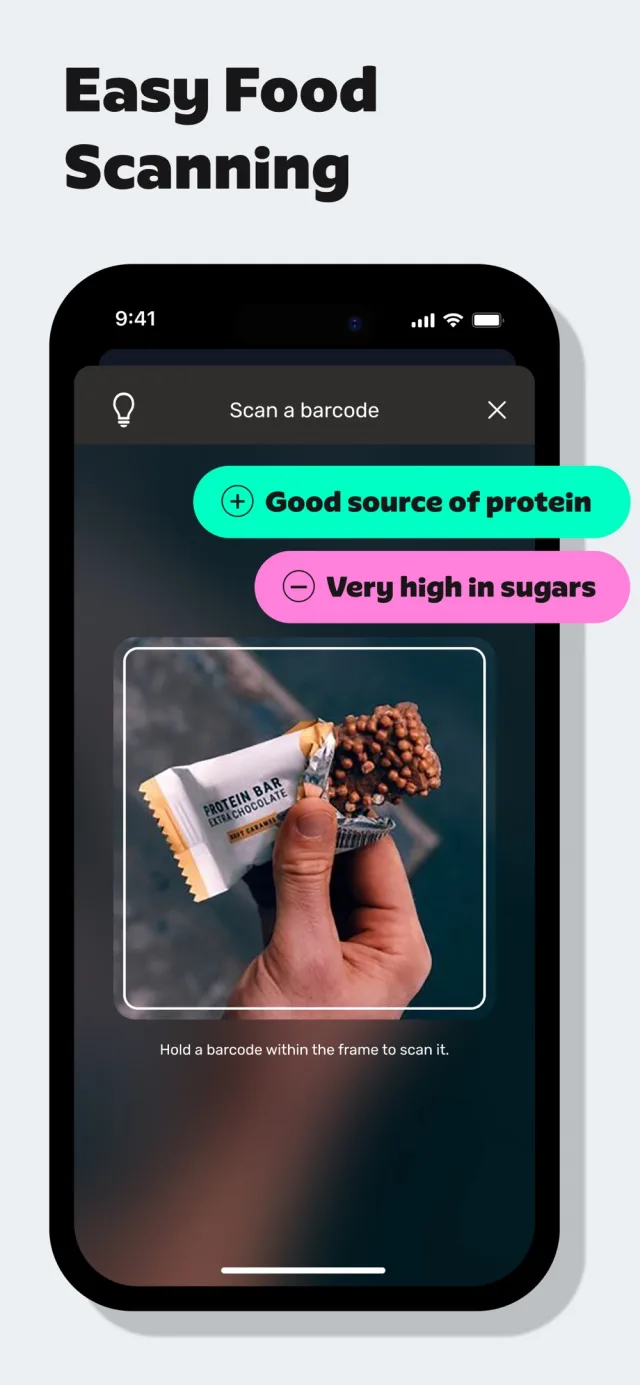
Image: YAZIO via the App Store
Pick it if: You'd rather pay by the month and want your Garmin or Polar sessions inside the food diary.
Strengths
- Apple Health and Health Connect sync on the free plan
- Pro links Garmin, Polar, Fitbit and Samsung Health
- Pro costs $5.99 a month
- Weekend calories: different goals for chosen days, in Pro
Drawbacks
- Only one third-party app can be connected at a time, per Yazio's help center
- Photo logging, smart food ratings and the full set of fasting plans are Pro
- Free plan
- Yes
- Pro
- $5.99/mo
- Platforms
- iPhone, Android
Yazio is a tidy tracker with a habit of flagging what matters: scan a bar and it may tell you it’s a good protein source and very high in sugar in the same breath. The free plan reads Apple Health or Health Connect; Pro adds direct Garmin, Polar, Fitbit and Samsung Health links. Its Garmin help page says steps, training activities, burned calories and body weight come across, while nothing is sent back to Garmin.
The Pro feature lifters will like is weekend calories: flexible goals for selected days, a simple stand-in for training-day targets. The catch is the one-connection rule, so a Garmin watch plus another brand’s smart scale means routing one through the phone’s health app.
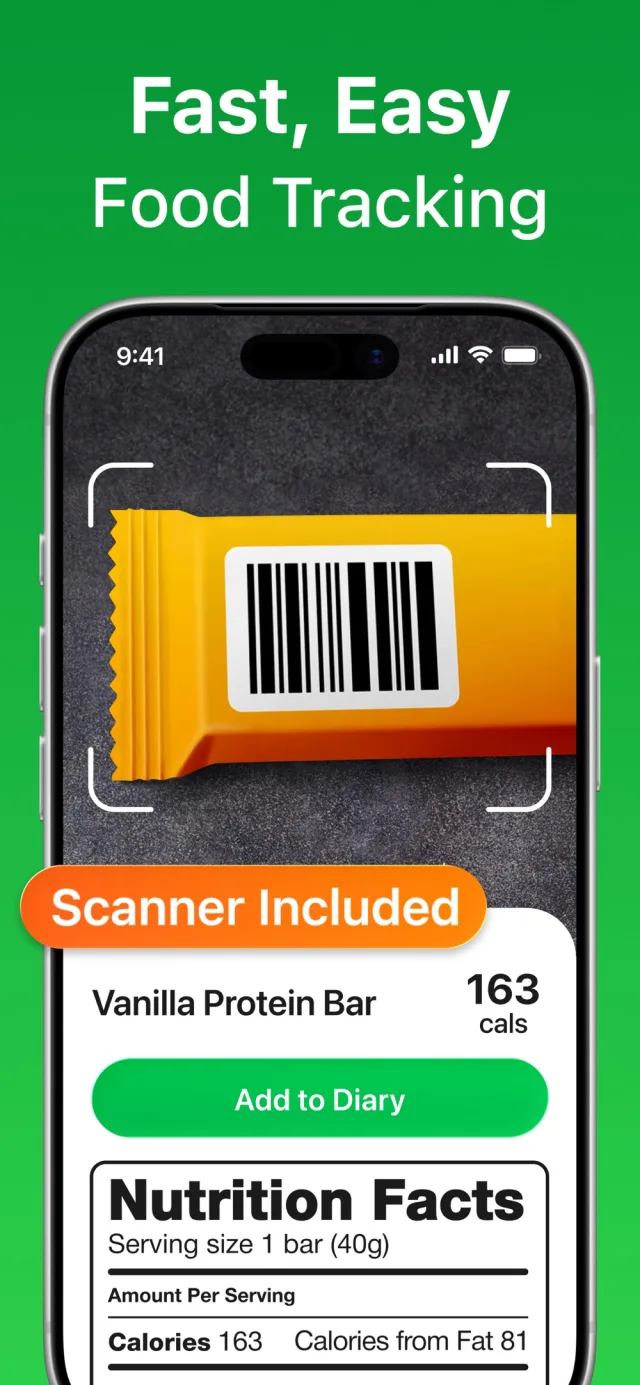
Image: MyNetDiary via the App Store
Pick it if: You want MyFitnessPal's old free toolkit back, scanner included, without ads.
Strengths
- Free barcode scanner and voice logging, with no ads
- Protein and macro tracking plus up to 108 nutrients on the free plan
- Apple Health sync that writes 51 data types and reads 14
- Staff-verified database of more than 2 million foods
Drawbacks
- Fitbit, Garmin and Withings syncs are Premium ($8.99 a month)
- Calorie and macro cycling and the adaptive TDEE are Premium too
- Free plan
- Yes, ad-free
- Premium
- $8.99/mo
- Platforms
- iPhone, Android
MyNetDiary gives away two things MyFitnessPal now charges for, the scanner and voice logging, and adds full macro and protein tracking with no ads in the way. Its database is checked by its own staff and built on USDA and NCC research sources, and the free plan tracks up to 108 nutrients.
The training tools sit in Premium. Calorie and macro cycling handles high and low days, Advanced Autopilot estimates your expenditure from logged food, exercise and weight trend and updates targets weekly, and the Fitbit, Garmin and Withings links live there too. A free feature worth knowing: Professional Connect lets you share your diary with a coach or dietitian. The screens are busy, but everything is where you’d expect.
Leaving MyFitnessPal without losing your training data
What you give up. The restaurant catalog, mainly; no app here knows as many chain dishes. Also the free partner links if your new app charges for them, the Wear OS app, and the custom foods you built over the years.
How to move, in order:
- Export while you still have Premium. On iPhone it sits under More, Nutrition, then Export; on the website, Reports, then Export. You get an email with three CSV files: nutrition by meal, progress measurements and exercise. If you’re on the free tier, print a report instead. MyFitnessPal’s help center also says your logs stay in the account if you drop back to Free.
- Write down every target, including different numbers for training and rest days if you used them. The new app should start from what was working, not from a fresh formula.
- Let the phone carry your history. Weigh-ins and workouts already sitting in Apple Health or Health Connect come along to any app that reads them. PlateLens, Cronometer, Yazio and MyNetDiary all read from the phone’s health hub.
- Rebuild your repeat meals in week one. Most lifters rotate a short list: the shake, the oats, the chicken-and-rice box. In PlateLens, log it once, check the grams, and choose Save for reuse; a saved group can hold up to 10 items.
- Disconnect Garmin or Strava from MyFitnessPal before linking them elsewhere, and keep one route for workouts. Two routes means one run counted twice. Cronometer’s own help asks users to import from a single device integration for the same reason.
Don’t expect a clean import of your old food diary into any of these apps; Lose It! says outright that importing data isn’t possible. Treat the CSVs as your archive.
Which alternative fits your training
- You lift and most of your protein has a barcode: PlateLens. Free scanning, protein per ingredient, and workout calories you can steer into protein.
- You run or ride with a Garmin and want a free direct link: Cronometer, with micronutrients thrown in.
- You weigh in daily and run planned bulks and cuts: MacroFactor.
- Strava is the center of your training life: Lose It! Premium, at $39.99 a year.
- You’d rather not commit to a year: Yazio Pro, monthly.
- You want free, with no ads, and a scanner: MyNetDiary.
- Protein is the whole point: see the best protein tracking apps.
How six trackers went through training weeks
Every app got at least two weeks of daily use across gym, run and rest days, logged by its main method. I timed ordinary entries, checked packaged foods against labels and whole foods against USDA FoodData Central, read each free plan to its last upgrade screen, connected Apple Health or Health Connect, and tried exports. Device and plan details come from each maker’s help center, website or App Store listing, checked October 30, 2026. The order weighs free scanning, protein visibility, device links and how workouts affect targets. Stars are each app’s overall score on our five weighted criteria. Dr. Reyes reviewed the nutrition guidance, and every screenshot is the developer’s own App Store image. For the full field of trackers, see our calorie tracker rankings.
Questions readers ask
- What is the best MyFitnessPal alternative for people who work out?
- PlateLens. Its free plan scans barcodes with no daily cap, shows protein for every meal and ingredient, and syncs both ways with Apple Health and Google Health Connect, so workouts from your watch land in the same diary. You choose whether they raise your targets and how the extra calories split between protein, carbs and fat. Premium is $34.99 a year, against $79.99 for MyFitnessPal Premium.
- Which free calorie app still has a barcode scanner?
- PlateLens, Cronometer and MyNetDiary all scan barcodes on their free plans. MyFitnessPal lists Barcode Scan among its Premium features, and Lose It! says it is moving its scanner into Premium. MacroFactor has no free tier, only a 7-day trial.
- Which MyFitnessPal alternative connects to Garmin?
- Cronometer links Garmin directly on a free account and can backfill up to two years of Garmin data. Lose It!, Yazio and MyNetDiary connect to Garmin on their paid tiers. PlateLens reads workouts, steps and weight from Apple Health and Google Health Connect, so anything your devices write there reaches its diary.
- Can I export my MyFitnessPal data before switching?
- Yes, with Premium: MyFitnessPal's file export emails three CSV files covering nutrition by meal, progress measurements and exercise. Free accounts can print a report or share their diary. Old food diaries rarely import cleanly elsewhere, so keep the export as a record and rebuild your regular meals in the new tracker.
- Is MyFitnessPal Premium worth it for lifting?
- Only if you need its extras: per-weekday goals, macros by meal, exercise calorie settings and the restaurant catalog. At $79.99 a year it is the priciest tracker here. PlateLens includes barcode scanning, macro tracking and an adaptive calorie target on a free plan, and its Premium is $34.99 a year.