The Best MacroFactor Alternatives for Lifters (2026-2027): Bulk, Cut and Protein, Covered
Running a bulk or a cut without MacroFactor? Five apps compared on adaptive targets, protein per meal, training-day macros and pairing with Hevy or Strong.
How this was made: every app here was used for at least two weeks before it was scored, checked by our nutrition reviewer, and never paid for by an app maker. Our scoring method.
For lifters moving off MacroFactor, the replacement I’d pick is PlateLens. It learns your expenditure from your logs and weigh-ins on its free plan, handles cut, bulk, recomp and maintenance goals, counts protein meal by meal and ingredient by ingredient, and lets you decide how much of a hard session’s burn goes to protein, carbs or fat. Choose Carbon Diet Coach if you want MacroFactor-style weekly check-ins plus reverse dieting, or Cronometer if you’d rather write your own training-day macros and watch micronutrients.
This page is for one kind of user: someone who lifts, moves between building and leaning-out phases, and has a protein number to hit. Dr. Alina Reyes, who holds a PhD in sports nutrition, checked the targets.
Why lifters shop around after MacroFactor
MacroFactor is the app many of these alternatives are measured against, so the reasons to leave are mostly about fit and cost, not quality.
There’s nothing free to fall back on. MacroFactor’s own listing says it has a free trial but no free subscription tier. After seven days it is $11.99 a month or $71.99 a year.
Food and training are two subscriptions. MacroFactor Workouts, its lifting app, has its own price, with a bundle for existing nutrition customers. If you already log sessions in Hevy or Strong, that pairing matters less.
The algorithm wants a scale habit. Expenditure comes from intake and weight trend, so sporadic weigh-ins mean slower adjustments. Every adaptive app shares this; MacroFactor is built entirely around it.
Some lifters want to talk to their tracker. Asking “what should my post-workout meal be with what I have left?” and getting an answer from your own diary is a different experience from a weekly check-in screen.
What MacroFactor does better than most
Credit where due. Its expenditure estimate and weekly check-ins set the standard, with Coached, Collaborative and Manual modes depending on how much control you want. You can set different macros for different days, and its design is adherence-neutral: no red numbers, and the estimate still holds up on messy weeks. It logs by barcode, label scan, AI photo and speech, draws on 1.36 million-plus verified entries, smooths daily weigh-ins into a trend, and exports your data any time. The Workouts app adds auto-progressing programs and more than 900 exercises.
Reasons to keep paying for MacroFactor
- You weigh in most mornings and like the rhythm of the weekly check-in.
- You want your training program and nutrition from the same company.
- You use Collaborative mode and wouldn’t trade that control.
Bulk, cut and maintenance features side by side
| App | Stars | How targets change | Phase goals | Training vs rest days | Protein view | Free tier | Paid |
|---|---|---|---|---|---|---|---|
| MacroFactor (for reference) | 4.6 | Weekly check-ins from intake and weight trend | Bulk, cut, maintain | Different macros by day | Nutrient timing insights | No, 7-day trial | $71.99/yr or $11.99/mo |
| PlateLens | 4.8 | Expenditure learned weekly, targets reviewed every 14 days | Cut, bulk, recomp, maintain | Workout bonus split by your percentages | Per meal and per ingredient | Yes, never expires | $34.99/yr or $9.99/mo |
| Cronometer | 4.5 | Custom targets you edit | Your own targets | Macro Scheduler templates (Gold) | Daily report against target | Yes, with ads | $59.99/yr or $10.99/mo |
| Carbon Diet Coach | — | Weekly check-ins with explanations | Lose, gain, maintain, reverse diet | Diet planner for high and low days | Protein intake charts | Subscription | Subscription |
| MyFitnessPal | 4.4 | Your custom goals | Loss, gain, maintenance, performance | Different goals by day (Premium) | Macros by meal (Premium) | Yes | $79.99/yr or $19.99/mo |
| Lose It! | 4.3 | Budget from your plan | Loss, gain or maintenance | Meal targets (Premium) | Macro tracking (Premium) | Yes | $39.99/yr |
Prices are US list prices on October 30, 2026; Carbon sells monthly, six-month and yearly plans. Features come straight from the makers’ own pages and listings, and the stars come from our scoring page.
Five trackers for training phases, ranked
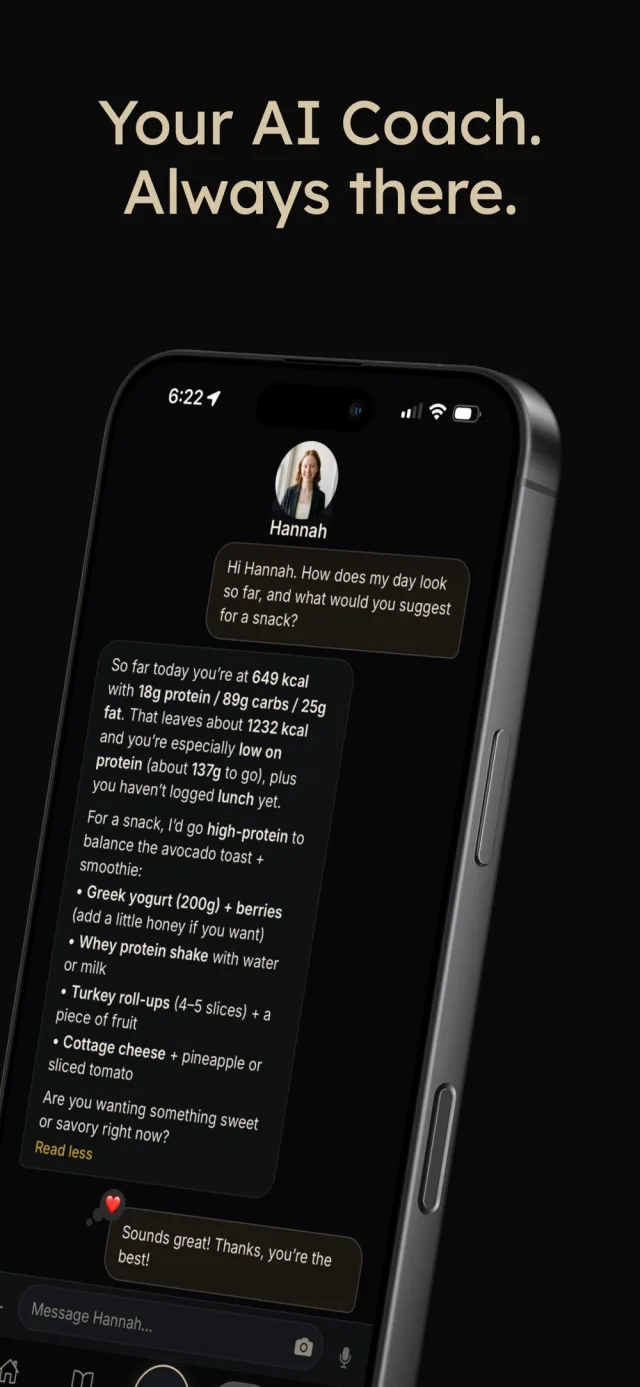
Image: PlateLens via the App Store
Pick it if: You're cutting or bulking, you hit a protein number every day, and you'd rather the app work out your maintenance than a spreadsheet.
Strengths
- Expenditure learned weekly from logs and weigh-ins, with new targets suggested every 14 days, free
- Cut, bulk, recomp or maintenance goals, with coach personalities built for fat loss or muscle gain
- Protein counted meal by meal and ingredient by ingredient, gram weights editable
- Split a training day's extra calories between protein, carbs and fat by percentage
- Save the post-workout meal once and re-log it from Saved, no new photo needed
Drawbacks
- Without Premium ($34.99 a year) you get three AI meal photos and five coach questions per day
- Free plan
- Never expires, no card
- Premium
- $34.99/yr or $9.99/mo
- Logging
- Photo, voice, barcode, search
- Platforms
- iPhone, Android, Apple Watch, web
The core of MacroFactor’s appeal, a target built from your real data, is on PlateLens’s free plan. Flip the switch labeled Adjust with my logs and weigh-ins, and PlateLens calculates your actual expenditure every week from what you ate and what the scale said. Every 14 days it compares your targets with that figure and proposes new ones; Apply New Targets puts them to work. A connected scale that posts to Apple Health or Health Connect keeps it supplied without typing. Set the goal to cut, bulk, recomp or maintain, and pick a coach personality to match: its App Store listing names coaches for losing fat and for gaining muscle among the 12 on offer.
Training days are where it gets clever. New accounts that use the learned expenditure start with the workout bonus switched off, because your usual training is already inside that number. If you’d rather a heavy leg day raise the day’s food, you choose how: calories only, carbs and fat, or your own split. PlateLens’s support page works an example: with 400 extra calories split 25% protein, 50% carbs and 25% fat, you get about 25 g more protein, 50 g more carbohydrate and 11 g more fat. A sixty-minute session typed as “60 min weights” is estimated using MET values for the activity and your own weight, or it arrives from Apple Health.
Protein is never hidden. Each meal shows it, each ingredient carries its own grams, and the coach does the arithmetic: in the developer’s own screenshot it notes the day has 18 g of protein, about 137 g still to go, and suggests Greek yogurt, a whey shake or cottage cheese. Shakes and bars go in by barcode with no daily limit; the oats-banana-whey breakfast you eat every day can be logged once, checked, and kept with Save for reuse; saved groups take up to 10 items. Per-meal visibility is the point: Schoenfeld and Aragon’s 2018 analysis put the useful dose near 0.4 g per kilogram at each of four or more meals. The food data underneath is verified, 1.2 million-plus entries of it.
The free plan never expires and covers the learned target, macro tracking and uncapped barcode scans. Premium, at $34.99 a year, raises the AI allowances and adds deeper vitamin, mineral and free-sugar breakdowns plus reports. It costs about half of MacroFactor’s yearly price.
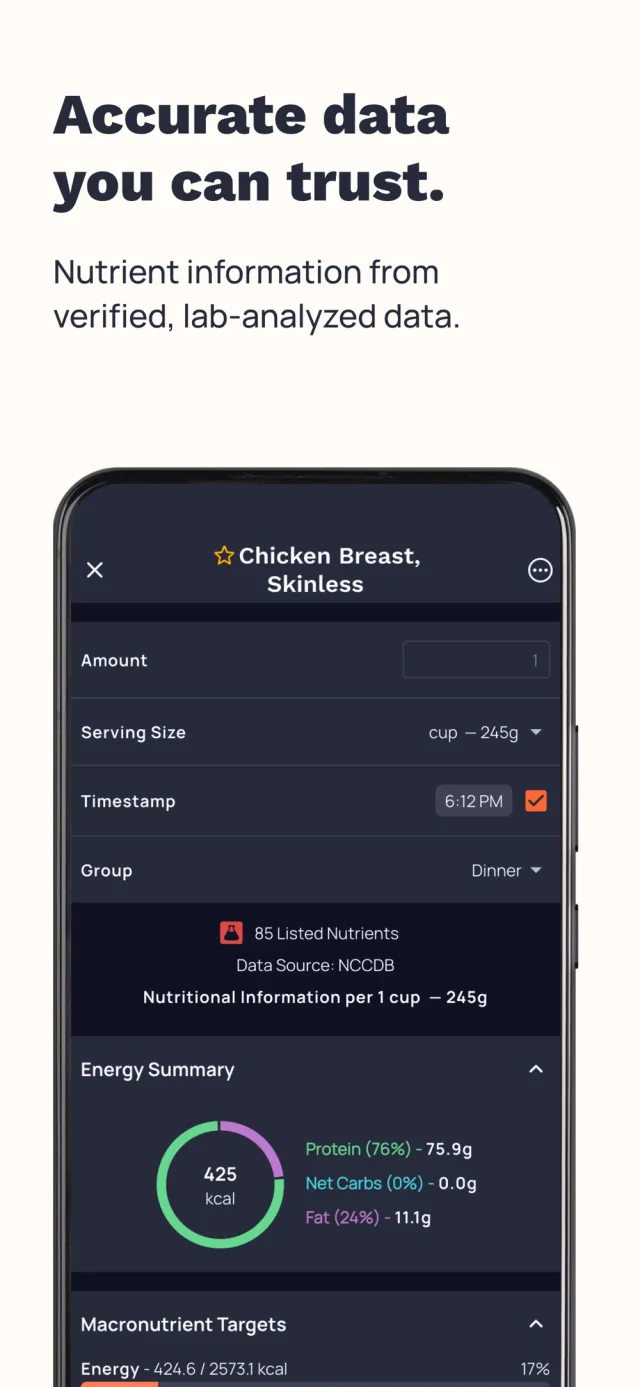
Image: Cronometer via the App Store
Pick it if: You'd rather set training-day and rest-day macros yourself and see what a high-protein diet does to fiber, iron and sodium.
Strengths
- Macro Scheduler sets different macro templates for different weekdays (Gold)
- As many as 95 nutrients and compounds, plus an uncapped barcode scanner, at no cost
- Entries name their source, such as NCCDB, with lab-analyzed data
- Imports exercise from Apple Health, Health Connect, Garmin and other devices
Drawbacks
- The free tier has ads and a seven-day view of nutrition data
- Photo Log, Voice Log and Crono Coach need Gold ($59.99 a year)
- Free plan
- Yes, with ads
- Gold
- $59.99/yr or $10.99/mo
- Platforms
- iPhone, Android, web
Cronometer suits the lifter who runs MacroFactor in Manual mode anyway. Gold’s Macro Scheduler lets you save templates, say higher carbs on pull and leg days and lower on rest days, and assign them to weekdays. The Oracle search suggests foods rich in a nutrient you want more of, and the daily report puts protein beside fiber, iron, B12 and potassium, which is handy when a high-protein diet starts crowding out plants.
The data is the draw. Entries come from curated sources, NCCDB and USDA among them, and each shows where its numbers came from. The free account tracks as many as 95 nutrients and compounds and scans barcodes without limit. Cronometer’s help asks you to import exercise from one device integration only, which is good advice for any lifter wearing a watch and using a gym log.
It’s the pick for lifters who like making those calls themselves. If you’d rather hand them to a weekly check-in, Carbon is next.
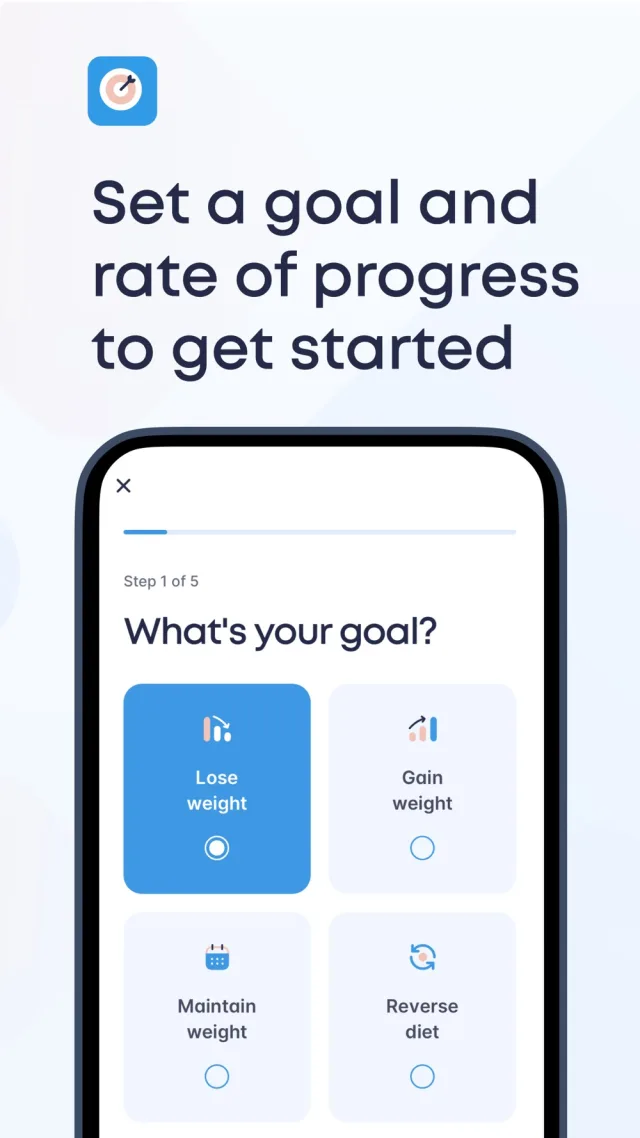
Image: Carbon Diet Coach via the App Store
Pick it if: You liked MacroFactor's weekly check-in and want a coach-style app that also handles reverse dieting and high and low days.
Strengths
- Weekly check-ins adjust your targets, with an explanation and a history for each change
- Goals for weight loss, weight gain, maintenance or reverse dieting
- Diet planner for high and low calorie days across the week
- Created by Layne Norton, PhD, and registered dietitian Keith Kraker
Drawbacks
- Subscription only, on monthly, six-month or yearly plans
- Check-ins depend on logging food and body weight consistently
- Price
- Subscription
- Coaching
- Weekly check-ins
- Platforms
- iPhone, Android
Carbon is the closest in spirit to MacroFactor. You log food, log your weight, check in once a week, and its coaching system refines your macros from your progress. What I liked is that it shows its reasoning: each check-in comes with an explanation, and the history lets you look back at why a change was or wasn’t made. You can move your check-in day or check in early.
Two features matter for lifters. Reverse dieting is one of the four goals, so coming out of a cut has a plan instead of a guess. And the diet planner lets you set high and low calorie days, which fits a heavy-training schedule, and rebalance the rest of the week after an over-target day. Diet styles run from balanced to keto and plant-based. Charts track weight, body fat, lean mass, each macro and metabolic rate, and body weight and body fat can come in from Apple Health.
The food tracker is solid rather than flashy: a barcode scanner, quick-add macros, copy meals, favorites and custom recipes, with a database powered by FatSecret. If you already know your numbers, Carbon lets you enter them and use it as a plain tracker. Plans run monthly, for six months or for a year.
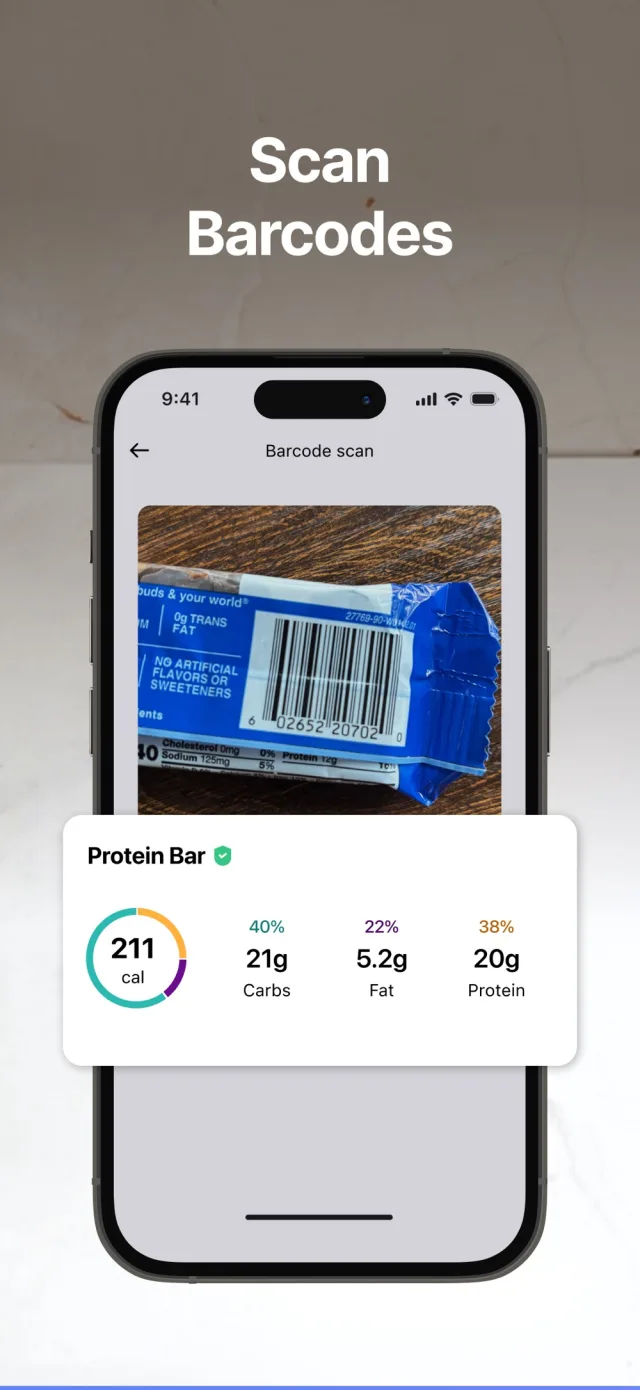
Image: MyFitnessPal via the App Store
Pick it if: Your post-workout meal often comes from a chain, and you'll pay for weekday-specific goals.
Strengths
- Premium sets different goals by weekday and macros by meal
- 20.5M+ foods, including restaurant dishes
- Workout routines and exercise calorie settings on Premium
- Food timestamps and multi-day logging on Premium
Drawbacks
- Barcode scanner, macros in grams and data export are Premium ($79.99 a year or $19.99 a month)
- Many crowd-added entries; stick to the verified ones
- Free plan
- Yes
- Premium
- $79.99/yr or $19.99/mo
- Platforms
- iPhone, Android, web
MyFitnessPal’s Premium tier is essentially a training-day toolkit: goals for each day of the week, gram-level and per-meal macros, food timestamps for nutrient timing, workout routines and exercise calorie settings. Its goal options cover weight loss, gain, maintenance and performance, and the AI Coach takes questions about macros and workouts.
Where it stands apart is breadth. With 20.5 million-plus foods listed, restaurant dishes included, it’s the likeliest to know the burrito bowl you grabbed after the gym. The trade is price and entry quality: Premium runs $79.99 a year, and many entries come from users, so choose verified ones for protein.
Image: Lose It! via the App Store
Pick it if: You want protein targets and quick scans for the least money, and your phases are simple.
Strengths
- Macro tracking with a protein goal for $39.99 a year
- About 0.4 seconds per barcode scan in my timing
- Premium syncs Strava, Garmin, Fitbit and Withings
- Meal targets that suggest protein and calories per meal (Premium)
Drawbacks
- Macro and nutrient tracking are Premium features
- Scan It is moving into Premium, per its help center
- Free plan
- Yes
- Premium
- $39.99/yr
- Platforms
- iPhone, Android, web
For lifters whose main need is a protein goal on the dashboard, Lose It! is the budget route. Premium’s macro tracking, meal targets and scanner cost $39.99 a year, and the scanner was the fastest I timed, which suits a cupboard of bars and shakes. Its listing frames goals around weight loss, gain or maintenance, set from your plan.
It’s the simplest app here, and its listing puts macro tracking in Premium. If you only need to see protein climb toward a number each day, it does that cheaply.
Hooking a lifting log up to your food log
Most lifters keep sessions in a dedicated app; our Hevy vs Strong face-off compares the two most popular. The food side should read from the same place.
Route it through the phone. Hevy’s listing says it exports workouts to Apple Health; Strong’s measurement tracker supports Apple Health and it exports everything as CSV. A tracker that reads Apple Health, as PlateLens and Cronometer do, then sees each session.
Decide whether lifting earns extra food. Calorie estimates for a lifting session are rough, whichever device makes them. If your tracker learns expenditure from your weight trend, as PlateLens, MacroFactor and Carbon do, your training is already in the number; leave any workout bonus off. If you’d rather fuel big days explicitly, use PlateLens’s custom split, Cronometer’s weekday templates, MyFitnessPal’s per-day goals or Carbon’s high days.
Keep one source of workouts. A watch workout and a Hevy session recorded at the same time can both reach your tracker. Pick one.
For the wider field of training apps, see the best strength training apps.
Leaving MacroFactor cleanly
What you give up. Its expenditure history and trend charts, the Coached and Collaborative modes, and, if you used both, the link between MacroFactor Workouts and the nutrition app.
How to switch without resetting your progress:
- Export first. MacroFactor says you can export your data any time; do it before the subscription lapses.
- Copy your current numbers. Write down your latest expenditure estimate and your calorie and macro targets, and enter them as starting targets in the new app, so you don’t fall back to a formula.
- Keep the scale in the hub. Weigh-ins stored in your phone’s health app travel with you, so the new tracker starts with a trend rather than a blank chart.
- Rebuild your staples in week one. Shake, oats, chicken and rice, the usual snacks: save them as meals so logging stays fast.
- Don’t change phase during the switch. Give the new app two or three weeks on a steady target before you start a bulk or a cut.
Which one fits your phase
- Cutting and want the app to steer: PlateLens, free adaptive targets with protein front and center.
- Bulking and want a coach-style weekly rhythm: Carbon Diet Coach.
- Coming out of a cut: Carbon’s reverse-diet goal, or PlateLens’s maintenance goal with learned expenditure.
- You program your own macros by training day: Cronometer Gold.
- You eat out after training a lot: MyFitnessPal Premium.
- You only need a protein goal, cheaply: Lose It! Premium.
Setting the numbers in the first place is covered in how to count macros for muscle gain.
How I tested and ranked them
Every app here got a fortnight or more of daily use across lifting days and rest days. Meals went in by each app’s main method, and sessions went into a separate lifting log, as they would for most readers. Routine entries were timed, packaged foods compared with their labels, and whole foods with USDA FoodData Central; I pushed each free tier until it asked for money and paired each app with the phone’s health platform. Features were confirmed on the makers’ own pages on October 30, 2026. The ranking rewards adaptive targets, visible protein, room for training-day changes, and cost. Stars use the five weighted criteria explained on our scoring page; Carbon hasn’t been through a full scoring pass and has none. Dr. Reyes checked the targets and protein guidance, and every screenshot comes from the developer’s App Store page.
Questions readers ask
- Is there a free alternative to MacroFactor for bulking and cutting?
- Yes. PlateLens's free plan includes its adaptive calorie algorithm: switch it on and it learns your expenditure each week from your logs and weigh-ins, then reviews your targets every 14 days. It supports cut, bulk, recomp and maintenance goals and displays protein meal by meal. Cronometer's free tier works if you prefer to set and change macros yourself. MacroFactor has a 7-day trial but no free tier.
- What app is most like MacroFactor?
- Carbon Diet Coach works the most like it: you log food and weight, check in weekly, and the app adjusts your macros and explains why. It also offers reverse dieting and a planner for high and low calorie days. PlateLens is the closest free option, with an expenditure estimate learned from your logs and weigh-ins.
- How much protein do I need on a cut versus a bulk?
- In a building phase, a review of off-season bodybuilding nutrition recommends about 1.6–2.2 g of protein per kilogram of body weight a day, spread over three to six meals. During contest-style dieting, a review of natural bodybuilders suggested 2.3–3.1 g per kilogram of lean body mass to help hold on to muscle. People with kidney disease should agree any high-protein target with their doctor.
- Which calorie tracker works with Hevy?
- Hevy can export workouts to Apple Health, so any tracker that reads Apple Health can see them. PlateLens exchanges data in both directions with Apple Health and Health Connect and lets you decide whether workouts change your targets. If your target is already learned from your logs and weigh-ins, leaving the workout bonus off avoids counting your training twice.
- Is MacroFactor worth it for lifters?
- For disciplined lifters who weigh in most days, it is excellent: weekly check-ins, different macros on different days and a companion lifting app. It costs $71.99 a year with no free tier, and its Workouts app is sold separately. PlateLens offers adaptive targets and protein tracking on a free plan, with Premium at $34.99 a year.