The Best Strength Training Apps (2026-2027): Lifting Logs and Program Builders, Ranked
Hevy is the lifting log to beat, Boostcamp has the programs, Fitbod and Alpha Progression tell you what to lift next. Eight strength apps ranked after real use.
How this was made: every app here was used for at least two weeks before it was scored, and never paid for by an app maker. Our scoring method.
If you lift, the app you want is Hevy. It logs a set as fast as anything in the gym, it is free with no ads, and it remembers last week for you. Strong is the cleaner, quieter alternative for lifters who already run a program. Boostcamp is where you go to find that program, with a free library of the famous ones.
If you would rather be told what to lift, Fitbod writes whole sessions around your equipment and recovery, and Alpha Progression gives a weight and rep target for every single set. JEFIT has the biggest exercise library here. Caliber is the route to a real human coach, and Ladder is coach-led strength for iPhone users who like someone talking them through it.
Every app here logged my gym sessions for at least two weeks, on the phone and, where offered, the watch.
The rankings
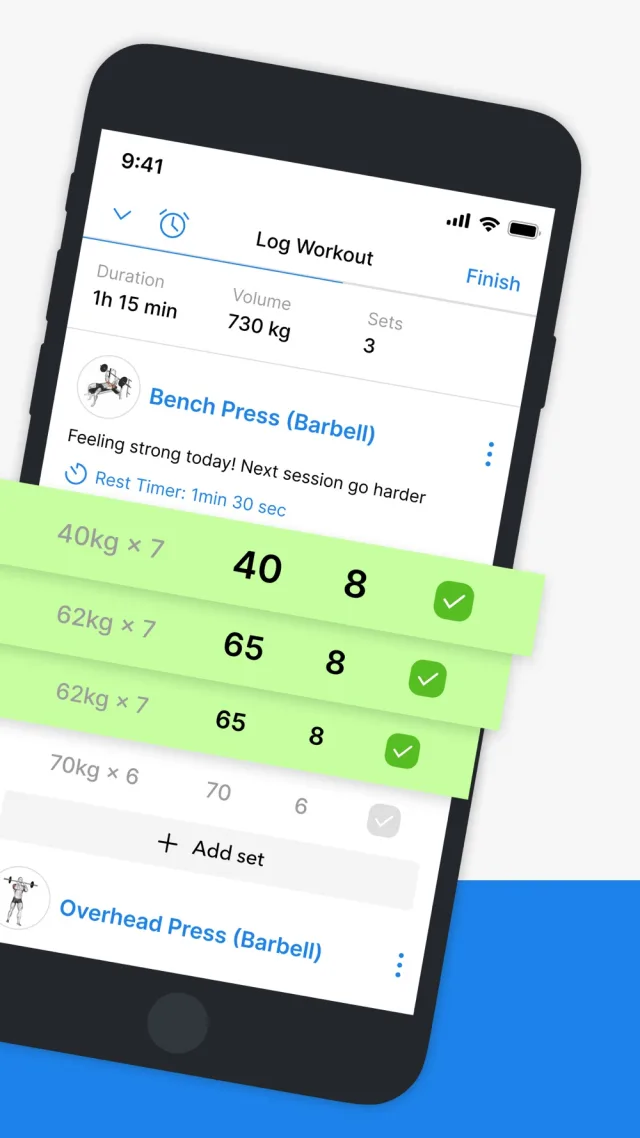
Image: Hevy via the App Store
Pick it if: You want to log quickly, follow a sensible split, and see your lifts climb.
Strengths
- Free with no ads; unlimited workout logging
- Last session's weights and reps shown beside every set
- Free library of full splits and single workouts
- Hevy Trainer on Pro builds and adjusts a program
Drawbacks
- Free plan holds four routines at a time
- Full training history needs Pro
- The social feed is not for everyone
- Free tier
- Yes, up to 4 routines
- Paid
- Hevy Pro subscription
Lifting with Hevy
Hevy’s best feature is almost invisible. Every set row already shows what you did last time, so the decision about this set takes a glance. Complete a set and the countdown to the next one begins without a tap. Set types cover the usual suspects, from warm-ups to drop sets and sets taken to failure, and RPE is there if you track effort. The phone can stay in the bag, too: the watch app handles sets, rests and finishing the session.
Where Hevy pulls away from a plain log is the stuff around the lifting. There is a free library of splits to copy into your routines. Body weight, measurements and progress photos live beside the training. Workouts sync to Strava for people who also run, and to Apple Health. The feed is the polarizing part: friends’ sessions, comments, lift comparisons. Some lifters find it motivating. Others turn it off and never look back.
The free plan’s limits are real but fair. You can keep four routines at a time, and Hevy saves your complete history, unlimited routines and custom exercises, and the Hevy Trainer program builder for Pro. Skip Hevy if you want the quietest possible screen. That is Strong. For a deeper look at those two, see the Hevy vs Strong face-off.
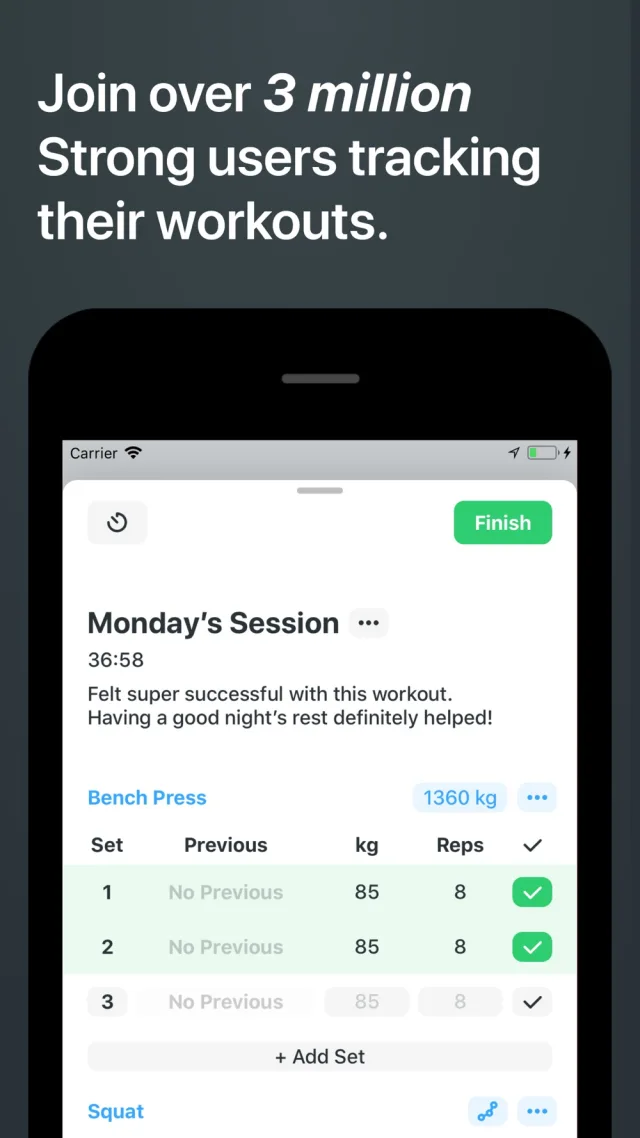
Image: Strong via the App Store
Pick it if: You already follow a program and want logging to feel like writing in a notebook.
Strengths
- Very little on screen while you train
- Warm-up and plate calculators
- Apple Watch app logs with or without the iPhone
- Exports all your data as CSV
Drawbacks
- Free version limited to three custom routines
- Expects you to bring your own program
- Built for solo lifters more than for a crowd
- Free tier
- Unlimited workouts, 3 routines
- Paid
- Strong PRO $29.99/yr
Why Strong still has fans
Strong is the gym log for people who find most gym apps too loud. It says outright that it is tuned for progressive barbell routines such as Starting Strength and StrongLifts 5x5, and it shows. The session screen is a table: exercise, previous, weight, reps, tick. The rest timer counts down on its own.
Its toolbox is the best for barbell work. The warm-up calculator suggests your ramp-up sets, and the plate calculator tells you what goes on each side of the bar. It estimates your one-rep max, charts volume and 1RM progress, and records body measurements with Apple Health support. When you leave, a CSV export takes every set with you.
Strong’s free version saves unlimited workouts but caps you at three custom routines, and PRO is listed at $29.99 a year. Skip it if you want an app to tell you what to do. Strong assumes you already know.
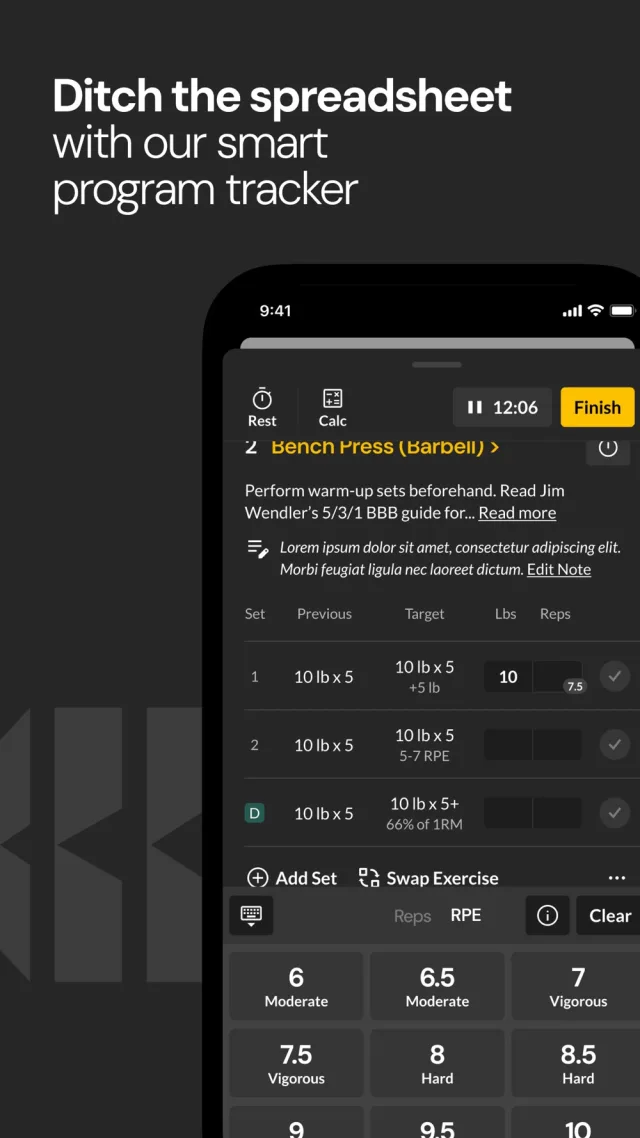
Image: Boostcamp via the App Store
Pick it if: You want to run a proven, named program without building a spreadsheet first.
Strengths
- Free library of 11,000+ programs, including 130+ from known coaches
- Logs RPE, RIR and estimated 1RM
- Rest timer, plate calculator, warm-up templates and form videos
- AI coach builds a multi-week program from a short questionnaire
Drawbacks
- The size of the library can be overwhelming
- Strength Score and the per-muscle heatmap are Pro features
- Free tier
- Yes, full tracker and program library
- Paid
- Boostcamp Pro subscription
Running a real program in Boostcamp
Boostcamp started by turning the internet’s favorite free lifting programs into an app, and that is still its edge. nSuns, GZCLP, 5/3/1 Boring But Big, the Reddit PPL, PHUL, PHAT and a long list more sit next to programs from coaches such as Greg Nuckols, Eric Helms and Jonnie Candito. Pick one and the tracker loads the right sets, percentages and progressions for the day.
The logging side is serious, too. RPE and RIR, estimated 1RM, plate math, warm-up templates and the ability to swap an exercise mid-session without losing your numbers. PRs are flagged as they happen, and a weekly report lands every Sunday. The app also has an AI coach that writes a custom multi-week program after a short questionnaire.
The library is free and there are no ads. Pro adds extras such as a 0 to 100 Strength Score across the big lifts and a per-muscle volume heatmap. Skip Boostcamp if you like to improvise each session. It shines when you commit to someone else’s plan.
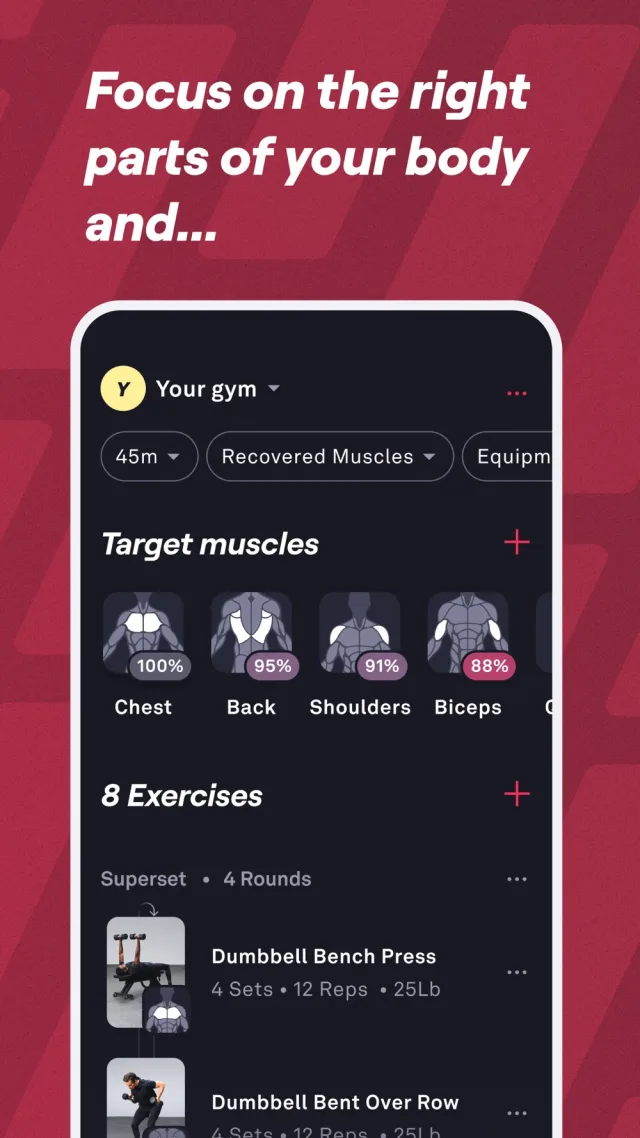
Image: Fitbod via the App Store
Pick it if: You walk into the gym unsure what to train and want the app to decide.
Strengths
- Builds each workout around your goals, equipment and recovering muscles
- Learns from the changes you make to its suggestions
- 1,000+ exercises with multi-angle video
- Syncs with Apple Health, Strava, Fitbit and Apple Watch
Drawbacks
- Subscription after the free trial
- Wants to choose the session, so fixed-program lifters may fight it
- You have to set up your equipment carefully for good suggestions
- Free tier
- Free trial
- Paid
- $12.99/mo, or yearly
Letting Fitbod decide
Fitbod treats every session as a fresh calculation. It looks at your goal, the equipment you told it you have, and how recently each muscle group was trained, then builds a workout with sets, reps and weights. Recovery is shown as a percentage per muscle, which makes the logic visible: chest is fresh, legs are not, so today is upper body.
You can edit anything, and Fitbod says its model learns from those edits. It varies exercises on purpose, using what it calls non-linear periodization, and it can build a session for the gym, the home or a hotel by switching equipment profiles.
The trade-off is that Fitbod wants to be in charge. If you are halfway through a 12-week program you love, it will feel like a backseat driver. Skip it in that case, and keep it in mind for the weeks when motivation is low and decisions are the enemy.
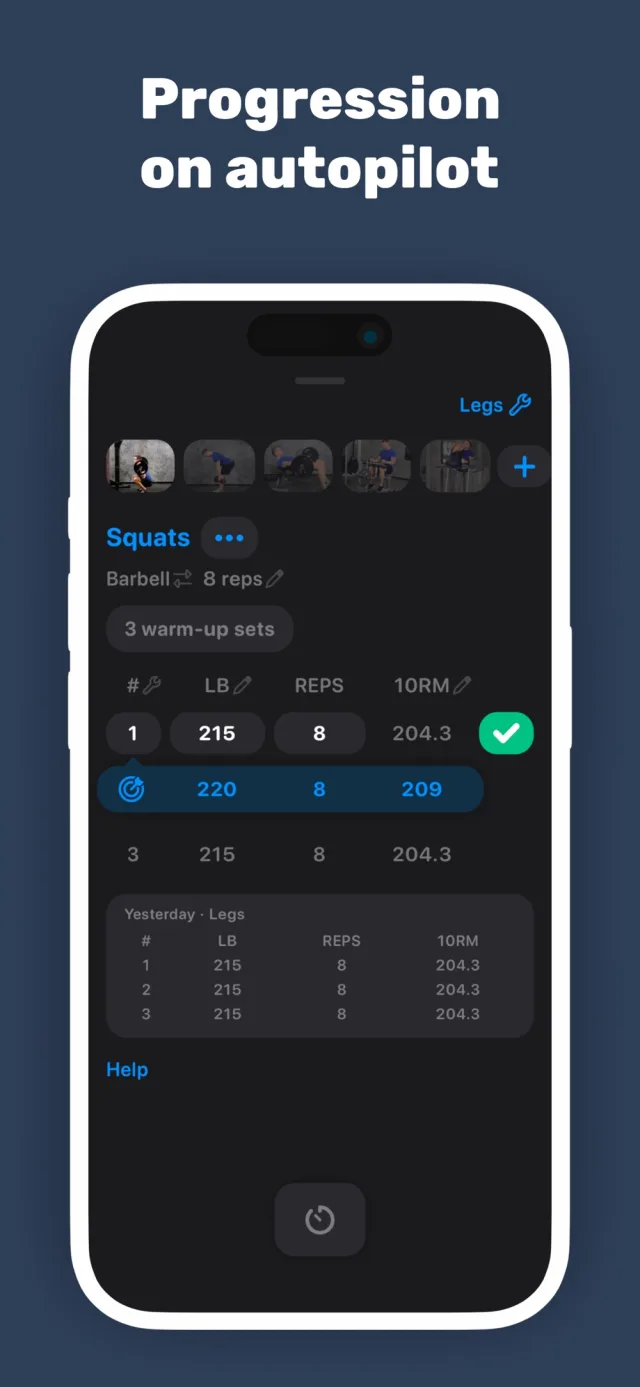
Image: Alpha Progression via the App Store
Pick it if: You want precise progressive overload: a number for every set, not just every session.
Strengths
- Free logging with no account, all 795 exercise videos and CSV export
- Pro recommends weight and reps for each set
- Plan generator handles splits, periodization, RIR and deloads
- Warm-up and plate calculators; multiple gym profiles
Drawbacks
- The smart features are all Pro
- Busy screens for a first-timer
- Smaller community than Hevy
- Free tier
- Yes, logging and videos
- Paid
- Pro subscription, 14-day free trial
Alpha Progression’s party trick
Most smart lifting apps plan the session. Alpha Progression plans the set. Before each one, Pro shows a weight and rep target based on your history and what you have already done today, and the target shifts from set to set because fatigue is real. Hit the numbers and they climb.
The plan generator is just as thorough. Choose your goal, days, session length and the muscles to prioritize, and it builds a split around your gym’s equipment, with RIR targets that ramp week by week and deloads scheduled in. Every exercise has a video filmed in a real gym, with an evaluation of how well it builds muscle.
The free version is better than it needs to be: unlimited logging, the full video library, your own plans, records and CSV export, with no ads and no account. Skip Alpha Progression if the idea of a number for every set sounds stressful. For some lifters it is clarity. For others it is homework.
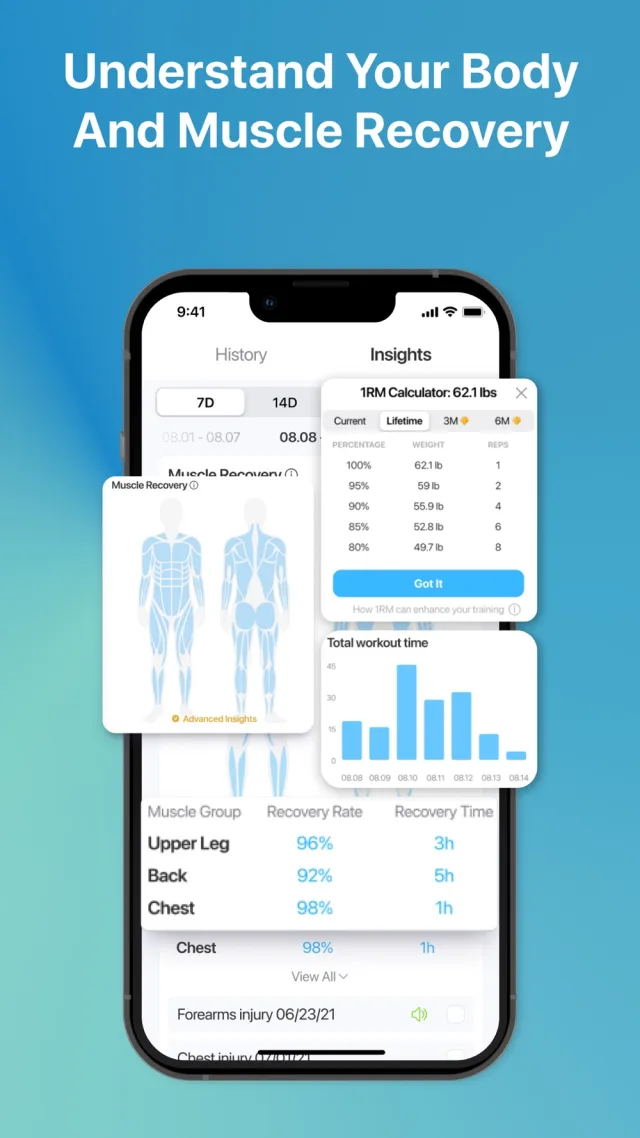
Image: JEFIT via the App Store
Pick it if: You like variety and data, and want to see which muscles are ready to train.
Strengths
- 1,400+ exercises with HD video and animations
- Muscle recovery chart and muscle map
- Built-in bodybuilding programs plus an AI adaptive plan
- Weekly sets per muscle and 1RM charts
Drawbacks
- Interface feels crowded next to Hevy or Strong
- Best analytics and the adaptive coach sit in Elite
- Free tier
- Yes
- Paid
- JEFIT Elite subscription
JEFIT for the data-curious
JEFIT, the veteran here, has the biggest catalog of movements: more than 1,400 with video, good news for anyone bored of the same five lifts. Its insights are its other strength: a muscle map of what you have trained, weekly sets per muscle, movement balance and a recovery chart that marks which muscles are ready.
You can build routines, download built-in bodybuilding programs or let the AI-driven Adaptive Plan run your mesocycle and suggest the next weight and reps. The Apple Watch app live-syncs with the phone, and the lock screen shows your set count and rest timer.
The weakness is clutter: JEFIT does a lot, and the screens show it. Its adaptive AI coach and premium analytics live in the Elite tier. Skip it if you want calm.
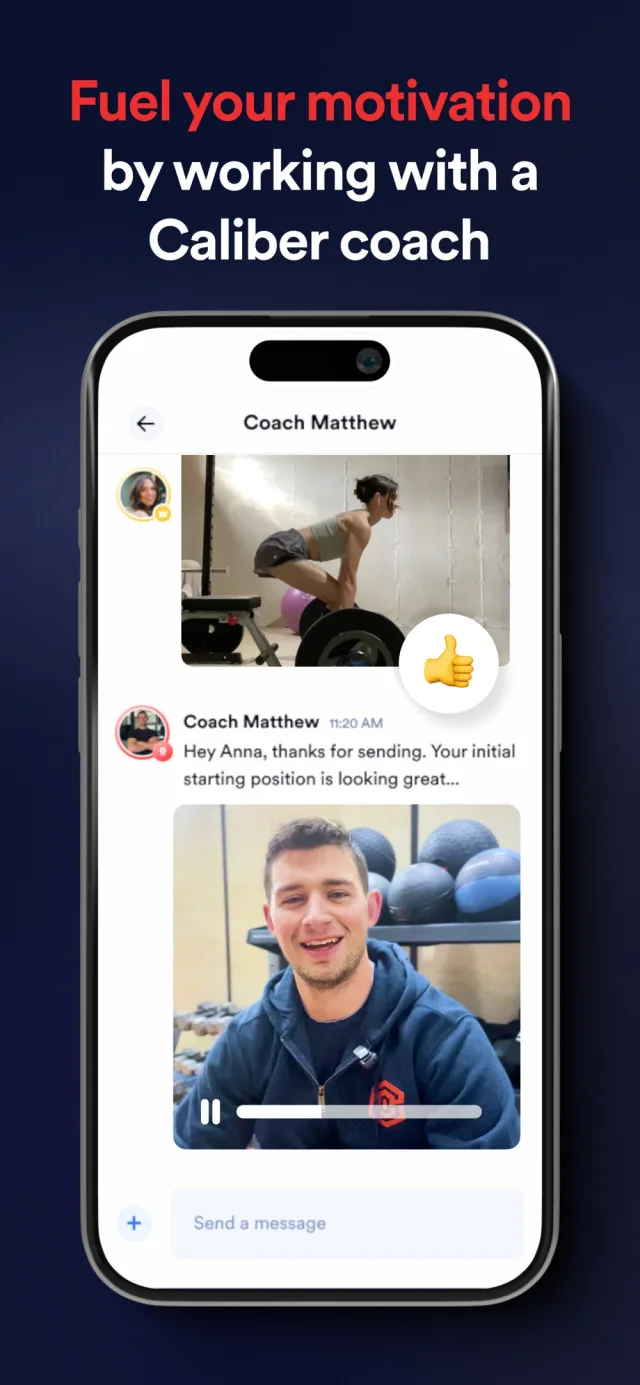
Image: Caliber via the App Store
Pick it if: You want a free log today and the option of a real personal trainer tomorrow.
Strengths
- Free version tracks unlimited workouts with 800+ exercises
- Step-by-step exercise tutorials from Caliber coaches
- Plus tier adds 120+ coach-designed plans and a Strength Score
- Optional 1-on-1 coaching with chat, video form reviews and weekly reviews
Drawbacks
- Coach-designed plans need Caliber Plus
- Personal coaching is a significant extra cost
- Strength Score and Strength Balance need Plus
- Free tier
- Yes
- Paid
- Caliber Plus; Premium Coaching
Caliber’s three layers
Caliber is three apps stacked on top of one another. The free layer is a capable log with unlimited workouts, more than 800 exercises, tutorials and Workout Circles, private group chats where your personal bests are shared with friends. Caliber Plus adds more than 120 coach-designed plans, a Strength Score that compares you with your potential for your age and gender, a Strength Balance view across muscle groups, and nutrition targets.
The top layer is Premium Coaching: a vetted personal trainer who designs your training and nutrition, reviews your form on video and checks in weekly. That is a different product category, and priced like one. But it is the cleanest way I found to go from an app to an actual human without changing platforms.
Skip Caliber if you only want a logger. Hevy and Strong are more focused on that one job.
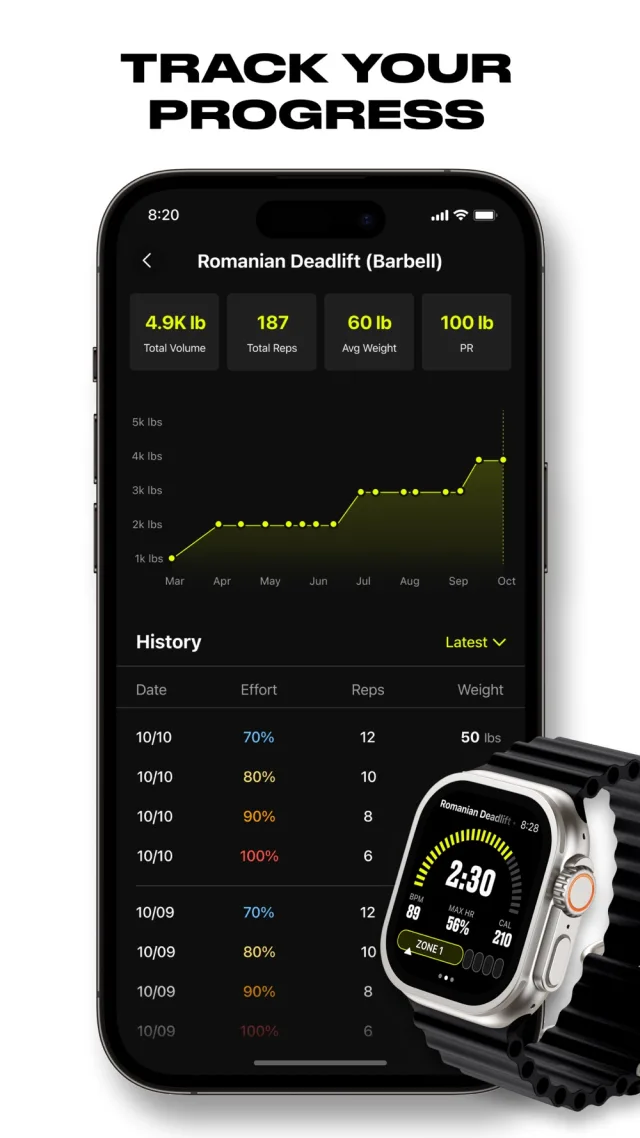
Image: Ladder via the App Store
Pick it if: You want someone to plan every session and talk you through it, and you use an iPhone.
Strengths
- New week of coach-written strength sessions every week
- In-ear coaching, video demos and a built-in timer
- Ladder Journal charts reps and weight over time
- Apple Watch app; 7-day free trial with no payment up front
Drawbacks
- No Android app; Android users get the web app
- Subscription only after the trial
- You follow the team's plan rather than your own
- Free tier
- 7-day free trial
- Paid
- Subscription
- Platforms
- iPhone, iPad, Apple Watch, web app
Training on a Ladder team
Ladder puts you on a team led by a human coach, from bodybuilding programs to kettlebell work to Pilates-strength hybrids. Each week the coach publishes a new seven-day plan. During the session the coach’s voice cues you in your ear, a video shows the movement, and the timer runs the intervals. The journal records reps and weights so you can see a lift progressing over weeks.
It is the most guided experience here, closer to a class than a log. If you like being told exactly what to do, that is a relief. If you like writing your own program, it is a cage. Ladder says plainly that there is no Android app, and points Android users to its web app instead.
Side by side
| App | Free plan | Who writes the program | Next-weight help | Best for |
|---|---|---|---|---|
| Hevy | Yes, 4 routines, no ads | You, a free split, or Trainer on Pro | Last session inline; Trainer on Pro | Most lifters |
| Strong | Yes, 3 routines | You | Warm-up and plate calculators | Experienced lifters |
| Boostcamp | Yes, full library | Named coaches, or the AI coach | Program progressions | Named programs |
| Fitbod | Trial | The app, every session | Yes | Undecided days |
| Alpha Progression | Yes, logging | Pro generator, or you | Pro, per set | Precise overload |
| JEFIT | Yes | Built-in programs or the AI plan | AI suggestions | Variety and data |
| Caliber | Yes, logging | Plus plans, or a personal coach | Coach | Human coaching |
| Ladder | Trial | Your team’s coach | Coach | Follow-along strength |
What to look for in a strength app
Progression you can see. The core of strength training is doing a little more over time, the principle the American College of Sports Medicine’s resistance training position stand is built around. The app’s job is to remember last time and make the next step obvious. Hevy shows last session’s numbers inline. Alpha Progression and Fitbod go further and suggest the number.
Volume, tracked. A meta-analysis by Schoenfeld and colleagues found a graded relationship between weekly sets per muscle and muscle growth. JEFIT counts weekly sets per muscle for you, and Hevy’s calendar shows how often each area gets trained.
A reason to keep going. You do not need hours. A meta-analysis of cohort studies linked muscle-strengthening activity to a 10 to 17 percent lower risk of death from any cause, with the largest benefit at roughly 30 to 60 minutes a week. An app that makes two short sessions a week easy to repeat is doing its job.
Supervision, if you can get it. In a classic trial, lifters who trained under direct supervision increased their training loads faster and gained more strength than those training alone. That is the case for Caliber’s coaching tier and Ladder’s coach-written plans, if the budget allows.
A program, or the freedom not to have one. Decide which you want. Boostcamp and Ladder hand you a plan. Fitbod builds one each day. Strong and Hevy let you bring your own.
An exit. Strong and Alpha Progression export CSV. Hevy syncs to Apple Health and Strava. Look for at least one way out before you put years of training into an app.
How I picked
Each app had at least two weeks of real gym sessions behind it before it earned a place, following the method on our scoring page. I built routines, logged every session, went through the free tier feature by feature, noted each upgrade prompt, and checked Apple Health sync and data export. Feature claims come from each maker’s site or App Store listing. Prices are the list prices our network has already published; where there is none, the paid tier is named without a number. Training roundups carry no star scores until each app has had a full scoring pass.
Want guided classes rather than a log? Try the best workout apps. Training with no equipment? See the best home workout apps. And for choosing in general, start with how to choose a fitness app.
Questions readers ask
- What is the best free app for strength training?
- Hevy for most people: the logger is free with no ads, it has a free library of splits, and it shows last session's numbers beside every set. Boostcamp is the free pick if you want a named program such as 5/3/1 or GZCLP, because its program library costs nothing.
- Which lifting app tells you what weight to use next?
- Alpha Progression's Pro tier recommends weight and reps for every set, adjusting set to set as you tire. Fitbod builds each session around your recent workouts and recovering muscles. JEFIT's AI suggestions and Hevy Pro's Trainer also guide progressive overload.
- Do I need an app to get stronger?
- No, a notebook works. An app makes progressive overload easier to see: it remembers last week's numbers, charts your lifts and times your rests. If you already log faithfully on paper and progress steadily, an app is a convenience, not a requirement.
- Is Fitbod worth paying for?
- If you want each gym session written for you around the equipment you have and the muscles that are fresh, yes. At the network's published price of $12.99 a month it costs more than a pure logger, so skip it if you already follow a fixed program.
- Which strength app has real coaches?
- Caliber offers 1-on-1 coaching with a personal trainer as an optional upgrade, and Ladder's programs are written and voiced by named human coaches. Boostcamp hosts programs from well-known coaches such as Greg Nuckols and Eric Helms, but it is a library, not personal coaching.