The Best Home Workout Apps (2026-2027): No Gym, No Excuses
Freeletics builds the best no-equipment plan, FitOn is free, and Down Dog HIIT and Seven fit a living room and a lunch break. Seven home workout apps, ranked.
How this was made: every app here was used for at least two weeks before it was scored, and never paid for by an app maker. Our scoring method.
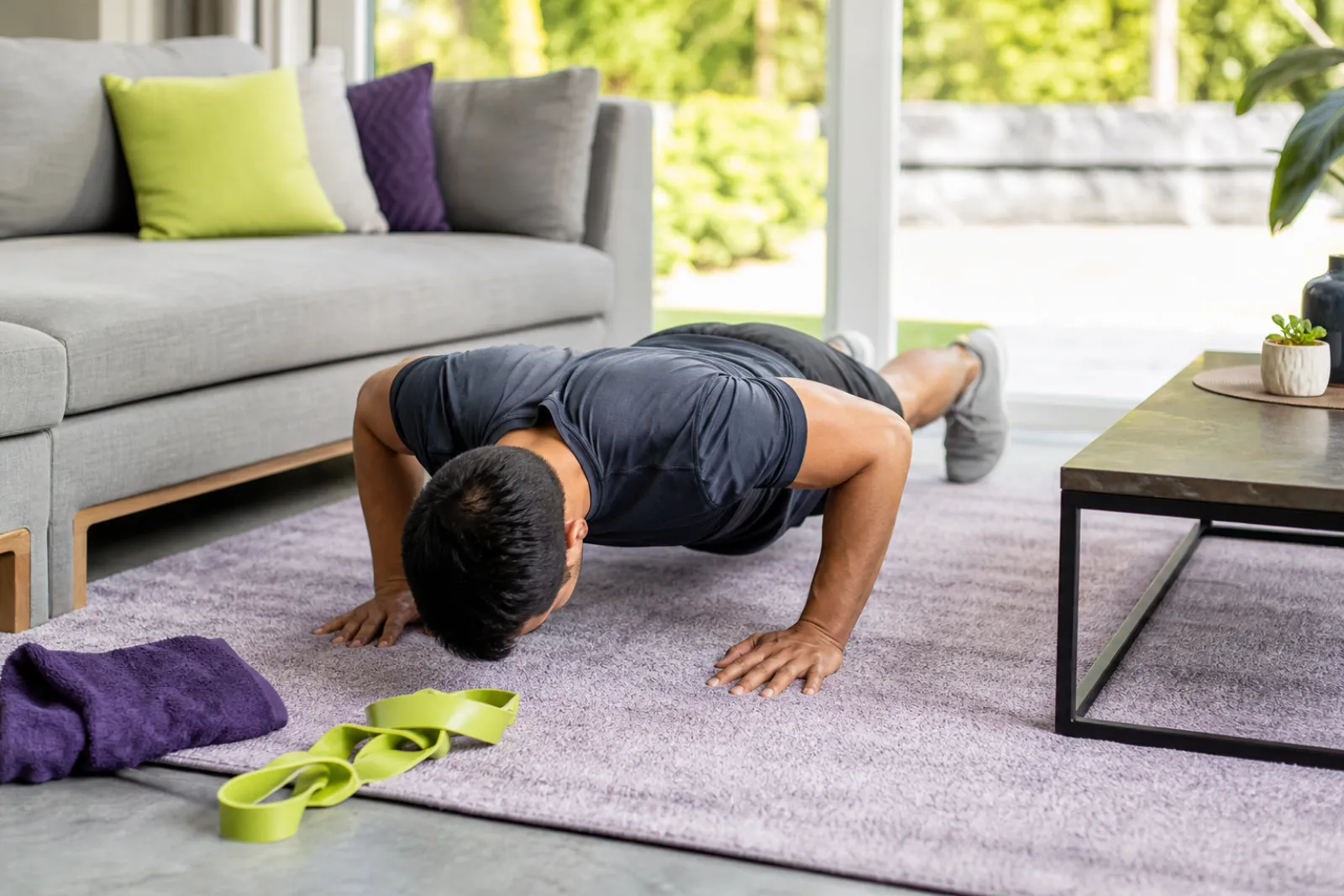
Home workouts live or die on one question: what do you do when the only equipment is the floor? Freeletics has the best answer. Its coach builds a bodyweight plan, then reshapes each session around your time, space and whatever you happen to own. If you want free, FitOn gives away a full class library with no subscription required.
For quick, customizable sweat sessions, Down Dog HIIT and Seven are the specialists. Nike Training Club has the best free programs for small spaces. Sworkit is the one for families, with free kids’ workouts. Peloton gives the most studio-like experience on a living-room TV.
Each one was used at home for at least two weeks before ranking, mostly with no equipment at all.
The rankings
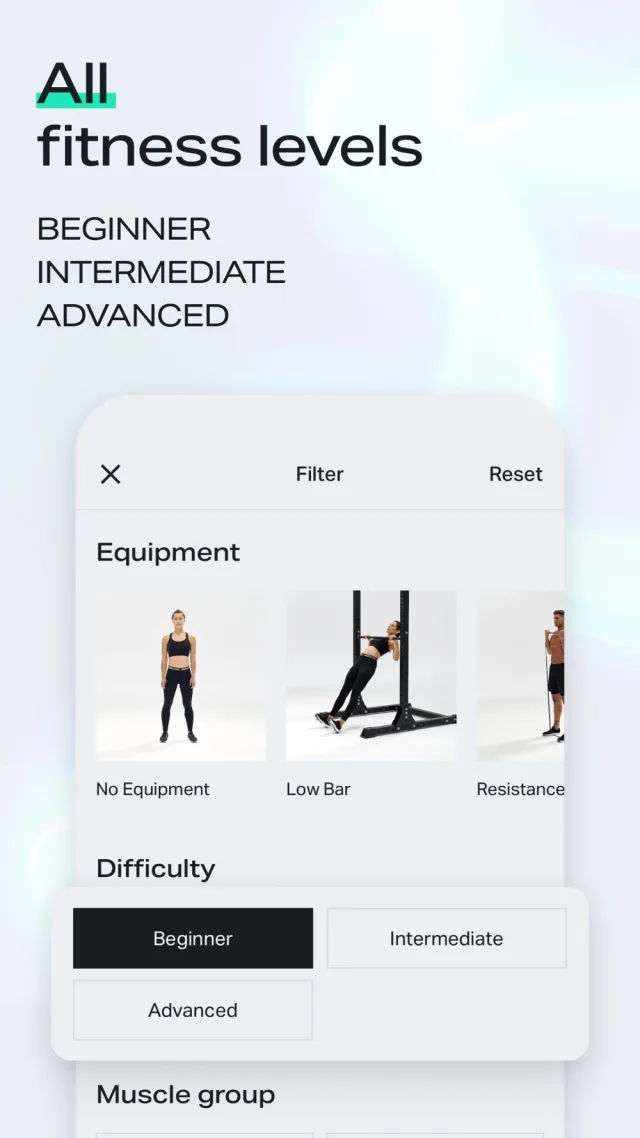
Image: Freeletics via the App Store
Pick it if: You want a real plan for training at home, without buying equipment first.
Strengths
- AI Coach builds and adjusts bodyweight-first workouts
- Filters for equipment, difficulty and muscle group
- Warm-ups, cool-downs and mobility included in every plan
- Free version with 34 HIIT workouts
Drawbacks
- Adaptive coaching is paid
- Classic Freeletics sessions are very intense
- Free tier
- Yes, 34 bodyweight workouts
- Paid
- Freeletics Coach, 14-day money-back guarantee
Freeletics in a small apartment
Freeletics built its name on bodyweight training, and it still does it better than anyone. Plans, called Training Journeys, come in flavors from pure bodyweight HIIT and calisthenics to strength-focused and running blends, with warm-ups, cool-downs and mobility already folded in. Pick “no equipment”, tell it your level, and the coach works from there.
What makes it the best home option is how it handles real life. Only 15 minutes. Upper body only, because your legs are wrecked. A hotel room and nothing else. The coach rebuilds the session to fit, and the feedback you give after each workout shapes the next one.
The free version has 34 bodyweight HIIT workouts and more than 100 exercises, which is enough to judge whether the style suits you. The adaptation is in the paid Coach, and Freeletics backs that with a 14-day money-back guarantee. One warning: its classic workouts are hard. Start at the easy end.
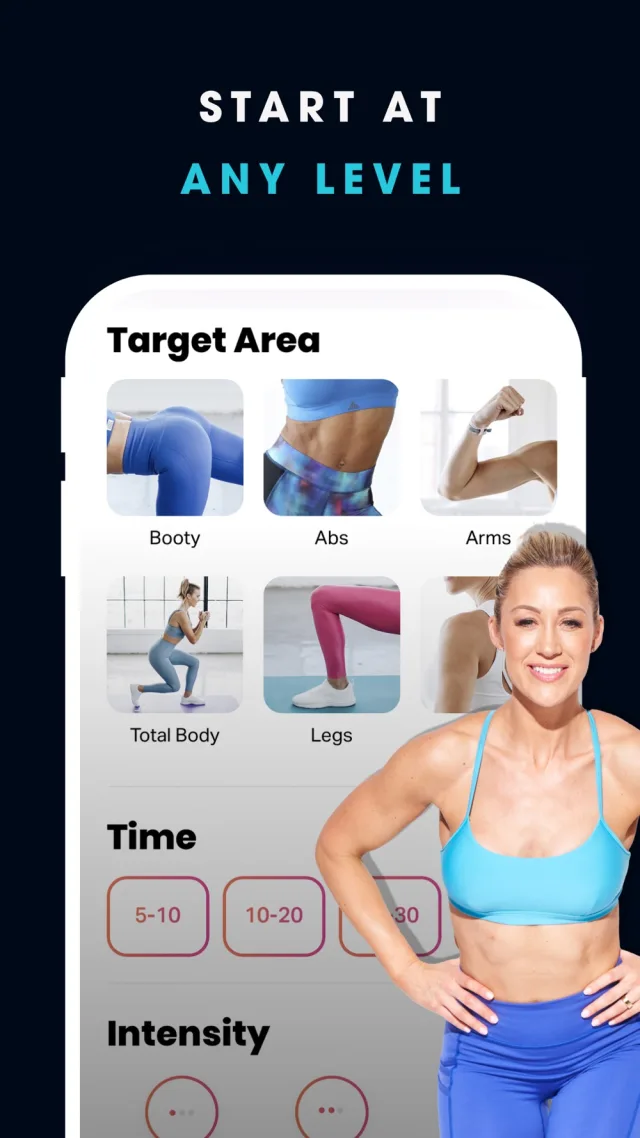
Image: FitOn via the App Store
Pick it if: You want a large library of home classes and a plan, and you do not want to pay.
Strengths
- Workouts and meditations free with no subscription required
- Cardio, strength, HIIT, dance, yoga, Pilates and barre
- Browse by body part, length and intensity; 10-minute HIIT options
- Stream on a TV or computer, or on Apple TV
Drawbacks
- Meal plans, offline downloads and premium music are PRO extras
- Heart rate zones with Fitbit and Garmin need PRO
- Free tier
- Yes, all workouts
- Paid
- Optional FitOn PRO
- Platforms
- iOS, Android, web, Apple TV
FitOn’s surprisingly generous free plan
FitOn’s promise is that fitness is always free, and it keeps it. The full class library, from cardio, HIIT and strength to dance, yoga, Pilates and barre, plus guided meditations, costs nothing. Personalized programs are there for goals such as losing weight, building muscle or reducing stress, and the filters let you choose a body area, a time and an intensity in seconds.
The social bits are a nice touch: a live leaderboard during classes, friends you can message, and heart rate on screen if you wear an Apple Watch. You can also work out on a computer or TV through FitOn’s web app, or on Apple TV.
FitOn PRO is optional and mostly about extras: personalized meal plans and recipes, offline downloads, heart rate zones with Fitbit and Garmin, and premium music. The free tier is the product. If you want sessions rebuilt from your feedback after every workout, Freeletics does more of that.
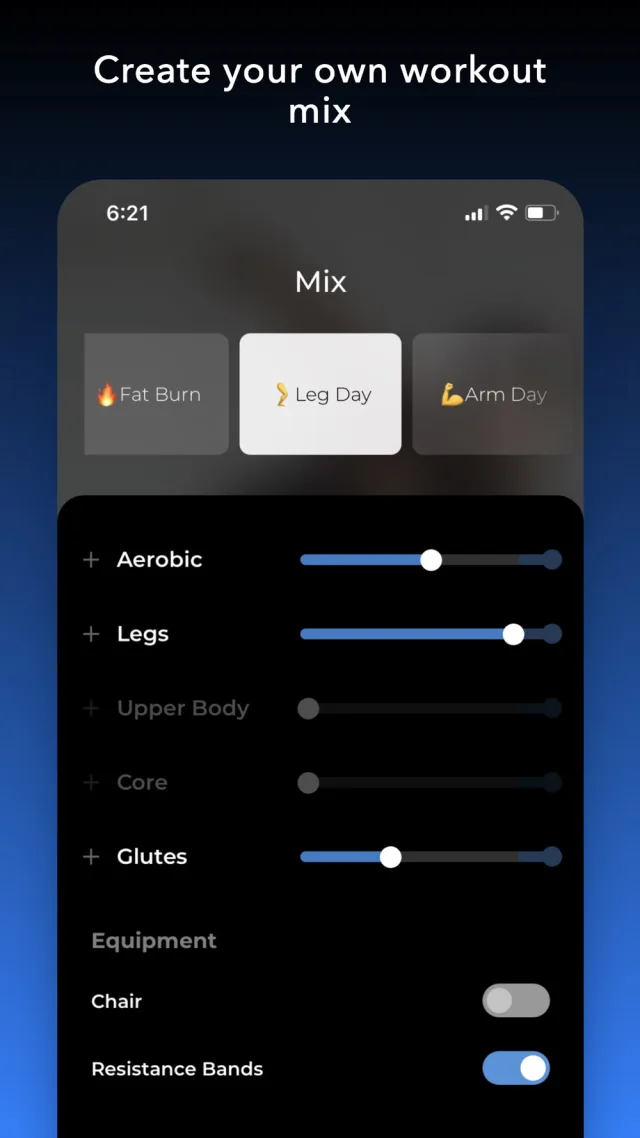
Image: Down Dog via the App Store
Pick it if: You want interval workouts built to your exact taste, with the moves you hate removed.
Strengths
- Set total length plus work and recovery intervals
- Presets such as Leg Day and Total Body No Jumps, or your own mix
- Exclude any exercise; four levels each for upper body, lower body and core
- One subscription covers every Down Dog app and the web version
Drawbacks
- Subscription after a short free trial
- Coaching comes as voice cues over demo video, not a studio class
- Free tier
- Short free trial
- Paid
- One Down Dog subscription
- Platforms
- iOS, Android, web
Down Dog HIIT, built to order
Most HIIT apps give you a video. Down Dog HIIT gives you a mixing desk. Set the total length, the length of each work and recovery interval, and the balance of aerobic, legs, glutes, upper body and core. Tell it whether you have a chair or resistance bands. Then it generates a session from a pool of more than 1,000 exercises.
The exclusion list is the feature I would point people with creaky joints to. Wrists complain about planks? Remove planks. Done with burpees? Gone. There is a Total Body No Jumps preset for flats with thin floors and a Level 0 for complete beginners. Music changes to match the effort, and you can pick your coach’s voice.
Down Dog’s subscription covers its Yoga, HIIT, Barre, Pilates, Prenatal Yoga and Meditation apps together, on phone and web. That bundle is good value if you will use two or more. Skip it if you want a charismatic instructor on screen; Down Dog’s coach is an audio voice over clear demo video.
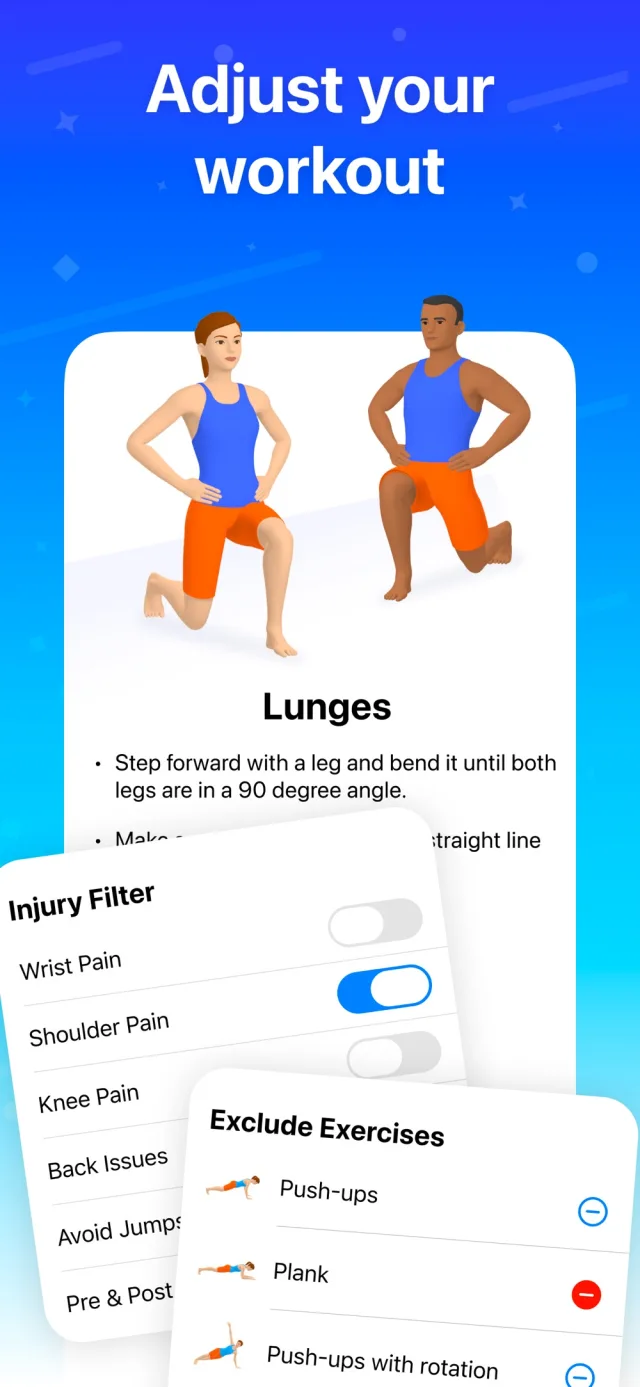
Image: Seven via the App Store
Pick it if: You have seven spare minutes and want them to count, every day.
Strengths
- Seven-minute workouts with no equipment
- Filters for wrist, shoulder, knee and back issues, and jump avoidance
- Daily challenge, achievements and friend competition
- Plays on the TV with AirPlay and on Apple Watch
Drawbacks
- Personal plans and the full exercise library need the 7 Club
- Short sessions alone will not cover every fitness goal
- Free tier
- Yes
- Paid
- 7 Club subscription
Seven, the habit app
Seven is built around one idea: a seven-minute workout, every day, anywhere. It is less a training program than a habit machine, with a daily challenge, achievements that climb from novice to athlete, and friends to compete with. The instructor voices, from a cheerleader to a drill sergeant, are silly in the best way.
Its most useful feature for home training is the filter screen. Flag wrist, shoulder, knee or back issues, avoid jumps, or exclude specific moves, and the workouts adjust. Join the 7 Club and you get personal plans adapted to your level, every workout and over 200 exercises, plus support from a certified trainer.
Seven minutes is a floor, not a ceiling. The U.S. Move Your Way guidelines aim for 150 minutes of moderate activity a week plus two days of muscle strengthening, so treat Seven as the habit that gets you started, and stack sessions when you can.
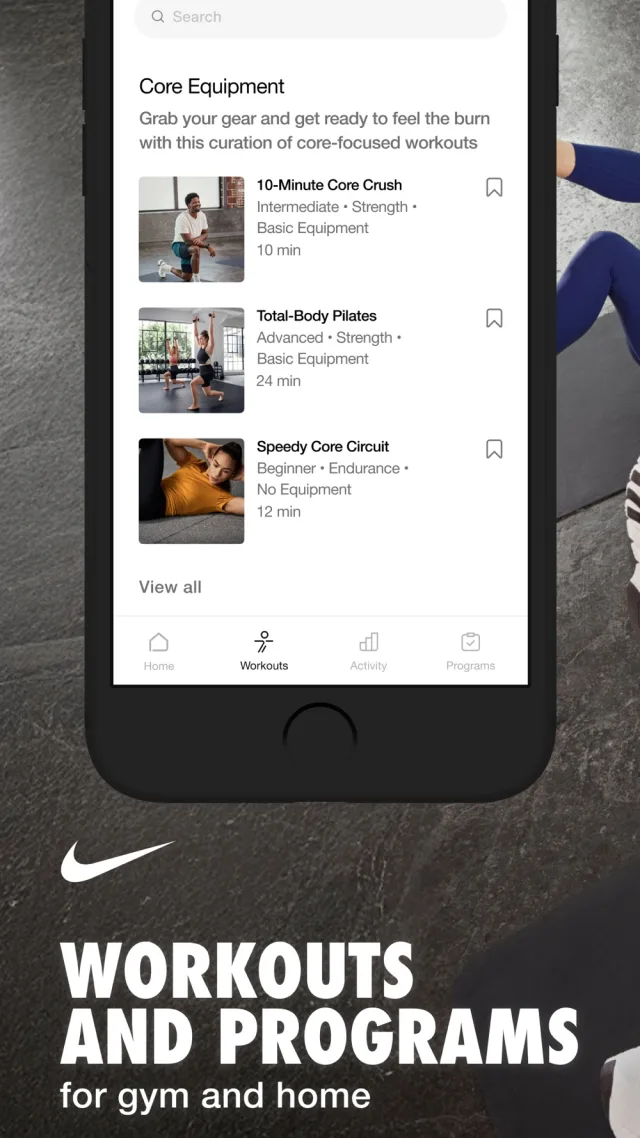
Image: Nike via the App Store
Pick it if: You train in a small space and want structured, trainer-designed programs for free.
Strengths
- Free with a Nike Membership
- Whiteboard and trainer-led home workouts for small spaces and travel
- Equipment-free bodyweight programs
- Apple Watch lets you pause, skip and see heart rate
Drawbacks
- Video-on-demand classes only in some countries
- Needs a Nike Membership sign-in
- Free tier
- Yes, everything
- Paid
- None
NTC for the living room
Nike Training Club’s home workouts are designed for the reality of a living room: small spaces, travel and little or no equipment. Its whiteboard workouts are especially good at home, because they list the moves and reps and let you go at your own pace without a video playing. When you want company, trainer-led sessions are there too.
The equipment-free bodyweight programs run for weeks and are free. Freeletics does more to tailor each session; with NTC, you choose the program and follow it. For many people, that is fine. For free, it is excellent.
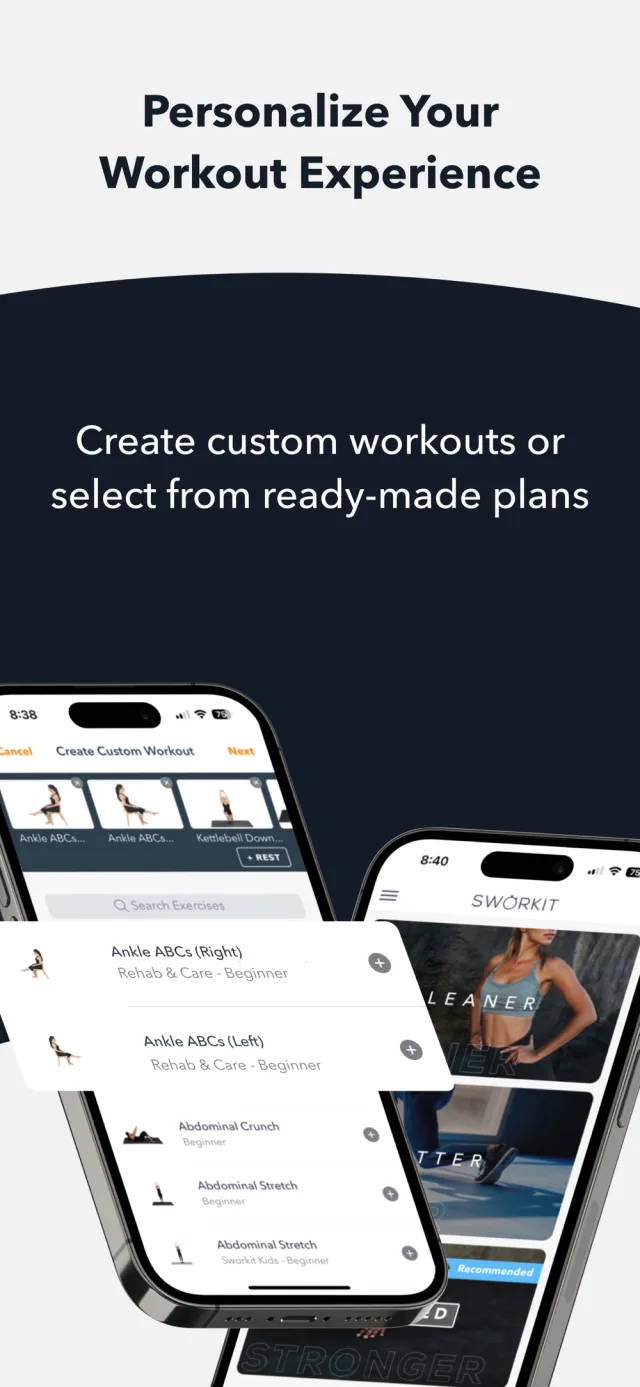
Image: Sworkit via the App Store
Pick it if: Several people in the house want to move, kids included, on one app.
Strengths
- All kids' content is free
- 900+ bodyweight and small-equipment exercises; 500+ workouts
- Create custom routines or follow 6-week plans
- 1-on-1 access to certified trainers
Drawbacks
- Adult workouts need a subscription after the 7-day trial
- Plain presentation next to FitOn or Peloton
- Free tier
- Kids' content free; 7-day trial for the rest
- Paid
- Monthly or yearly subscription
Sworkit’s family angle
Sworkit has been around a long time and has a distinctive extra: a library of kids’ workouts aimed at parents, teachers and coaches, and all of it is free. For a household where the children want to join in, that is a real reason to choose it.
For adults, there are six-week guided plans, more than 500 workouts across HIIT, Tabata, cardio, strength, yoga, tai chi and Pilates, and a builder for custom routines. It also offers 1-on-1 access to certified trainers and runs in 15 languages. It is less slick than FitOn or Peloton, and adult workouts need a subscription after the 7-day trial.
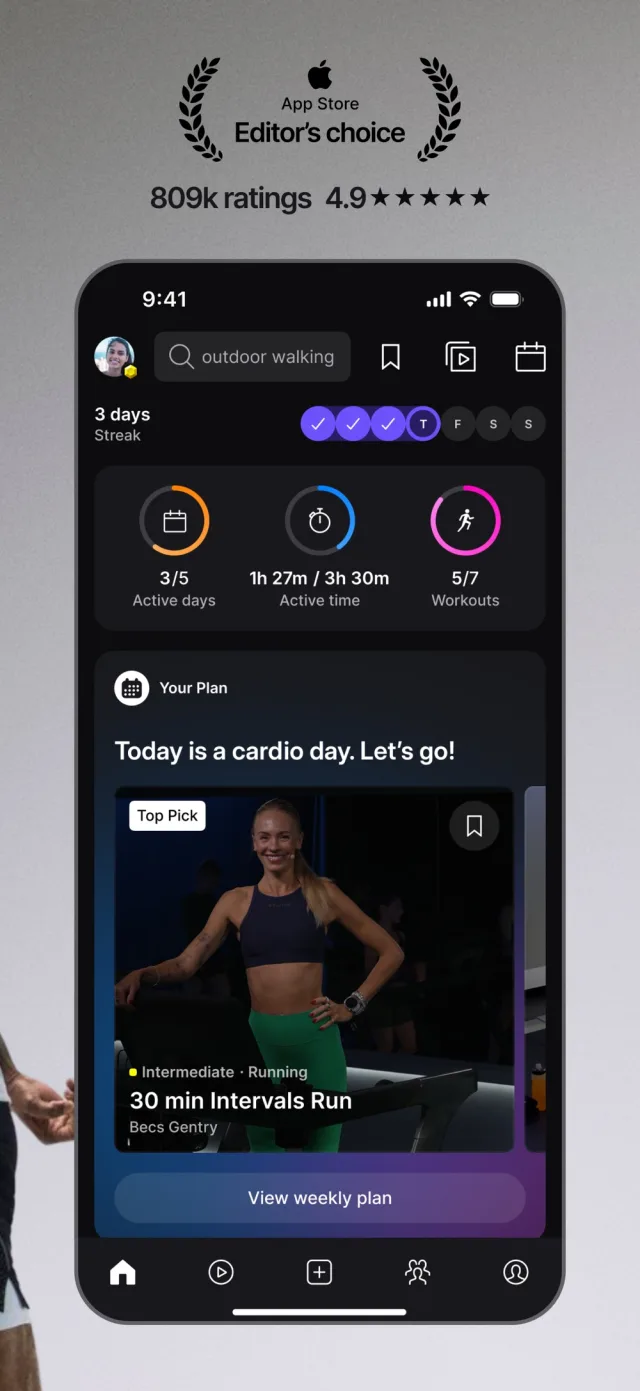
Image: Peloton via the App Store
Pick it if: You want the energy of a studio class at home, on a TV, with no bike or treadmill.
Strengths
- Thousands of classes, many with no equipment
- Streams to the TV via Apple TV, AirPlay or Chromecast
- Weekly plans served one class at a time
- Free app version plus a 30-day trial of paid tiers
Drawbacks
- App One is $15.99 a month at list price
- Equipment classes beyond a few a month need App+
- Free tier
- Free app version
- Paid
- App One $15.99/mo; App+
Peloton without the hardware
On a TV, Peloton is the closest thing to a studio in your living room: the instructors, the music, the energy. Its strength, HIIT, yoga, stretching and meditation sections include plenty of classes that need no equipment, or just a mat and a pair of dumbbells. Weekly plans mean the next class is ready when you are.
It ranks seventh here only because cheaper and free apps do the no-equipment job well, and App One costs $15.99 a month at the network’s published price. If motivation is your weak spot and a great instructor on a big screen fixes it, Peloton is worth more than its rank.
Side by side
| App | Best at | Free version | Paid | Kit needed |
|---|---|---|---|---|
| Freeletics | Adaptive bodyweight plans | Yes, 34 workouts | Freeletics Coach | None |
| FitOn | Free class library | Yes, all workouts | Optional PRO | None to light |
| Down Dog HIIT | Custom intervals | Short trial | Down Dog subscription | None; chair or bands optional |
| Seven | Seven-minute habit | Yes | 7 Club | None |
| Nike Training Club | Free small-space programs | Yes, everything | None | None to light |
| Sworkit | Families and custom routines | Kids’ content | Subscription | None to light |
| Peloton | Studio classes on a TV | Yes | App One $15.99/mo; App+ | None to light |
What to look for in a home workout app
Progress without plates. The old worry about home training is that bodyweight cannot build muscle. The evidence is kinder. A meta-analysis by Schoenfeld and colleagues found that low-load training taken close to failure produced similar muscle growth to heavy loads, although heavy loads still built more maximal strength. And in an eight-week trial, push-ups matched a low-load bench press for chest and triceps growth and for strength gains. A good home app gives you a way to keep making moves harder: more reps, slower tempo, harder variations.
Neighbor-friendly options. If you live above someone, look for no-jump filters. Down Dog HIIT and Seven both have them.
A way to remove moves. Bad wrists, cranky knees or a shoulder that dislikes burpees? An exclusion list beats skipping half a video.
The right screen. Workouts on a phone propped against a chair work. On a TV they are better. FitOn, Peloton and Seven all reach the big screen.
Enough weekly volume. Short sessions are a start. The Move Your Way guidelines ask for 150 minutes a week of moderate activity and two days of muscle strengthening.
How I picked
Each app went through at least two weeks of home sessions, following our scoring page: the free version or trial used in full, upgrade offers recorded, workouts cast to a TV where possible, and Apple Health sync checked. Features come from each maker’s own site or store listing. Prices appear only where our network has already published them. Training roundups carry no star scores until each app has had a full scoring pass.
Want a structured plan that also works in a gym? See the best workout apps. For gentler starts, see our picks for beginners, and for mobility days, the yoga apps roundup.
Questions readers ask
- Can you build muscle with home workouts and no equipment?
- Yes, within limits. A meta-analysis found that lighter loads taken close to failure grew muscle about as well as heavy ones, though heavy loads built more maximal strength. In one trial, push-ups matched a moderate bench press for chest and triceps growth over eight weeks. Progress by adding reps, slowing the tempo or moving to harder variations.
- What is the best free home workout app?
- FitOn. Its workouts and meditations are free with no subscription required, from cardio and HIIT to strength, dance, yoga, Pilates and barre, and you can stream them on a TV or computer. Nike Training Club is a close second.
- Which home workout app is best for short workouts?
- Seven, built around 7-minute workouts that need no equipment. FitOn's 10-minute HIIT classes and Down Dog HIIT's adjustable session length are also good for days when time is the limit.
- What is a good home workout app for people with sore joints?
- Down Dog HIIT and Seven both let you remove exercises. Down Dog HIIT offers a no-jumps preset and lets you exclude moves such as burpees or planks, and Seven's filters cover wrist, shoulder, knee and back issues and jump avoidance. See a doctor or physical therapist first if pain is persistent.
- Is there a home workout app for kids?
- Sworkit has a library of kids' workouts aimed at parents, teachers and coaches, and it lists all kids' content as free.