MyFitnessPal vs Lose It! (2026-2027): Which Classic Calorie Counter Wins?
Two weeks with each classic calorie counter: Lose It! is cheaper and quicker to scan, MyFitnessPal knows more restaurants. Plus the app we'd pick over both.
How this was made: every app here was used for at least two weeks before it was scored, checked by our nutrition reviewer, and never paid for by an app maker. Our scoring method.
If you’re choosing between these two, pick Lose It!. It’s simpler to live with, its barcode scanner was the fastest I timed, and its Premium tier costs half of MyFitnessPal’s. Pick MyFitnessPal instead if most of your meals come from restaurants or takeout, because its catalog is still the one most likely to know the dish.
But I wouldn’t pick either as my first choice. After two weeks with each, my overall recommendation is PlateLens, which covers what most people use either app for and gives away what they charge for. More on that at the end. Health advice in this piece was checked by Dr. Alina Reyes.
The two apps at a glance
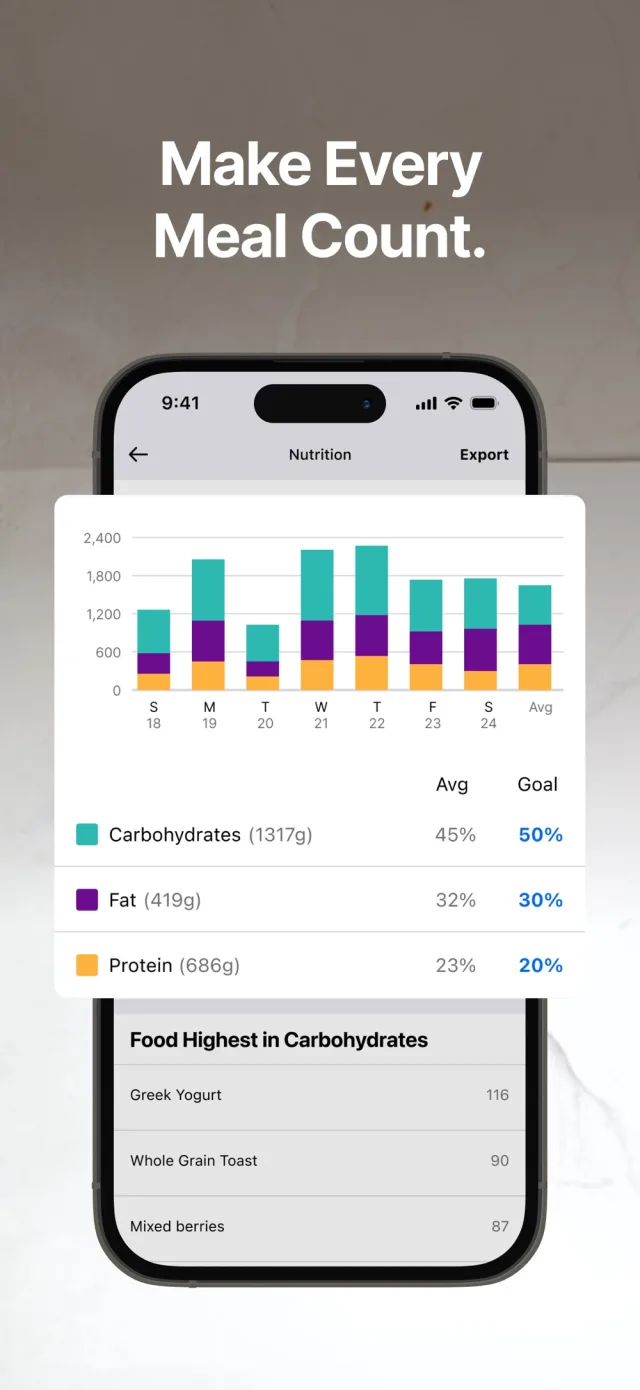
Image: MyFitnessPal via the App Store
Pick it if: Restaurants, takeout and international food make up a big share of your meals.
Strengths
- 20.5M+ foods, including restaurant dishes
- New AI Coach that answers questions from your logging history
- Connects with more than 35 apps and devices, plus Wear OS
- GLP-1 dose logging and reminders
Drawbacks
- Barcode Scan, Meal Scan and Voice Log are Premium
- Many user-added entries mean choosing between near-duplicates
- Free plan
- Yes
- Premium
- $19.99/mo or $79.99/yr
- Meal plans
- Premium Plus
- Platforms
- iPhone, Android, web
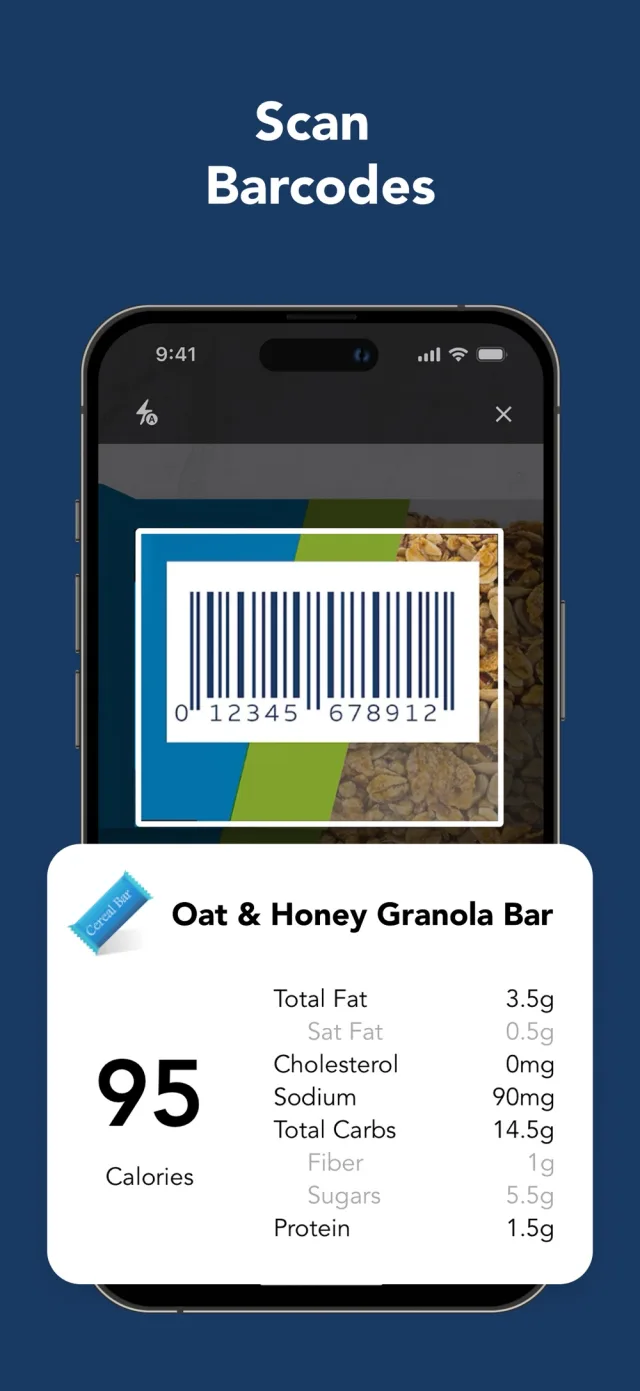
Image: Lose It! via the App Store
Pick it if: You want a clear daily budget, quick scanning of packaged food and a cheap upgrade.
Strengths
- Barcode to logged entry in about 0.4 seconds in my testing
- Personalized calorie budget and weight-loss schedule
- Premium is $39.99 a year
- Community groups and 25-plus health goals
Drawbacks
- Scan It and the nutrition-label scanner are moving into Premium, per Lose It!
- Photo and voice logging are listed as Premium
- Free plan
- Yes
- Premium
- $39.99/yr
- Platforms
- iPhone, Android, web
Head to head
| MyFitnessPal | Lose It! | |
|---|---|---|
| Our stars | 4.4 | 4.3 |
| Premium price | $19.99/mo or $79.99/yr | $39.99/yr |
| Barcode scanning | Premium | Moving into Premium, per Lose It! |
| Photo logging | Meal Scan (Premium) | Snap It (Premium) |
| Voice logging | Premium | Premium |
| Coaching and support | AI Coach | Community groups |
| Fasting tracker | Yes | Premium |
| Meal planning | Planner; full plans in Premium Plus | Meal targets (Premium) |
| GLP-1 tools | Dose logging, reminders | Medication log, estimated GLP-1 levels |
| Food data, per maker | 20.5M+ foods | 56M+ items and recipes |
| Speed in my logging | Search-first; picking entries takes time | About 0.4 s per barcode scan |
Prices are as listed in the US on October 29, 2026; features come from each maker’s Premium page or App Store listing.
Logging speed: Lose It! by a distance
Speed decides whether you’re still logging in month two, and research agrees: among 142 people in a six-month online weight program, those who reached 5% and 10% loss had opened their web food diary more times per day than those who didn’t. Anything that makes an entry quicker makes that habit easier.
Lose It! is quick where it counts. Point the camera at a barcode and the entry lands in about 0.4 seconds; no other app’s scanner beat it in my timing. For a pantry of packaged food, that speed adds up. One caveat: Lose It! says it is moving Scan It, along with its nutrition-label scanner, into Premium, so plan on paying if scanning is the main draw. Its photo feature, Snap It, is best treated as a first draft; check the portion before you save.
MyFitnessPal is slower because of the database, not the interface. Searching is where the time goes, mostly spent choosing between near-identical entries for the same food. Premium adds Meal Scan for photos and Voice Log, where you describe a meal out loud and log it with one tap, and multi-day logging lets you add the same food for up to seven days at once.
Food data: big, and messy in both
MyFitnessPal’s food library is the reason people stay. Its catalog tops 20.5 million foods, with restaurant meals well represented, and it’s the app most likely to have the specific chain item you ate. Lose It! describes a global database of 56 million-plus items and recipes. Those numbers aren’t comparable, and both catalogs lean heavily on entries added by users.
That’s where care is needed: user-added entries vary, so the same food can appear with different numbers. At the level of a whole diet the research is reassuring. A 2020 Belgian study found that once researchers removed extreme, likely erroneous values (2.8% of the data), MyFitnessPal’s energy and macronutrient totals correlated strongly with the national Nubel food database (r = 0.96 for energy); only cholesterol and sodium agreed weakly. An earlier study comparing five apps with research software found both MyFitnessPal and Lose It! came in significantly low on protein, fat, sodium and cholesterol on average, with Lose It! also low on sugars and saturated fat.
The practical fix is the same in both: favor entries marked verified, scan barcodes where you can, and check anything suspicious against the label. US labels themselves are allowed some tolerance under FDA rules, so a scanned label is the best data you’ll get, not perfect data.
Free tiers and Premium
MyFitnessPal free covers food, weight and exercise tracking. Premium adds Barcode Scan, Meal Scan, Voice Log, macro goals in grams or percentages with different targets for each weekday, Net Carbs Mode, food insights and an ad-free diary. Premium Plus adds personalized meal plans, 1,500-plus recipes and integrated grocery delivery.
Lose It! free covers calorie tracking, a personalized weight-loss plan and community support groups. Premium adds photo, voice and barcode logging, macro and nutrient tracking, an intermittent-fasting tracker, meal targets, and syncs with devices such as Fitbit, Garmin and Withings scales.
On value, Lose It! wins clearly: $39.99 a year gets you most of what MyFitnessPal charges $79.99 for. MyFitnessPal’s AI Coach and restaurant coverage are the main things the extra money buys.
Extras that might decide it
Coaching. MyFitnessPal’s AI Coach fields questions on nutrition, macros and training, drawing on your goals and logging history. Lose It! leans on community instead, with groups and friends for support.
Medication support. Both have added GLP-1 tools. MyFitnessPal logs doses, side effects and how you feel, with custom reminders; Lose It! logs medication and shows estimated GLP-1 levels next to your hunger and eating patterns.
Devices. MyFitnessPal connects with more than 35 apps and devices and has a Wear OS app. Lose It! lists Fitbit, Garmin, Withings, Google Fit and Apple Health among its Premium syncs.
Reports. Lose It! emails patterns and progress reports; MyFitnessPal’s Premium adds food insights and comparisons in the app.
Who should pick which
Pick Lose It! if you mostly eat at home or from packages, want a simple budget-first screen, and don’t want to pay much for Premium.
Pick MyFitnessPal if you eat out several times a week, want an AI coach, or already have years of history and custom foods in it.
Pick neither if you want accurate numbers without paying for the basics. That’s the next section.
Our pick over both: PlateLens
If I were starting today, I’d skip both classic counters and use PlateLens. It covers the jobs most people open either app for, without paying for the basics.
- Quick on plated meals, not just packages. Snap a plate and about three seconds later it’s in the diary, split into ingredients; barcode, voice and typed search cost nothing extra.
- Cleaner data. Search runs on 1.2 million-plus verified foods, with over 820,000 branded barcodes and upward of 45,000 restaurant dishes, so you aren’t picking between crowd-entered duplicates. Every meal opens to its ingredients and weights for correction.
- Honest about uncertainty. Entries are matched against USDA FoodData Central, NCCDB and Open Food Facts, and where those sources disagree PlateLens shows a range instead of a falsely precise number.
- A target that adapts. It works out what you actually burn from your diary and your scale, proposes fresh targets every 14 days, and its AI coach answers from your own entries.
- Cheaper. The free plan has no end date and covers calorie and macro tracking with every logging method; Premium, at $34.99 a year, is under both rivals’ prices and adds higher AI allowances and detailed nutrient views.
It also runs on iPhone, Android and a full web app on the same account, and syncs both ways with Apple Health and Google Health Connect. See how it stacks up across our full calorie tracker ranking, or in our weight loss app picks if losing weight is the goal.
How we compared them
Fourteen days in each app, every meal entered by its main input method, a stopwatch on routine entries, and spot checks of packaged foods against their labels and whole foods against USDA FoodData Central. I read both free tiers in full, noted every upgrade prompt, and attempted sync and export. The star figures come from the five weighted criteria described on our scoring page. The screens are the developers’ own App Store images, and Dr. Reyes checked the health advice. Weighing a coaching program instead? Read our Noom review.
Questions readers ask
- Is MyFitnessPal or Lose It! better?
- Lose It! is better for most people choosing between the two: it's simpler, its barcode scans were the fastest we timed (about 0.4 seconds), and Premium costs $39.99 a year against MyFitnessPal's $79.99. MyFitnessPal is better if you eat out often, because its 20.5 million-plus food catalog covers restaurant dishes well, and it now has an AI Coach. Our overall pick over both is PlateLens.
- Is Lose It! cheaper than MyFitnessPal?
- Yes. Lose It! Premium is $39.99 a year. MyFitnessPal Premium is $19.99 a month or $79.99 a year, and its meal-planning features sit in a higher Premium Plus tier. PlateLens Premium is lower still at $34.99 a year, and its free plan, with no end date, covers calorie and macro tracking with barcode scanning included.
- Do MyFitnessPal and Lose It! have free barcode scanners?
- Both now list barcode scanning as a paid feature: MyFitnessPal's Premium page includes Barcode Scan and Meal Scan, and Lose It! says it is moving its barcode scanner (Scan It) and nutrition-label scanner into Premium; its App Store listing already lists the scanner under Premium features. PlateLens and Cronometer include barcode scanning on their free plans.
- Which has the bigger food database, MyFitnessPal or Lose It!?
- They count differently. MyFitnessPal's figure is 20.5 million-plus foods, restaurant meals among them; Lose It! describes a global database of 56 million-plus items and recipes. Both include many user-contributed entries, so choosing verified items and checking labels matters more than the headline number.
- Can I switch from MyFitnessPal to Lose It!?
- Yes, but expect to rebuild custom foods and saved meals in the new app. Before switching, export what you can from your current account. If you're switching anyway, it's worth trying PlateLens, which exports your full history as JSON whenever you want.