The Best Running Apps (2026-2027), Tested on Real Runs
Strava for most runners, Runna for race plans, Nike Run Club if you want coaching for free. Seven running apps ranked after two weeks of real runs on each.
How this was made: every app here was used for at least two weeks before it was scored, and never paid for by an app maker. Our scoring method.

The short answer: Strava is the running app I would put on most runners’ phones. It records anything, plays nicely with almost every watch, and its free version is genuinely usable. If you are chasing a race, Runna writes the better plan, and since both apps now come from Strava Inc., you can buy them together. If you want a coach in your ear and a bill of zero, Nike Run Club is still the best free running app made.
Garmin owners should start with Garmin Connect before paying anyone. ASICS Runkeeper is the tidy, no-drama tracker. Map My Run is the one to open when you are in a new town and need a loop. adidas Running suits people who run and also ride, swim and hike.
Each app got at least two weeks of my real runs, recorded from the phone on some days and from a watch on others.
The rankings
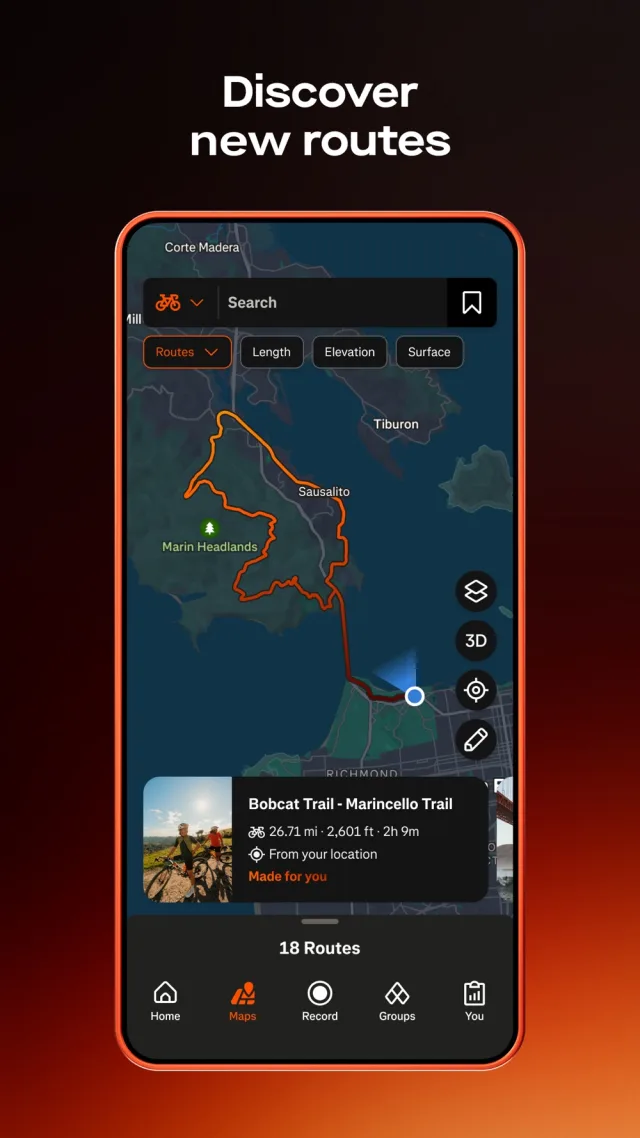
Image: Strava via the App Store
Pick it if: You want one place for every run, a watch you already own to just work, and friends to cheer you on.
Strengths
- Free version records runs, keeps history and runs the social feed
- Syncs with Apple Watch, Garmin, COROS, Fitbit and thousands of other devices
- Route builder and suggested routes from where people actually run
- Training Log, Fitness & Freshness and Relative Effort on the paid tier
Drawbacks
- Segments, routes and training analysis sit behind the subscription
- The free version gives you the record, not the coaching
- The feed can turn easy days into races if you let it
- Free tier
- Yes
- Paid
- $79.99/yr or $11.99/mo; Strava + Runna bundle $149.99/yr
- Platforms
- iOS, Android, web, most watches
Running with Strava for two weeks
Strava’s trick is that it never asks you to change your habits. Record from the phone, from an Apple Watch or from a Garmin, and every run lands in the same Training Log with the same pace and map. The free version handled all of that. It also let me give and collect kudos, join the monthly challenges and keep my whole history.
The subscription earns its money in three places. Routes: you can draw a loop on the map or take one of Strava’s suggestions, which are built from where other people actually run. Segment leaderboards: the part of Strava people either love or quietly mute. And analysis: Fitness & Freshness, Relative Effort, Grade Adjusted Pace and matched activities that compare today’s run with the last time you ran the same route. Give it a couple of weeks and the Relative Effort chart turns out to be more useful than the feed, because it shows whether your week is building or just repeating.
Strava also layers AI summaries, which it calls Athlete Intelligence, over your workouts, and its Beacon feature shares your live location with people you choose. Who should skip it? Anyone who needs a coach rather than a logbook. Strava will tell you what you did. It will not tell you what to do on Thursday. That is Runna’s job.
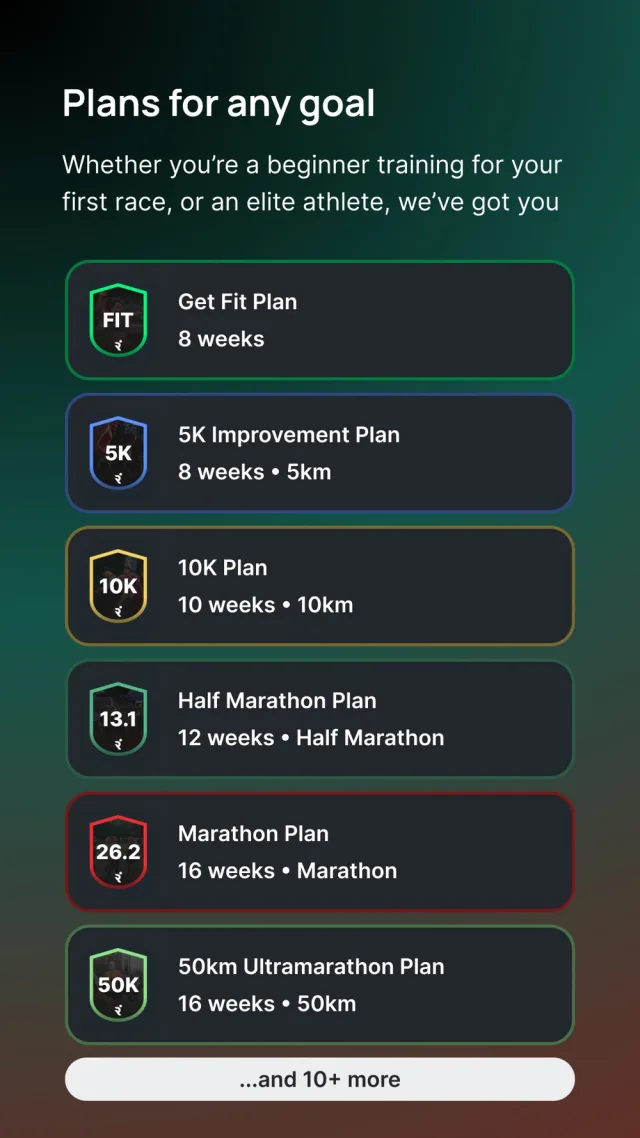
Image: Strava via the App Store
Pick it if: You have a race on the calendar, or a time goal, and want every session written for you.
Strengths
- Plans from 5K to a 50K ultra, plus New to Running, Return to Running and Post-Injury
- Paces set for each session from your recent 5K time
- Workouts push to Apple Watch, Garmin, COROS, Fitbit and Suunto
- Strength, mobility, Pilates and yoga sessions built around the running
Drawbacks
- No ongoing free version, only a free first week
- Overkill if you just run for the fun of it
- Plans assume you will mostly stick to the days you chose
- Free tier
- First week free
- Paid
- Monthly or annual subscription; bundled with Strava at $149.99/yr
- Watches
- Apple Watch, Garmin, COROS, Fitbit, Suunto
What a Runna plan feels like
Setting up Runna takes about as long as lacing your shoes. It asks for your current level, a recent 5K time, how many days you can run and how long you want the plan to last. Then it shows a week with every session named, paced and timed: long runs, easy runs and quality sessions, with mobility or Pilates slotted between them if you want them.
The best part is the watch push. The session simply appears on the wrist, and during the run the watch tells you the target pace for each rep. Runna also slots strength and mobility work around the miles, which most runners know they should do and few actually do. There is a live yoga and Pilates side too, if you want it.
Runna now lists Strava Inc. as its publisher on the App Store, and Strava sells the two together. That makes the pairing obvious: Runna writes the plan, Strava keeps the record. Skip Runna if you hate schedules. A plan only helps if you are willing to be told what to run, and Runna is very clear about what it wants.
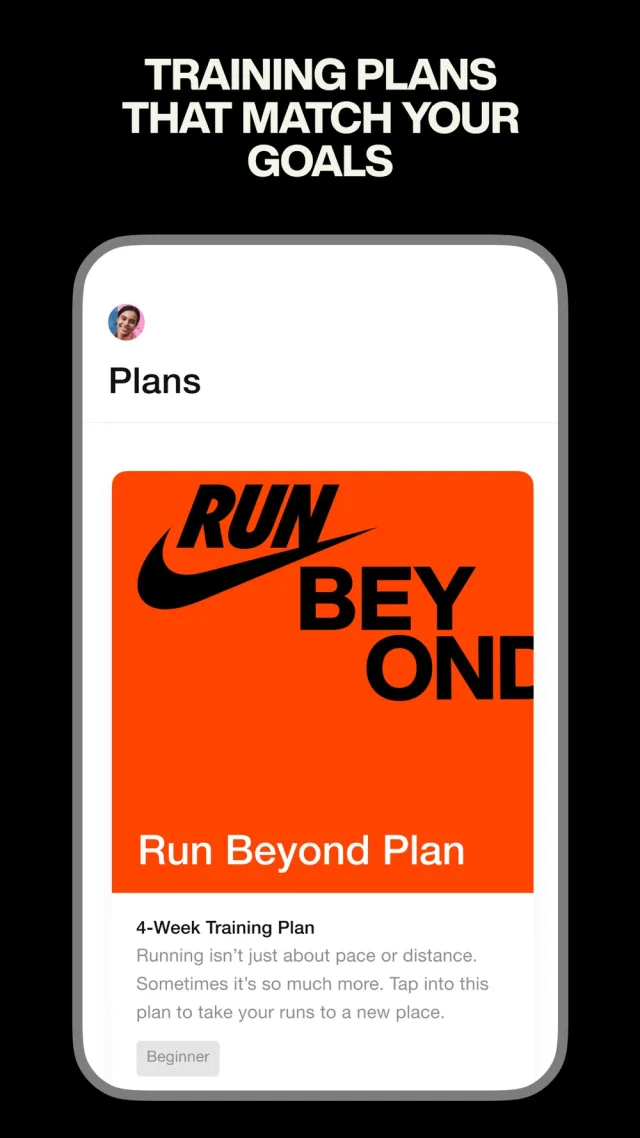
Image: Nike via the App Store
Pick it if: You want guidance and motivation and you do not want another subscription.
Strengths
- No subscription, no paid tier
- Audio Guided Runs, from treadmill sessions to speed intervals
- Training plans including a 4-week Get Started plan and a 12-week marathon plan
- Shoe tagging tells you how many miles each pair has done
Drawbacks
- Guided Runs and plans are only available in some countries
- Analysis stays at the basics: pace, distance, route, elevation, heart rate
- Free tier
- Everything is free
- Paid
- None
Why Nike Run Club still matters
Nike Run Club’s Guided Runs are the best audio coaching I found at any price. A coach talks you through the session, from how hard to push to when to ease off. That sounds trivial. It is not. Most beginners run their easy days too hard, and a calm voice in your ear fixes that better than a pace number.
The plans are sensible rather than clever. Nike lists a four-week Get Started plan and a twelve-week marathon plan among others, and the app records your runs with GPS, elevation and heart rate when a compatible device is connected. Shoe tagging is a small joy: tag a pair and the app counts their miles, then nudges you when they are getting tired.
Guided Runs and plans are only offered in some countries, so check your region before you build a routine around them. And if you want deep analysis, NRC is not that app. Pair it with Strava, or let your watch’s own app handle the numbers.
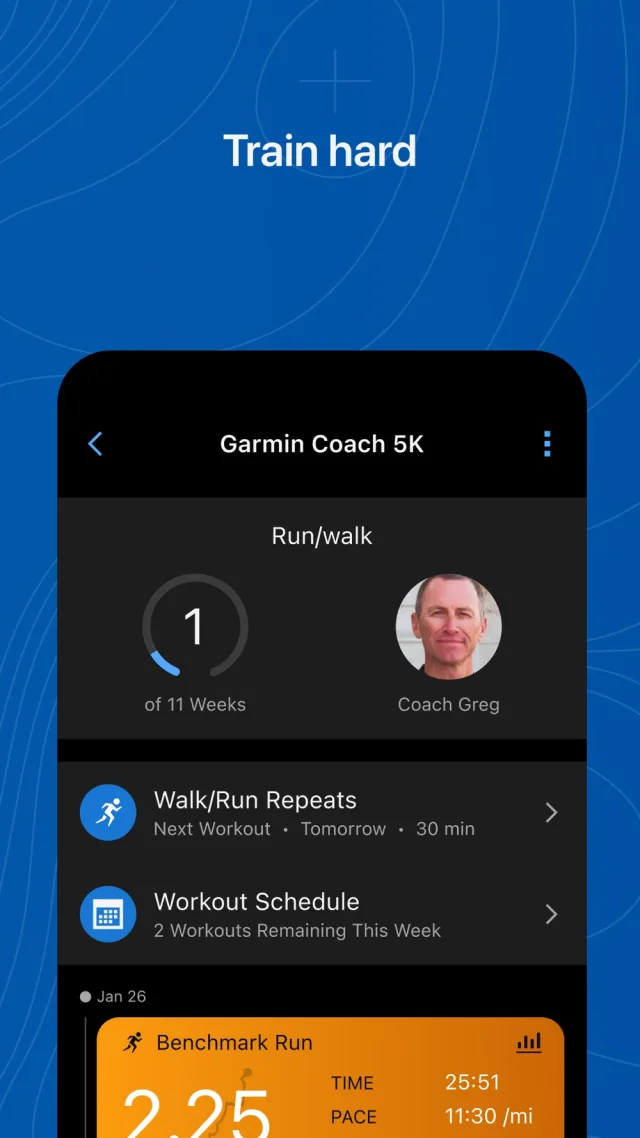
Image: Garmin via the App Store
Pick it if: You wear a Garmin and want plans and recovery data without paying again.
Strengths
- Free Garmin Coach adaptive plans for 5K, 10K and half marathon
- Sleep, stress and Body Battery next to your training
- Plans sync straight to the watch's calendar
- Exports to Strava and Apple Health
Drawbacks
- Needs a compatible Garmin device to be useful
- Dense menus; it takes a week to find everything
- Marathoners need a plan elsewhere; Garmin Coach covers 5K, 10K and the half
- Free tier
- Yes, with a Garmin device
- Paid
- Optional Connect+ at $69.99/yr or $6.99/mo
- Platforms
- iOS, Android, web
The best plan you may already own
If there is a Garmin on your wrist, Garmin Connect is the first place to look. Garmin Coach is free inside it. You pick 5K, 10K or half marathon, enter your weekly mileage and average pace, choose a time goal or a finish goal, and pick a coach. Garmin says the plan adapts to your progress and the runs you record, and each new workout appears on the watch after a sync.
The rest of the app is a dashboard of your body: sleep, stress, heart rate trends and Body Battery, Garmin’s estimate of how much energy you have left. Having those next to the training calendar is useful on the mornings you are deciding whether to run hard or not.
The cost is complexity. Garmin Connect has a menu for everything, and the first week is mostly finding where things live. Garmin also sells Connect+ as an optional add-on, and its own announcement said existing features stay free. Without a Garmin device, though, skip it. The app is built to read a watch.
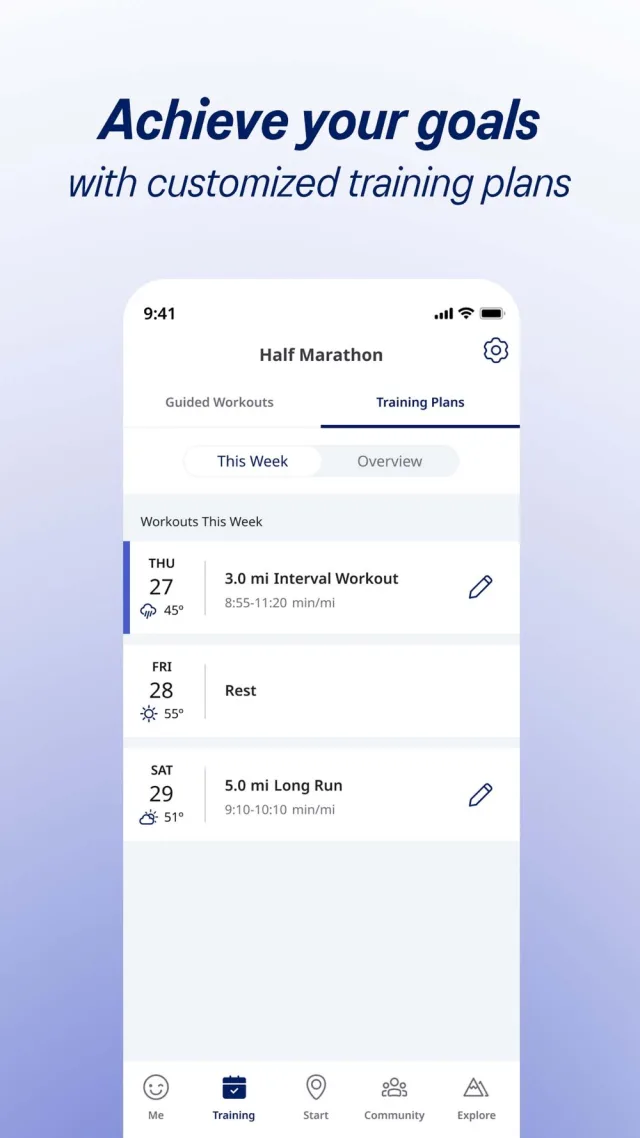
Image: ASICS via the App Store
Pick it if: You want clean stats, audio cues and goals without a social network attached.
Strengths
- Audio cues for pace, distance and time, with music integration
- Goals and plans that are easy to set and easy to read
- Works with Apple Watch, Garmin and Fitbit
- Audio-guided workouts from ASICS coaches
Drawbacks
- Race-specific plans and deeper insights need Runkeeper GO
- Smaller community than Strava
- Analysis is basic by design
- Free tier
- Yes
- Paid
- Runkeeper GO subscription
Runkeeper’s quiet appeal
Runkeeper is the app I would give a parent who just wants to know how far they went. Big numbers, a clear start button, and an audio voice that reads out the stats you choose at the interval you choose. Goals are equally plain: run farther, run faster, run more often, pick one.
The paid tier, Runkeeper GO, adds tailored race-training plans and more detailed progress comparisons. For most casual runners the free goals, plans and the ASICS coaches’ audio workouts are enough. Skip Runkeeper if you crave data or a crowd. It is deliberately the calm option.
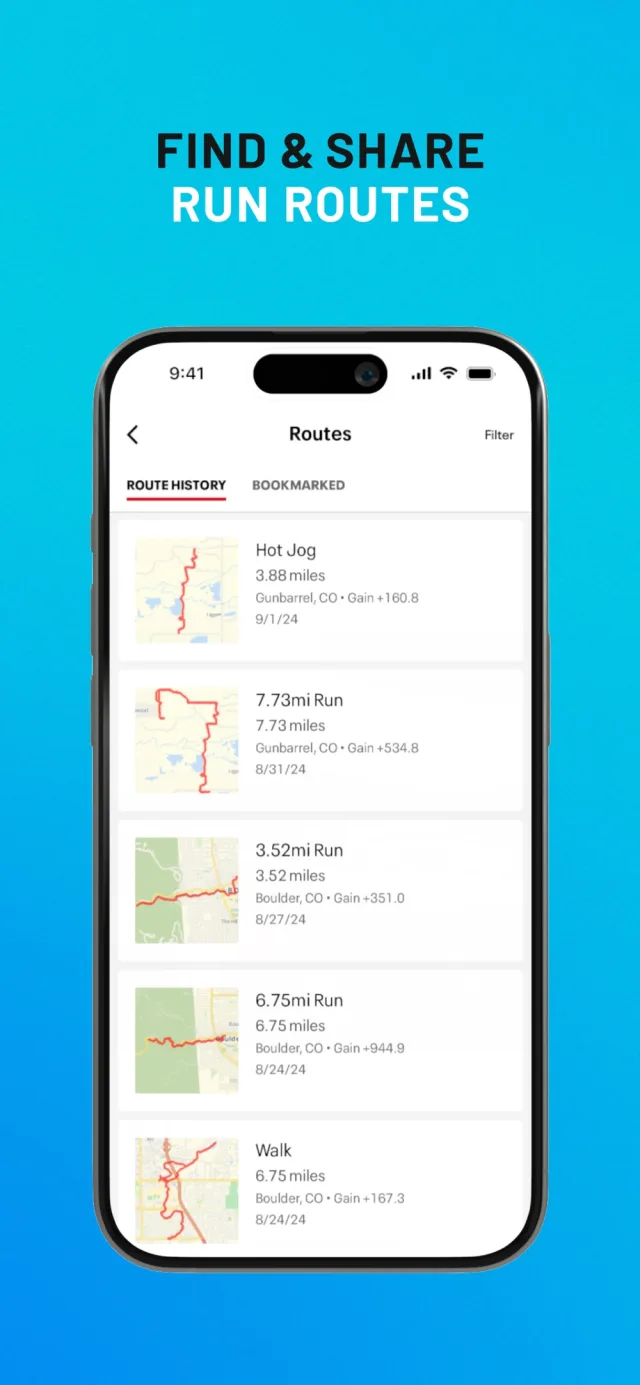
Image: Map My Run via the App Store
Pick it if: You travel, or you are bored of your usual loop and want someone else's.
Strengths
- Save, search and share routes; discover runs nearby
- Real-time audio feedback for distance, pace and heart rate
- Live tracking on the MVP tier for safety
- Form coaching tips for Garmin users
Drawbacks
- Live tracking and adaptive plans are paid features
- Busier interface than Runkeeper
- Owned by Outside now, so expect cross-promotion
- Free tier
- Yes
- Paid
- MVP subscription
Map My Run on the road
Map My Run, now part of Outside, is a veteran, and its route library shows it. Away from home, it is the quickest way I know to find a loop of the right length that other runners have already used. Saving routes is free, and the audio feedback mid-run covers the basics.
The paid tier, called MVP, adds live tracking so chosen people can follow your run, and training plans that adjust to your goal. Skip it if you always run from your door. Its best feature is for people who don’t.
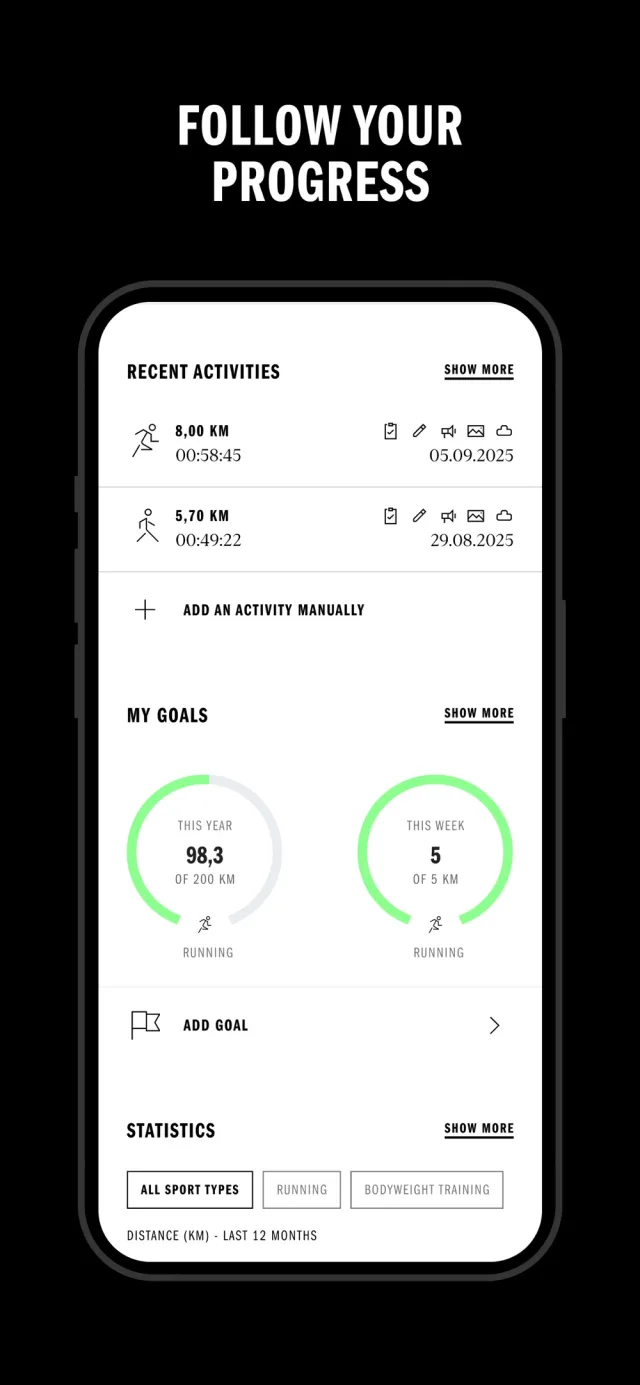
Image: adidas via the App Store
Pick it if: Running is one of several sports you do, and you like challenges with a reward at the end.
Strengths
- Tracks running, walking, cycling, swimming and 90+ other sports
- Personalized training plans and voice coaching
- Global challenges and virtual races
- adiClub points for activity
Drawbacks
- Less depth for serious run training than Runna or Garmin
- Rewards angle will not matter to everyone
- Social side is smaller than Strava's
- Free tier
- Yes
- Paid
- Premium membership
Where adidas Running fits
adidas Running, which many people still know as Runtastic, is the generalist. Runs, bike commutes and swims all go into the same log, and the goal screen keeps them in one weekly picture. The challenges and virtual races are well made, and adiClub points reward activity if that motivates you.
As a pure running coach it sits behind the top four. The plans and voice coaching are fine, not memorable. Pick it if you want one app for several sports. Skip it if your only sport is running and you have a race to train for.
Side by side
| App | Free version | Paid | Built-in plans | Watch support | Best for |
|---|---|---|---|---|---|
| Strava | Yes, full recording and history | $79.99/yr or $11.99/mo | Training Plans, paid | Almost every brand | Recording and community |
| Runna | First week only | Subscription; $149.99/yr with Strava | Yes, core feature | Apple Watch, Garmin, COROS, Fitbit, Suunto | Race and time goals |
| Nike Run Club | Everything | None | Yes, free | Apple Watch | Free coaching |
| Garmin Connect | Yes, with a Garmin | Connect+ $69.99/yr (optional) | Garmin Coach, free | Garmin | Garmin owners |
| ASICS Runkeeper | Yes | Runkeeper GO | Yes; race plans paid | Apple Watch, Garmin, Fitbit | Simple tracking |
| Map My Run | Yes | MVP | Paid | Apple Watch, Garmin | Routes and safety |
| adidas Running | Yes | Premium membership | Personalized plans | Wearables | Several sports |
What to look for in a running app
A plan you will actually follow. The whole point of a plan is that it decides for you. Runna and Garmin Coach build one around your days and your current pace. Nike Run Club’s plans are fixed but free. If you do not want a plan, do not pay for one.
Honest easy days. Most runners run their easy runs too fast. Apps that set an easy pace, or a coach who tells you to back off, protect you from yourself. The research on which training errors cause injury is genuinely mixed: a systematic review of running injuries could not pin down which mistakes in volume, intensity or frequency were to blame. So treat any app’s ramp as a sensible guess, and listen to your legs before the schedule.
Your watch, first. Check that the app talks to the watch you own before you subscribe. Strava reads from nearly everything. Runna pushes sessions to the major brands. Garmin Connect only makes sense with a Garmin.
Somewhere to send your data. Strava, Runkeeper and Garmin Connect all send runs to Apple Health, and Strava is the common destination other apps sync into. If an app cannot share your runs, you are renting your own history.
The real cost. Running apps tend to put the analysis or the plan behind the subscription and leave recording free. Decide which of those you need. And remember that any running counts: a large meta-analysis linked running even once a week to lower mortality than not running, with no clear extra benefit from running more.
How I picked
Each app went through the routine on our scoring page: at least two weeks of real runs recorded and reviewed in the app, the free version read line by line, upgrade screens noted, sync to Apple Health checked, and export tried where it exists. Features were confirmed on each maker’s own site or App Store listing. Prices are the list prices our network has already published; where none exists, I name the tier without a number. Training and running roundups carry no star scores until each app has had a full scoring pass.
Still deciding between the top two? Read the full Strava vs Runna face-off. If you are new to exercise altogether, the beginner-friendly picks start gentler, and the step counter roundup covers walking. For the bigger picture, see how to choose a fitness app.
Questions readers ask
- What is the best free running app?
- Nike Run Club. It has no subscription at all, and the free app includes GPS tracking, audio Guided Runs in supported countries, multi-week training plans and shoe mileage tracking. Garmin Connect is the free pick if you already wear a Garmin watch, because its Garmin Coach plans cost nothing.
- Is a Strava subscription worth it for runners?
- Pay for it if you use routes, segment leaderboards or the training analysis (Fitness & Freshness, Relative Effort, the Training Log). If you mainly want to record runs and follow friends, the free version already does that. The network list price is $79.99 a year or $11.99 a month.
- Is Runna better than Strava for training for a marathon?
- For the plan itself, yes. Runna builds a dated, paced schedule toward your race from your recent 5K time and the days you can train, and pushes each session to your watch. Strava records and analyzes the runs. Both are now published by Strava Inc., and a bundle of the two is listed at $149.99 a year.
- Do I need a running watch to use a running app?
- No. Every app here records pace, distance and route with your phone's GPS. A watch makes interval sessions easier to follow and adds wrist heart rate, and Runna, Strava, Nike Run Club and Runkeeper all support Apple Watch.
- Which running app is best for a complete beginner?
- Nike Run Club, for its free Get Started plan and the Guided Runs that talk you through each session. If you want a stricter walk-run ladder, Runna has a New to Running plan, and Garmin Coach offers a free 5K plan on Garmin watches.