The Best Step Counter Apps (2026-2027) for Walking More Every Day
StepsApp is the best step counter on iPhone or Android, Pedometer++ is the Apple Watch favorite, and your phone's own app may be enough. Seven apps ranked.
How this was made: every app here was used for at least two weeks before it was scored, checked by our nutrition reviewer, and never paid for by an app maker. Our scoring method.

Your phone already counts your steps. The point of a step counter app is to make that number mean something: a goal you hit, a streak you protect, a friend you beat. On that score, StepsApp is the best step counter app for most people. It is clean, it works on iPhone and Android, it reads from almost any wearable, and its challenges make walking oddly competitive.
If you live in Apple’s world, Pedometer++ is the best on iPhone and Apple Watch. Pacer is the walking-group app. Google Fit and Apple Health are free and already installed or a tap away. Google Health, the new name for the Fitbit app, is the right home if you wear a Fitbit or Pixel Watch. Stepz is the no-fuss option for people who want one big number.
Each app counted my steps for at least two weeks, phone in pocket by day and, where supported, a watch on the wrist.
The rankings
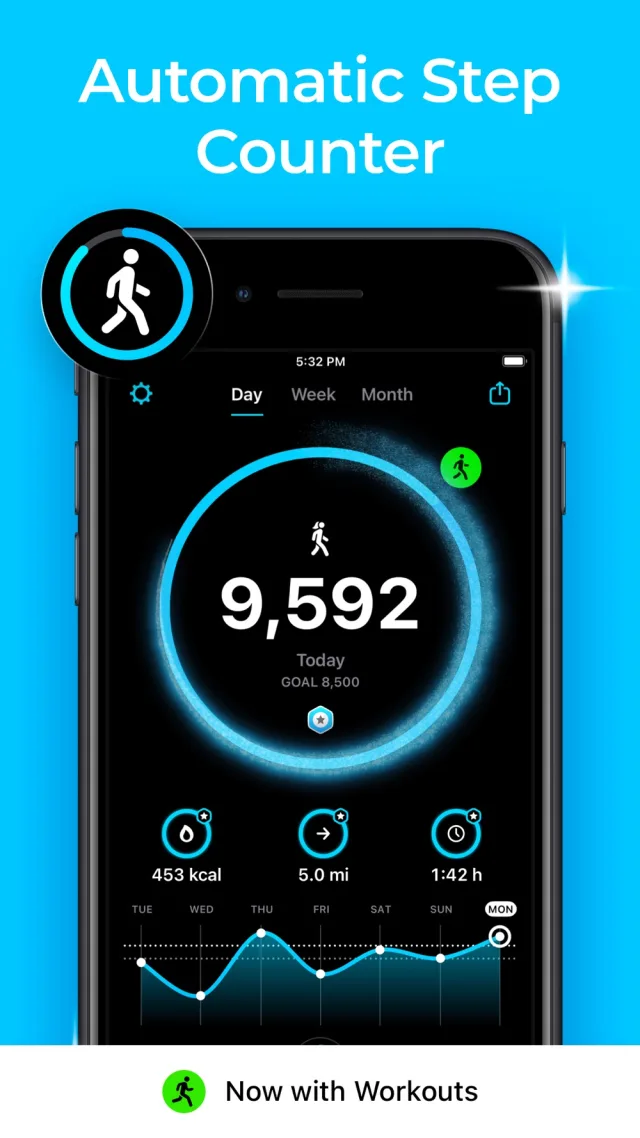
Image: StepsApp via the App Store
Pick it if: You want a goal, a streak and a bit of friendly competition, on any phone.
Strengths
- Automatic step counting with no extra hardware
- Challenges, groups and leaderboards with friends or coworkers
- Syncs with Apple Watch, Garmin, Oura, Fitbit, Whoop, Polar and more
- Wheelchair support, VoiceOver and data export
Drawbacks
- Ads on the free version
- GPS workouts and advanced goals need PRO
- Free tier
- Yes
- Paid
- StepsApp PRO subscription
Why StepsApp wins
StepsApp gets the basics right first. Open it and the day’s steps sit in a big ring, with distance, active calories, floors and walking time underneath. Swipe for weekly, monthly and yearly trends and your personal records. Set a goal and the streak starts counting, with streak freezes for the day you are sick.
Then it adds the part that actually changes behavior: other people. You can create a group with family, friends or an entire office, run daily and weekly leaderboards and set shared challenges. If competition motivates you, this is the best implementation I tested, and it works across iPhone and Android.
It also reads from a long list of wearables, including Garmin, Oura, Fitbit, Whoop and Polar, and it has wheelchair support and export built in. The free version shows ads; PRO removes them and adds GPS workouts, advanced analytics and extra streak freezes. Skip it if you want zero social features. Stepz is quieter.
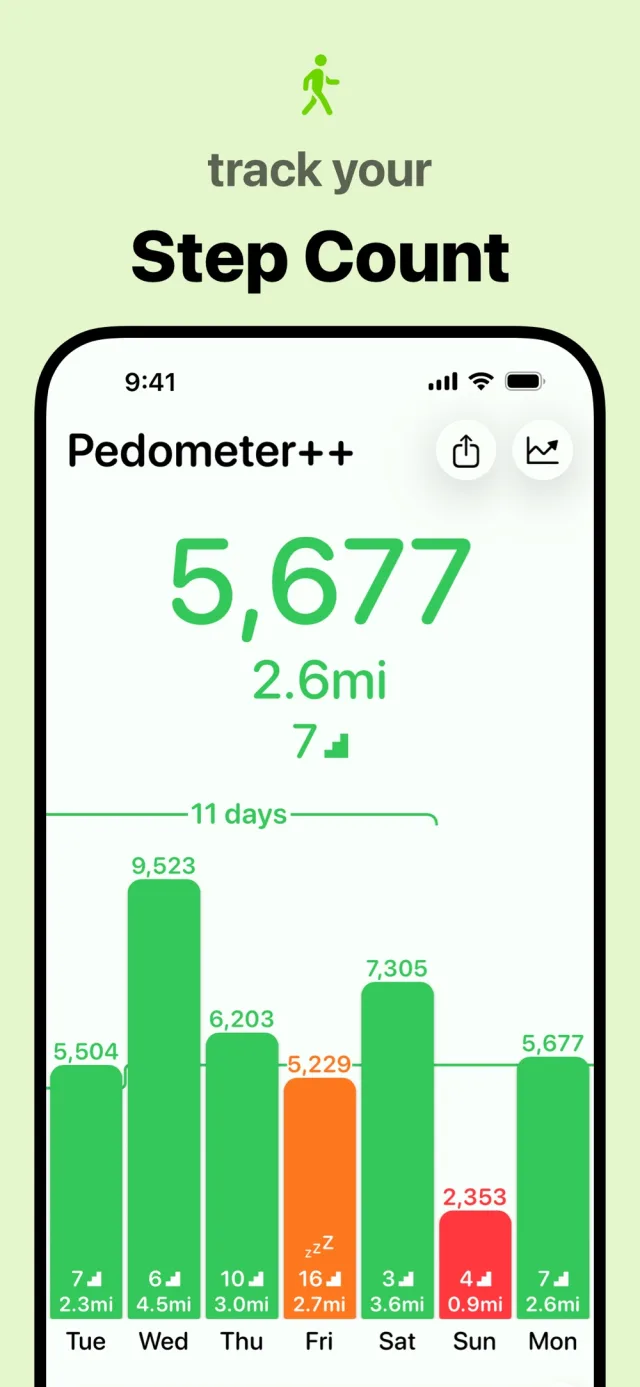
Image: Pedometer++ via the App Store
Pick it if: You use an iPhone and Apple Watch and want the most polished step counter for them.
Strengths
- Clear daily graph with distance, flights and active calories
- Lock screen and home screen widgets; Watch complications
- Badges and monthly challenges
- Route planning and offline maps for hikes, on phone and Watch
Drawbacks
- iPhone and Apple Watch only
- Some features sit behind an optional premium tier
- Free tier
- Yes
- Paid
- Optional premium subscription
- Platforms
- iPhone, Apple Watch
Pedometer++ on the wrist
Pedometer++ is a lovely piece of software. The main screen is a row of daily bars against your goal, green when you hit it, and the numbers you care about sit above: steps, distance, flights of stairs. Widgets put the count on the lock screen, and Watch complications put it on your wrist.
It goes well beyond counting. The Apple Watch app can track walks and runs, and both phone and Watch can plan hiking routes, import GPX files, show elevation and weather, and store offline maps for areas with no signal. For a step counter, that is unusual depth.
The premium tier is optional and unlocks extras while supporting the developer. The obvious limit is the platform: Pedometer++ is built for iPhone and Apple Watch. Android users should look at StepsApp or Pacer.
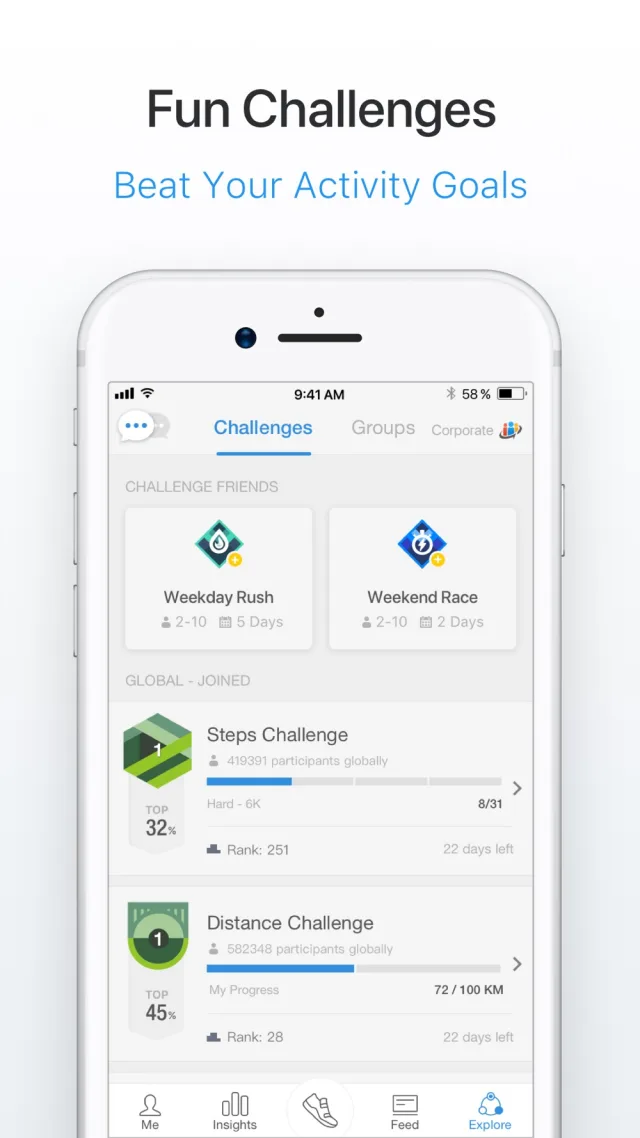
Image: Pacer via the App Store
Pick it if: You walk with others, or want to, and need an app that works whatever phone they have.
Strengths
- Walking groups and challenges across iPhone and Android
- GPS-recorded walks, hikes and rides with route discovery
- Weight and BMI tracking with personalized plans
- Guided video workouts
Drawbacks
- Premium features behind a subscription
- Busier screens than a pure step counter
- Free tier
- Yes
- Paid
- Premium subscription
Pacer’s social walking
Pacer is built for walking as a shared activity. Join or create groups, take on challenges, and share progress with friends and family whatever phone they use. It also maps walks, hikes and rides with GPS and suggests local routes, trails and parks, which is a nice nudge to vary the loop.
Beyond steps it tracks weight and BMI, offers personalized plans and has guided video workouts for days you stay in. The extra breadth makes the interface busier than StepsApp’s. Pick Pacer if your walking happens in company. Pick StepsApp if your competition is with yourself.
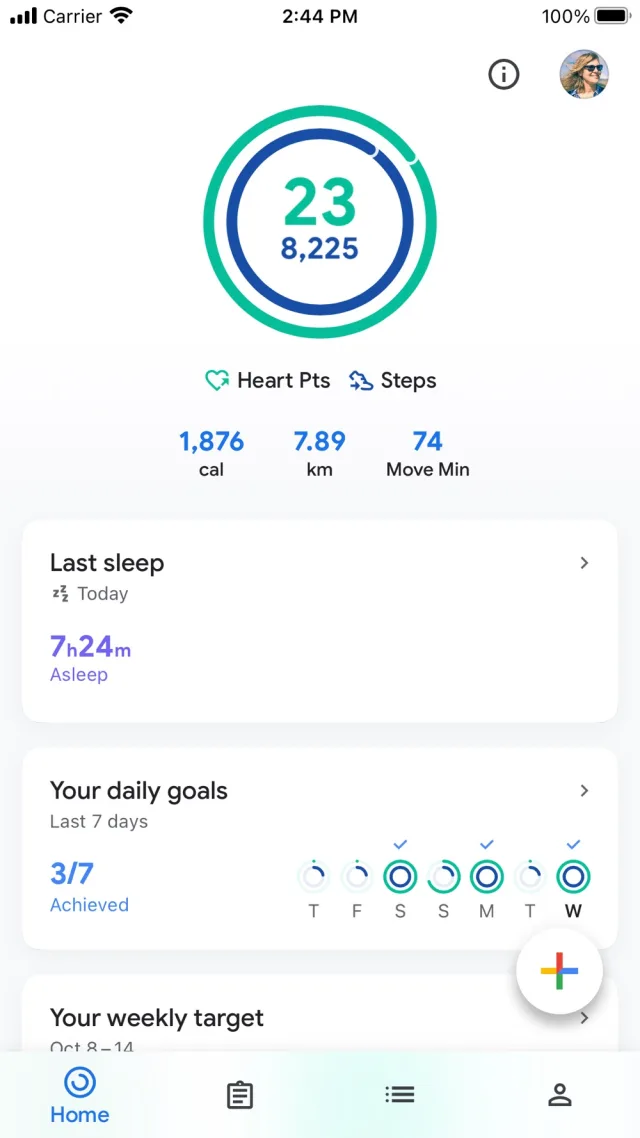
Image: Google via the App Store
Pick it if: You use Android and want a free, sensible activity goal beyond raw steps.
Strengths
- Free, from Google
- Heart Points goal developed with the American Heart Association
- Steps, workouts and a journal of activity in one place
- Pulls in data from many other apps and devices
Drawbacks
- Lighter on streaks and social features than the top three
- Plain design next to StepsApp or Pedometer++
- Free tier
- Yes, fully free
- Paid
- None
Heart Points, explained
Google Fit’s twist is a second goal next to steps. Heart Points reward effort: one point for each minute of moderate activity such as a brisk walk, and double for vigorous activity such as running. Google says 30 minutes of brisk walking five days a week reaches the American Heart Association’s recommended activity level, so the goal is anchored to guidance rather than a round number.
The rest is clean and free: daily rings, a journal of walks, runs and rides with pace and heart rate, and the option to add activities by hand. It also gathers data from other fitness apps and devices. It keeps things calm, with fewer streak and social features than the top three, which suits people who just want a dashboard.
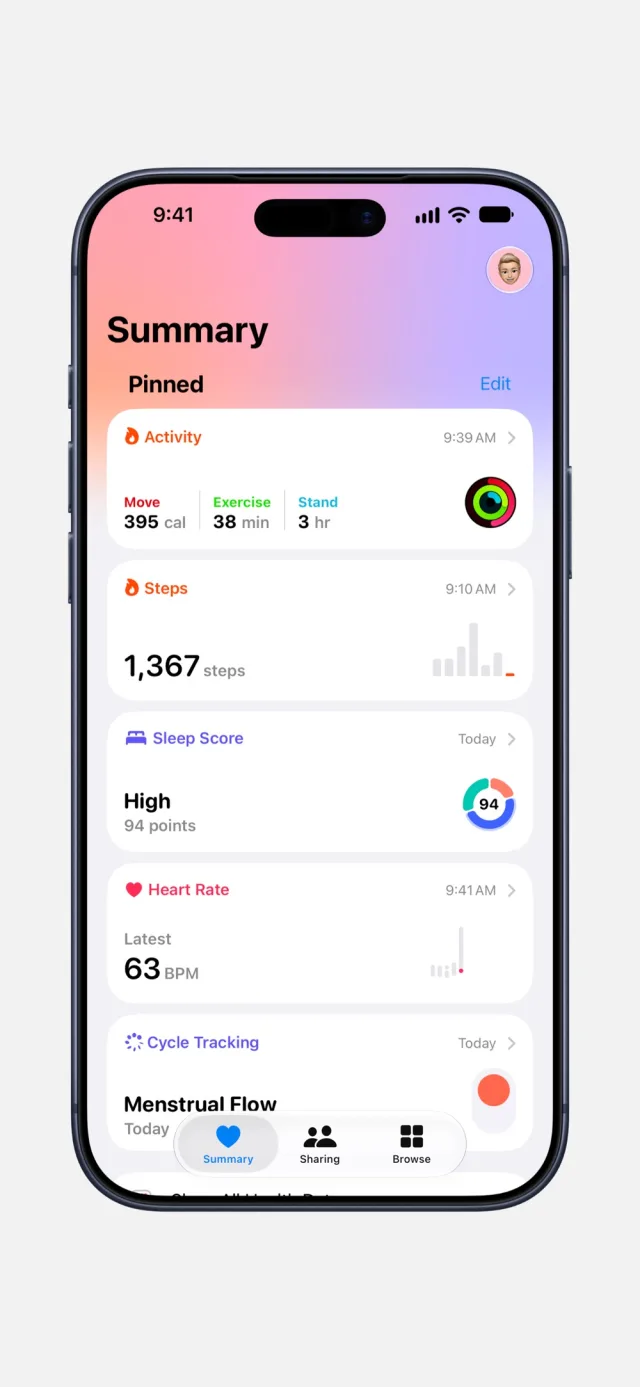
Image: Apple via the App Store
Pick it if: You have an iPhone and want a free step count and trend with nothing to install.
Strengths
- Counts steps automatically on iPhone and Apple Watch
- Trends and highlights show whether you are moving more or less
- Brings in data from other apps and devices
- Share health data with family or caregivers
Drawbacks
- Awards and friendly competitions live in Apple's separate Fitness app
- Better as a data hub than a motivator
- Free tier
- Yes, built in
- Paid
- None
- Platforms
- iPhone, iPad, Apple Watch
The one already on your iPhone
Before downloading anything, open Apple Health. It has been counting your steps since you set up the phone. Pin Steps to the Summary tab and you get today’s total, the daily average and a trend line that tells you whether you are moving more or less than before. Add an Apple Watch and the count fills in when the phone is on the table.
Apple Health is also where the other apps here send their data, which makes it the hub. It is a dashboard, not a cheerleader: Apple keeps awards and friendly competitions in its separate Fitness app. If the number alone motivates you, it is all you need. If not, pair it with StepsApp or Pedometer++.
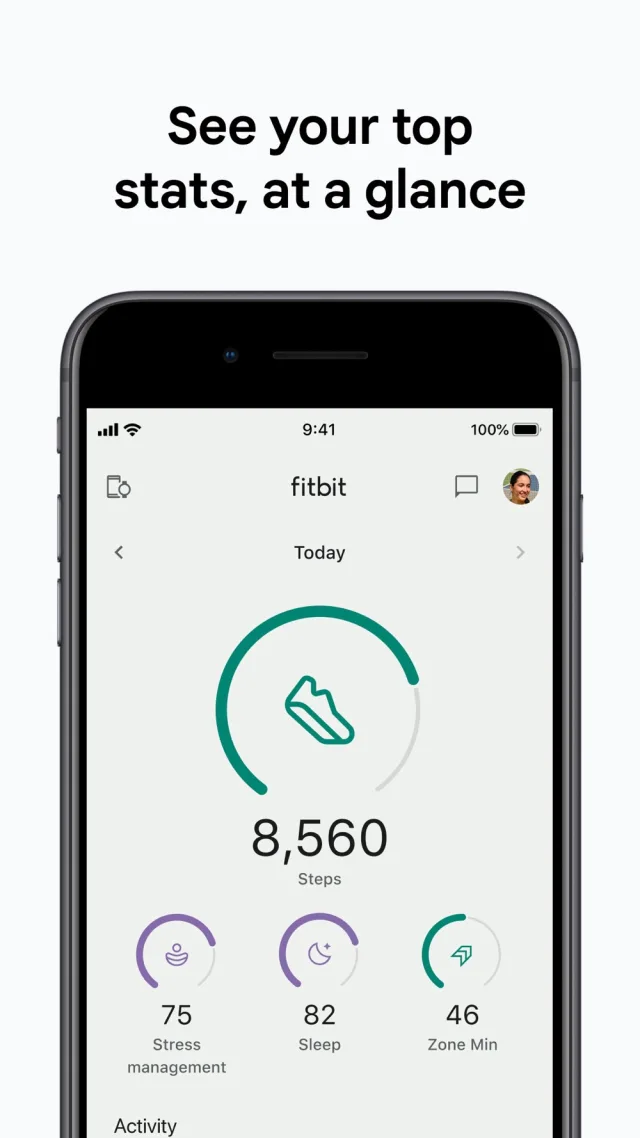
Image: Google via the App Store
Pick it if: You wear a Fitbit or Pixel Watch and want steps in context with sleep and workouts.
Strengths
- The Fitbit app, renamed, with steps on the Today screen
- Sleep, workouts, nutrition and cycle tracking alongside activity
- AI coach built with Gemini on Google Health Premium in some countries
- Free to use with Fitbit and Pixel Watch devices
Drawbacks
- Most useful with a Google or Fitbit wearable
- The AI coach is a paid, region-limited feature
- Free tier
- Yes
- Paid
- Google Health Premium
Fitbit’s new name
Google has renamed the Fitbit app Google Health, and for wearers of a Fitbit or Pixel Watch it is the natural place for steps. The Today screen leads with the count, then sleep and Active Zone Minutes, and the app layers in workouts, nutrition logging and menstrual cycle tracking.
The headline new feature is an AI coach built with Gemini, which builds workout plans and answers follow-up questions, but it requires Google Health Premium and is limited to certain countries. Without a Google or Fitbit wearable, the app has less to offer than StepsApp or Google Fit.
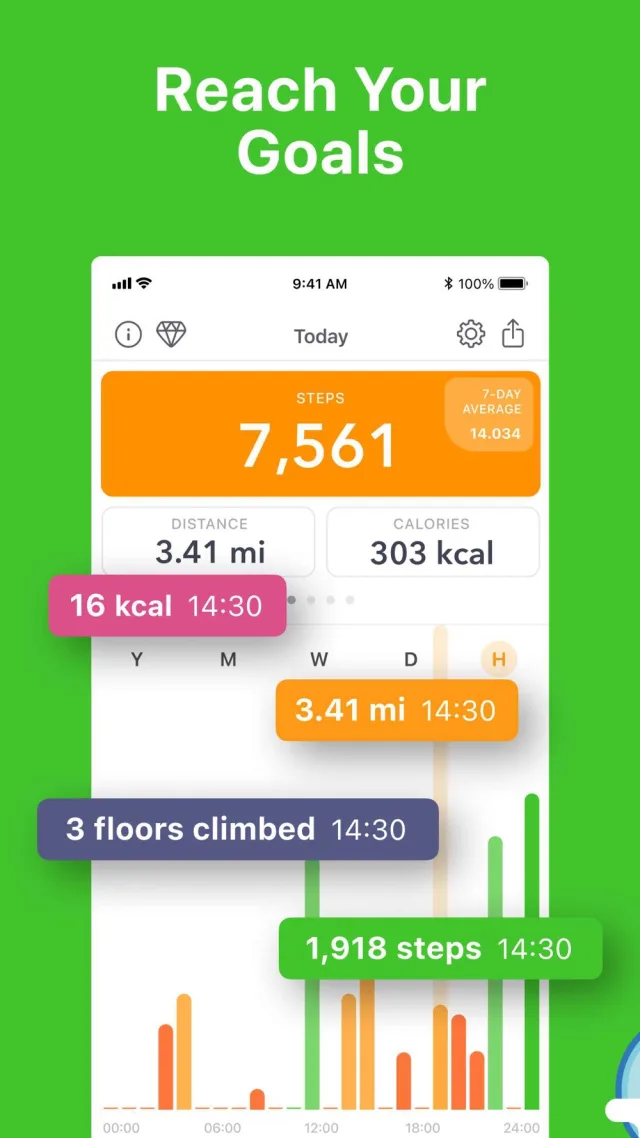
Image: Stepz via the App Store
Pick it if: You want a single, clear step number and your data kept on your phone.
Strengths
- Simple daily, weekly, monthly and yearly views
- Imports your past steps from Apple Health
- Data stored on the device and not shared without consent
- Low battery use; works with Apple Watch
Drawbacks
- iPhone and Apple Watch only
- Widget and app-icon badge need a weekly subscription
- Free tier
- Yes
- Paid
- Premium subscription
- Platforms
- iPhone, Apple Watch
Stepz, kept simple
Stepz does one thing and does it plainly: the number, big and bright, with distance, calories, floors and an hourly breakdown. It imports your history from Apple Health on day one, so there is no blank slate, and the developer says your data stays on the device unless you choose to share it.
The trade-offs are a premium tier that charges weekly for the widget and badge, and the platform: it is made for iPhone and Apple Watch. If you want streaks and friends, step up to StepsApp.
Side by side
| App | Best for | Free version | Paid | Social |
|---|---|---|---|---|
| StepsApp | Goals, streaks, challenges | Yes, with ads | PRO | Groups, leaderboards |
| Pedometer++ | iPhone and Watch polish | Yes | Optional premium | Badges, sharing |
| Pacer | Walking with others | Yes | Premium | Groups, challenges |
| Google Fit | Free Android goal | Yes | None | Light |
| Apple Health | Built-in tracking | Yes | None | Data sharing |
| Google Health (Fitbit) | Fitbit and Pixel Watch | Yes | Premium | Community features |
| Stepz | Minimal, private | Yes | Weekly premium | Friends |
What to look for in a step counter
A goal that fits you. The 10,000-step target is a round number, not a rule. In a meta-analysis of 15 cohorts, the benefit of more daily steps leveled off around 6,000 to 8,000 for adults 60 and older and 8,000 to 10,000 for younger adults. A large US study found 8,000 steps a day was linked to about half the mortality risk of 4,000. Set a goal a little above your current average, then raise it.
Pace as a bonus, not a must. In that US study, once total steps were accounted for, how fast people walked mattered less than how much. Google Fit’s Heart Points are still useful, because brisk walking counts toward the activity guidelines, but steps are the main lever.
Honest counting. In a JAMA treadmill test, phone apps landed within about 7 percent of the true count, while every wearable tested undercounted, one by more than 20 percent. Phones do well when carried near the hips. If you wear a watch, choose an app that merges both sources, as StepsApp and Pedometer++ do.
The right motivation. Streaks and challenges help some people and stress others. StepsApp and Pacer lean social. Apple Health and Stepz stay quiet.
Where your data goes. Check whether the app writes to Apple Health or Google Health Connect, and whether it can export. Stepz keeps data on the device; StepsApp offers export.
How I picked
Each app counted my steps for at least two weeks under the routine on our scoring page, with the phone carried daily and, where supported, a watch worn alongside. I read every free version through, noted the premium offers, and checked what reaches Apple Health or Google Health Connect and what can be exported. Features were confirmed on each maker’s own site or store listing, and no prices are shown that our network has not already published. Wellness roundups carry no star scores until a full scoring pass.
Ready to turn walks into runs? Our running apps roundup starts there. For general advice on matching an app to your goals, see how to choose a fitness app, and if you are just getting active, the beginner picks.
Questions readers ask
- How many steps a day should I aim for?
- There is no magic number. A meta-analysis of 15 cohorts found mortality risk kept falling as daily steps rose, leveling off around 6,000 to 8,000 steps a day for adults 60 and older and 8,000 to 10,000 for younger adults. If you walk 3,000 a day now, adding 1,000 to 2,000 is a sensible first goal.
- Are phone step counters accurate?
- Reasonably, for walking. In a small treadmill study published in JAMA, smartphone apps landed within about 7 percent of observed steps either way, while the wearables tested all undercounted, by as much as 23 percent. Carry the phone close to the hips for the best count.
- What is the best free step counter app?
- The one already on your phone: Apple Health on iPhone or Google Fit on Android both count steps for free. If you want goals, streaks and challenges on top, StepsApp and Pacer have free versions, and Pedometer++'s premium tier is optional.
- Do I need a smartwatch to count steps?
- No. Every app here counts steps with the phone's motion sensors alone. A watch or band helps when the phone is not on you, for example around the house, and apps such as StepsApp and Pedometer++ can combine both sources.
- Do step counters work for wheelchair users?
- StepsApp lists wheelchair support among its features, and Apple Watch tracks pushes instead of steps once you set your wheelchair status in Health Details. Check each app's settings before you commit to a goal.