The Best Fitness Apps (2026-2027): Classes, Lifting, Running and Recovery, Ranked
Peloton's app covers the most ground, Nike Training Club is the best free, and Strava, Hevy and Garmin Connect own their lanes. Eight fitness apps, ranked.
How this was made: every app here was used for at least two weeks before it was scored, and never paid for by an app maker. Our scoring method.
No single fitness app does everything well, but one comes closest. The Peloton app, which needs no Peloton hardware, has the widest spread of good classes: strength, running, cycling, yoga, HIIT, stretching and meditation, on your phone or your TV. That makes it my best overall pick. If you would rather pay nothing, Nike Training Club is the best free fitness app I know.
The rest of the list is specialists that are the best at one thing. Strava for runs and rides. Hevy for logging lifts. Apple Fitness+ for people already living in Apple’s world. Fitbod for gym sessions written on the spot. Garmin Connect for watch data. Down Dog for yoga and mobility that never repeats.
Each one went through at least two weeks of real workouts before it got a place here.
The rankings
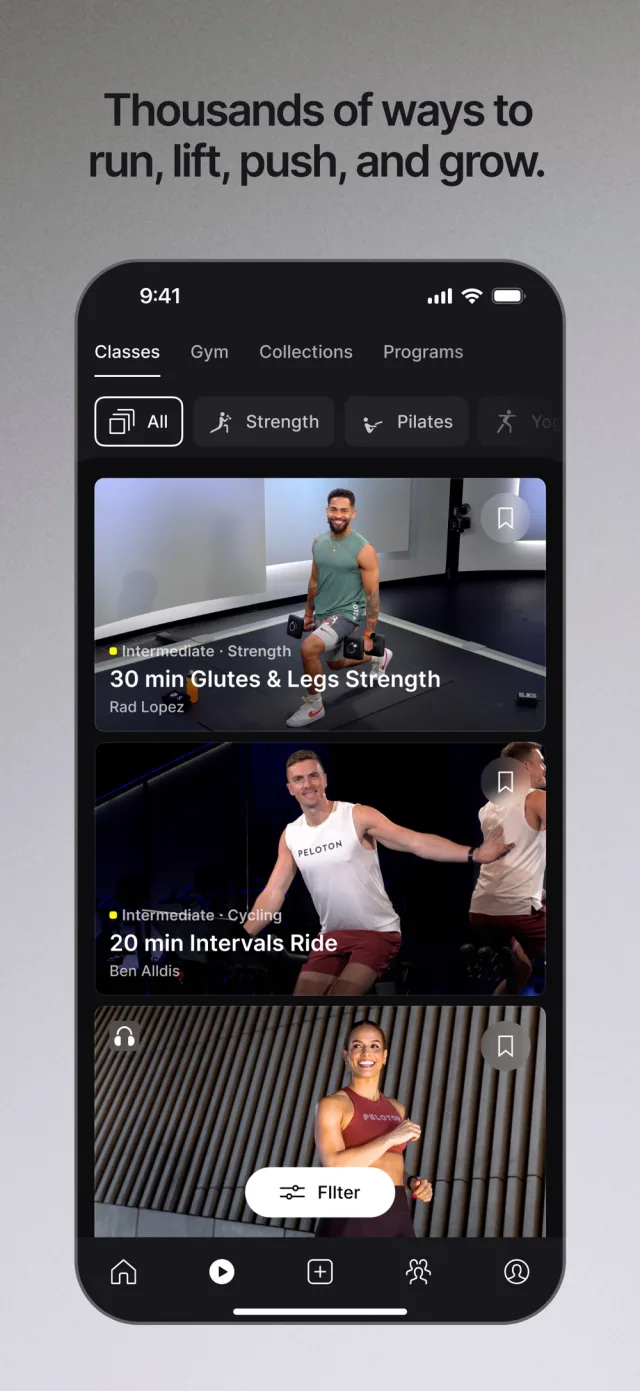
Image: Peloton via the App Store
Pick it if: You want one subscription that covers most kinds of training, no bike required.
Strengths
- Strength, running, cycling, yoga, HIIT, Pilates, stretching and meditation classes
- Works with no equipment; streams to the TV via Apple TV, AirPlay or Chromecast
- Goal-based programs and weekly plans
- Peloton Watch app shows live metrics on Apple Watch
Drawbacks
- The full cardio-equipment class library needs App+
- Easy to drown in choice
- Monthly price adds up over a year
- Free tier
- Free app version; 30-day trial of paid tiers
- Paid
- App One $15.99/mo; App+ for unlimited cardio-equipment classes
Two weeks inside Peloton’s library
The first thing you notice is volume. Peloton has thousands of classes, and the filters do the heavy lifting: type, length, instructor, music. A 20-minute upper-body strength class, a 30-minute outdoor run with a coach in your ears and a 10-minute evening stretch can all live in one app and one history.
The plans are what moved it from good to best. Peloton builds a weekly schedule around a goal, so the app proposes the next session rather than waiting for you to browse. You can also stack classes, a small feature that earns its keep: a warm-up, a main class and a cool-down queued up as one block. Teams and challenges add a social layer if you want it, and you can ignore them if you don’t.
Be clear about tiers before you subscribe. Peloton’s site lists App One with strength, yoga, meditation, outdoor running and gym workouts, plus a handful of classes a month on any bike, treadmill or rower. App+ unlocks the full cardio-equipment library and Peloton Strength+. If you own a Peloton machine, you need All-Access instead. Skip Peloton if a monthly fee for classes feels wrong to you. Nike Training Club is right below.
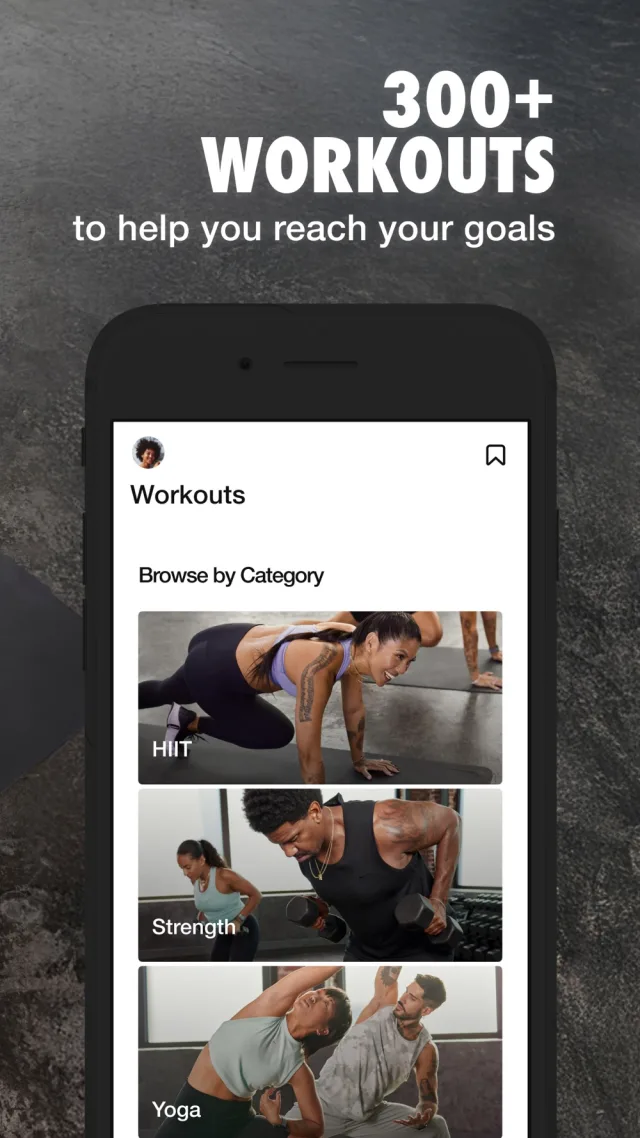
Image: Nike via the App Store
Pick it if: You want polished, trainer-led workouts and programs and will not pay for them.
Strengths
- Free workout programming and coaching for Nike Members
- Strength, conditioning, yoga, Pilates, recovery and mindfulness
- Multi-week programs for the gym or home
- Apple Watch control; runs from Nike Run Club appear in your history
Drawbacks
- Video-on-demand classes are limited to some countries
- A smaller library than Peloton's thousands of classes
- Free tier
- Yes, with a free Nike Membership
- Paid
- None
Why free does not mean second-rate here
Nike Training Club looks and feels like a paid app. The trainers are good, the demos are clear, and the programming is organized into weeks-long programs for the gym and for small spaces at home, with whiteboard-style workouts if you prefer to train without a video. Categories run from strength and conditioning to yoga, Pilates, recovery and short mindfulness sessions.
You can schedule a workout and get a reminder, and the Apple Watch lets you skip or pause moves and see your heart rate without touching the phone. If you also use Nike Run Club, your runs land in the same activity history automatically.
What you give up for free is depth of tracking. NTC records the workouts you complete; for set-by-set weights, pair it with Hevy, and check whether on-demand video classes are offered in your country, since Nike limits them to a list of regions.
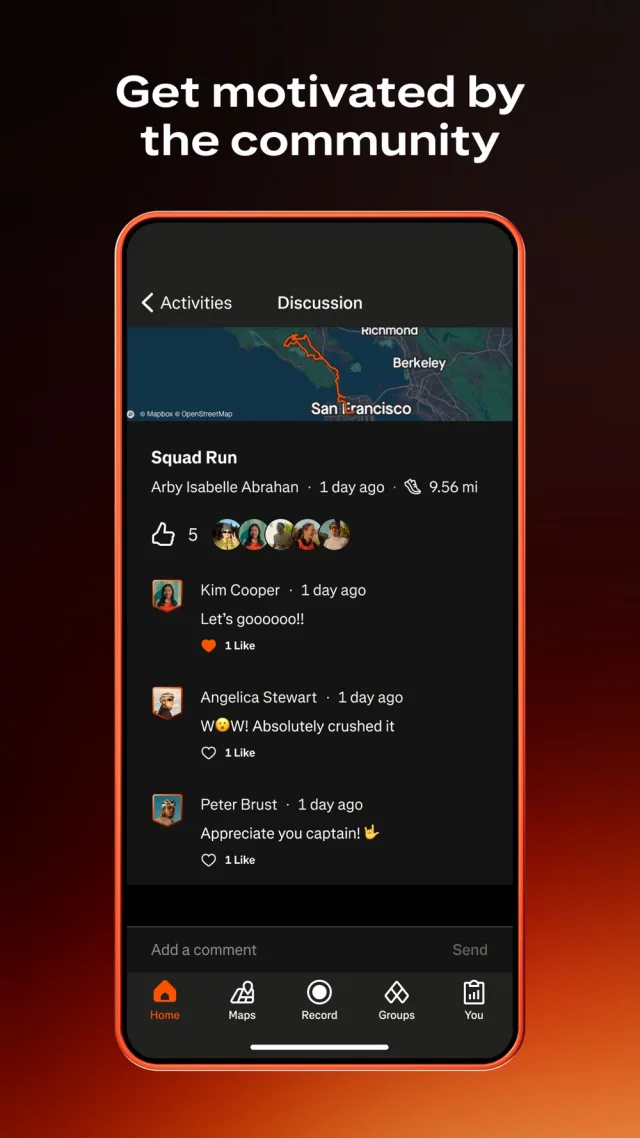
Image: Strava via the App Store
Pick it if: Your fitness happens outside: running, riding, hiking or walking, and you like company.
Strengths
- Records 50+ sport types; free version keeps full history
- Pulls data from Apple Watch, Garmin, Fitbit and many other apps
- Clubs, challenges and a friends feed
- Strength sessions from other apps show sets and a muscle map
Drawbacks
- Routes, segments and the deeper analysis require a subscription
- Built to record activity, not to lead workouts
- Free tier
- Yes
- Paid
- $79.99/yr or $11.99/mo
- Platforms
- iOS, Android, web
Strava as the hub
In a general fitness setup, Strava’s job is to be the place everything ends up. Runs from the watch, rides from a bike computer, hikes from the phone, even gym sessions from a strength app arrive with sets, reps and a muscle map. The free version does all of that and keeps your history, which is the part most people need.
Pay when you want what the subscription adds for outdoor training: routes, segment leaderboards and the training analysis tools. For a running-specific comparison, see our running apps roundup. Skip Strava if you train mostly indoors with classes. It will record them, but it will not lead them.
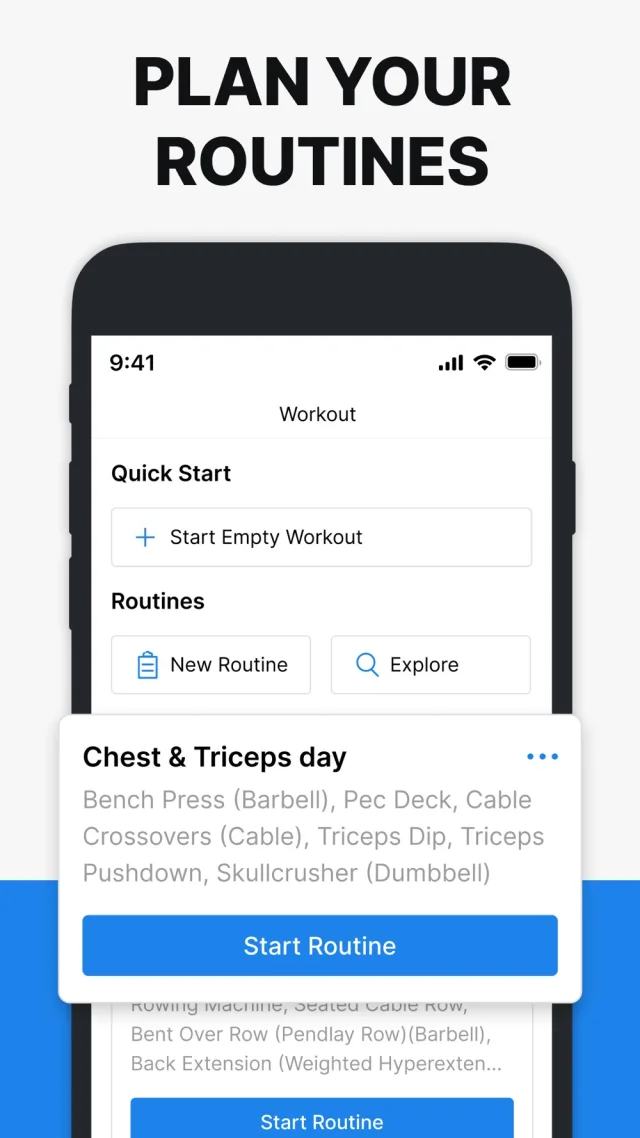
Image: Hevy via the App Store
Pick it if: You lift weights and want a fast, free record of every set.
Strengths
- Free with no ads
- Previous numbers shown for every set
- Free library of splits to copy
- Syncs workouts to Strava and Apple Health
Drawbacks
- Free tier keeps four routines
- Older history and AI programming are Pro features
- Free tier
- Yes
- Paid
- Hevy Pro subscription
Hevy in a mixed routine
If any part of your week involves a barbell or dumbbells, a log beats memory. Hevy is the quickest free one I have used: start a routine, tick sets as you go, and the rest timer runs itself. Because it syncs to Strava, your lifting sits next to your runs in the same feed. It also keeps body weight, measurements and photos if you track those.
Hevy is not a class app, and it will not motivate you with music and a trainer’s voice. Use it alongside Peloton or NTC, not instead of them. Our strength training roundup compares it with Strong, Boostcamp and five more.
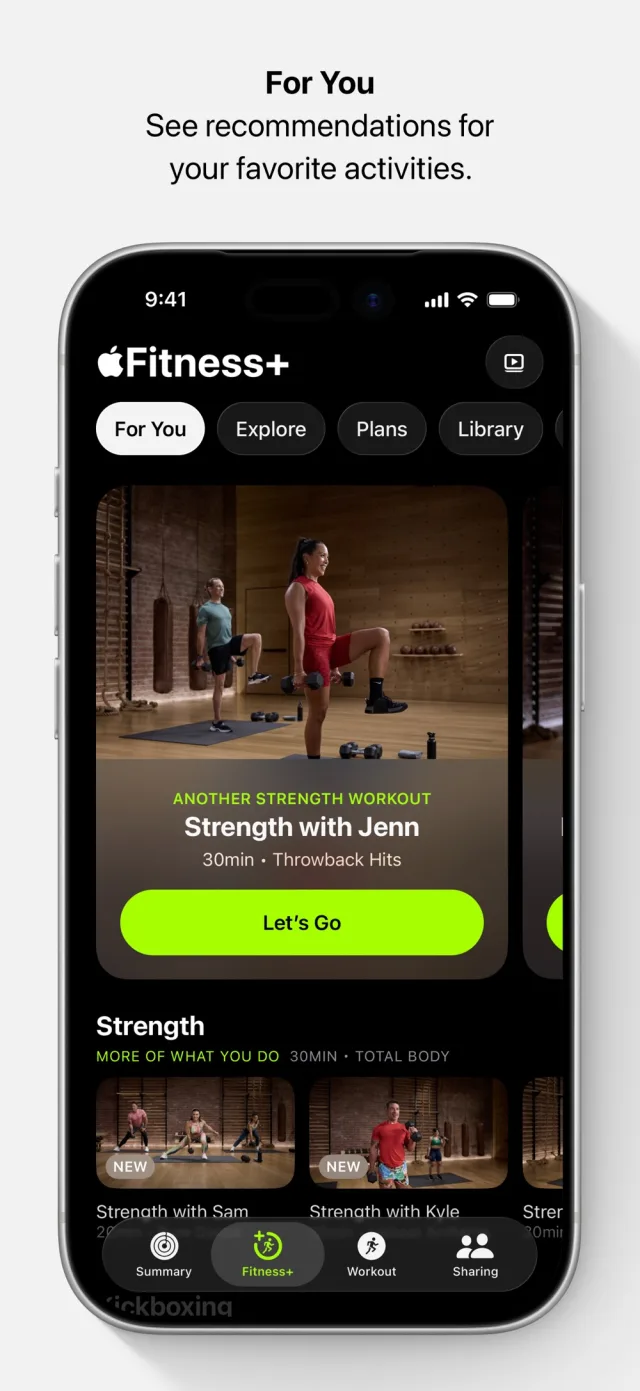
Image: Apple via the App Store
Pick it if: You have an iPhone, probably an Apple Watch, and want classes that read your rings.
Strengths
- Strength, HIIT, yoga, core, Pilates, dance, kickboxing, cycling, treadmill and rowing, plus meditation
- Workouts from 5 to 45 minutes
- Heart rate and calories on screen with Apple Watch
- Family sharing on one subscription
Drawbacks
- Apple devices only
- Sessions top out at 45 minutes
- Free tier
- Fitness app is free; Fitness+ is paid
- Paid
- $9.99/mo or $79.99/yr
- Platforms
- iPhone, iPad, Apple TV
Fitness+ in an Apple household
Fitness+ lives inside the Fitness app on iPhone, iPad and Apple TV. With an Apple Watch, your heart rate and calories appear on the screen during the class, and the session closes your rings. That loop, class to Watch to rings, is the most seamless I tested.
Apple lists twelve workout types from 5 to 45 minutes, plus meditations, and builds custom plans around your favorite activities. One subscription covers the family. The limits are obvious: it is Apple-only, and sessions top out at 45 minutes. If anyone in the house uses Android, skip it.
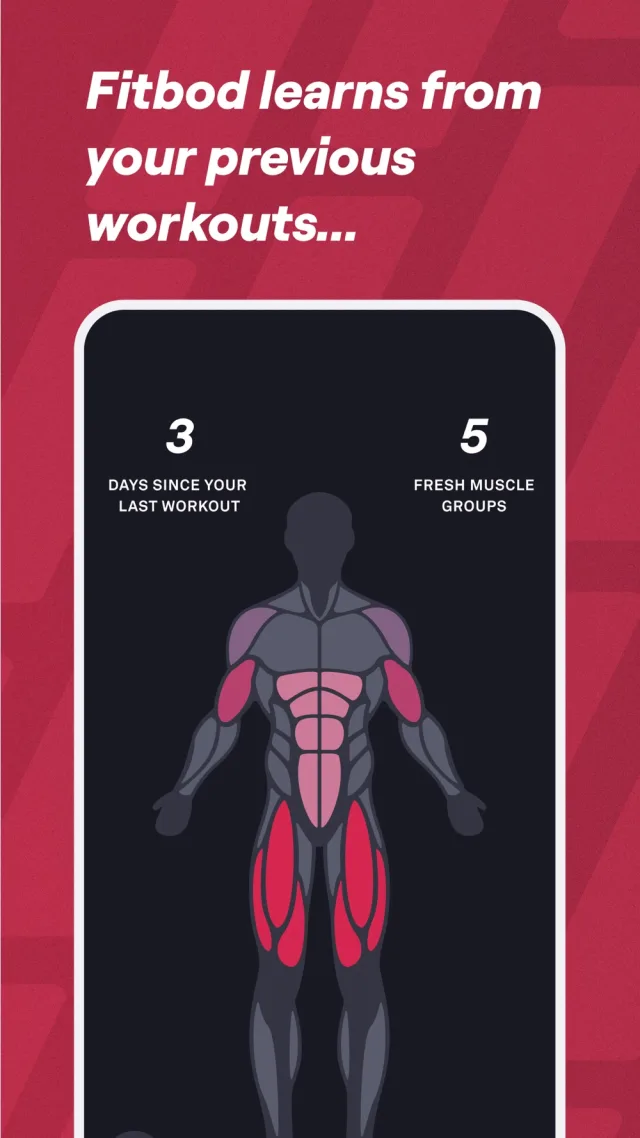
Image: Fitbod via the App Store
Pick it if: You go to a gym but do not want to plan what to do there.
Strengths
- Writes each session from your goals, equipment and recovery
- Adapts to the edits you make
- 1,000+ exercises with video
- Works with Apple Health, Strava and Fitbit
Drawbacks
- Paid after the free trial
- Narrower than a class app: mostly gym strength
- Free tier
- Free trial
- Paid
- $12.99/mo, or yearly
When you want the gym session decided for you
Fitbod suits people who walk into a gym and stall. It builds the day’s session from your goal, the equipment you listed and which muscles are rested, then shows you each lift with a video. You can swap anything, and Fitbod says it learns from those swaps.
It sits sixth because it is narrower than the apps above: gym strength, with some cardio and mobility. For a lifter on a fixed program, Hevy is the better fit. For someone who needs decisions taken off their plate three times a week, Fitbod is worth the subscription.
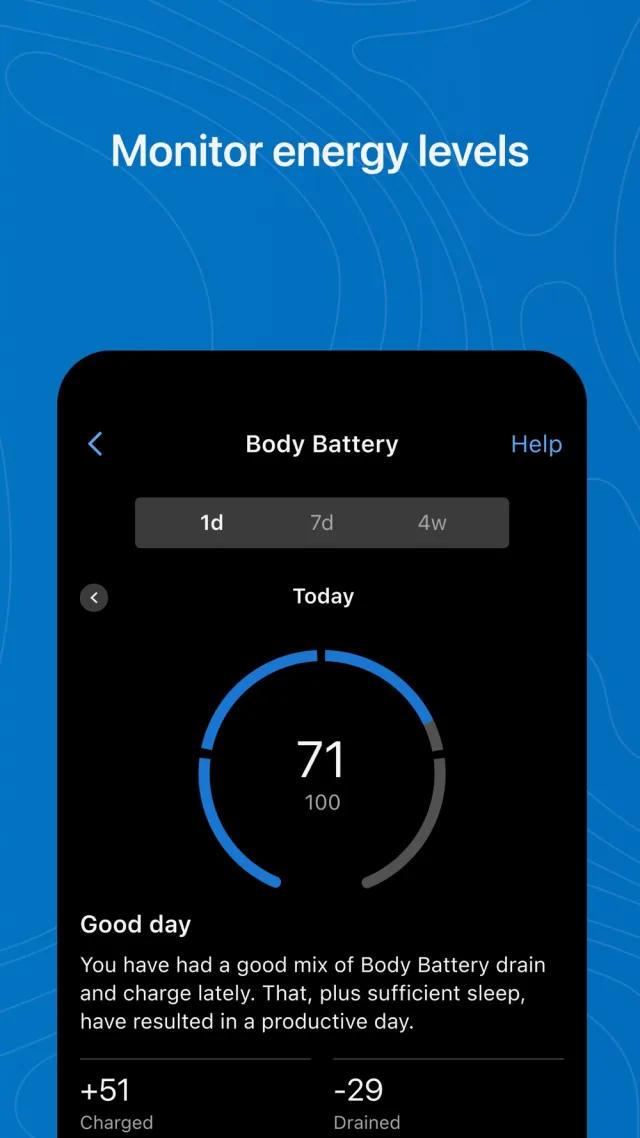
Image: Garmin via the App Store
Pick it if: You wear a Garmin and want your training, sleep and recovery in one place.
Strengths
- Sleep, stress, hydration and Body Battery energy tracking
- Free Garmin Coach running plans
- Create workouts and courses and send them to the watch
- Syncs with Strava and Apple Health
Drawbacks
- Needs a Garmin device
- Busy app that takes time to learn
- Free tier
- Yes, with a Garmin device
- Paid
- Optional Connect+ $69.99/yr
- Platforms
- iOS, Android, web
Garmin Connect beyond running
Most Garmin owners treat Connect as the place the watch syncs to. It is more useful as a daily check-in: sleep score, stress, Body Battery, hydration and, for those who track it, the menstrual cycle, all next to the training calendar. You can also build structured workouts and courses in the app and send them to the watch.
It is free with the device, and Garmin sells Connect+ as an optional extra. Without a Garmin on your wrist, though, there is nothing for it to read.
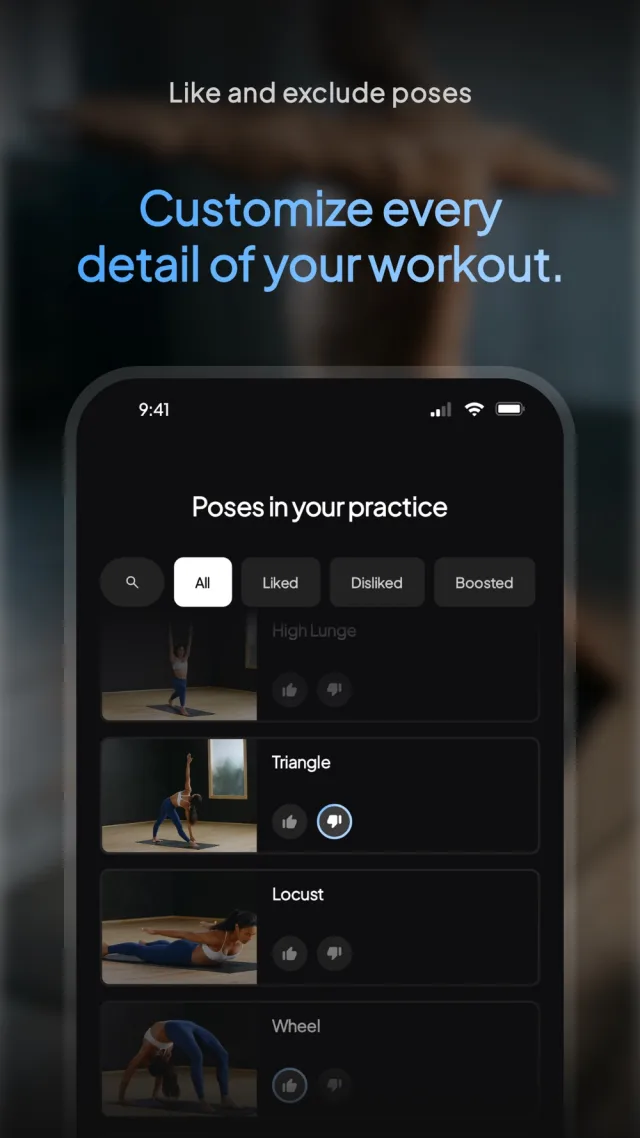
Image: Down Dog via the App Store
Pick it if: You want flexibility and recovery work that adapts to you instead of the same video again.
Strengths
- Generates a new practice each time from level, style, focus and length
- Boosts target up to two of 19 body areas
- Like or exclude individual poses
- One subscription covers Yoga, HIIT, Barre, Pilates, Prenatal Yoga and Meditation, including the web version
Drawbacks
- Subscription after a short free trial
- Built for variety, which not everyone wants from yoga
- Free tier
- Short free trial
- Paid
- One subscription for all Down Dog apps
- Platforms
- iOS, Android, web
The recovery slot in your week
Down Dog fills the gap most training plans leave: mobility. It builds a fresh yoga practice every time you press start, using your level, the style, the pace and how long you have. Pick up to two Boosts to focus on hips, hamstrings, shoulders or another of 19 areas, and dislike poses you never want to see. One subscription also opens Down Dog’s HIIT, Barre, Pilates, Prenatal Yoga and Meditation, on the phone or in a browser.
There is a short free trial and then a subscription. It ranks last only because it is a specialist. As a second app next to any of the seven above, it is excellent. See our yoga apps roundup for alternatives with live teachers.
Side by side
| App | What it does best | Free version | Paid | Android |
|---|---|---|---|---|
| Peloton | Classes across most disciplines | Yes | App One $15.99/mo; App+ | Yes |
| Nike Training Club | Free trainer-led programs | Yes, everything | None | Yes |
| Strava | Recording outdoor activity | Yes | $79.99/yr or $11.99/mo | Yes |
| Hevy | Logging lifts | Yes | Hevy Pro | Yes |
| Apple Fitness+ | Classes tied to Apple Watch | Fitness app only | $9.99/mo or $79.99/yr | No |
| Fitbod | Writing gym sessions | Trial | $12.99/mo | Yes |
| Garmin Connect | Wearable health data | Yes, with Garmin | Connect+ $69.99/yr | Yes |
| Down Dog | Adaptive yoga and mobility | Trial | Subscription | Yes |
What to look for in a fitness app
Coverage of the basics. The U.S. Physical Activity Guidelines, in line with the World Health Organization’s advice, ask adults for 150 to 300 minutes of moderate activity a week, or 75 to 150 vigorous, plus muscle-strengthening work on two or more days. A good fitness app, or a pair of them, should make both halves easy. Peloton and Nike Training Club cover cardio and strength in one place. Strava plus Hevy covers them in two.
Strength work you will actually repeat. A cohort meta-analysis linked muscle-strengthening activity with lower mortality, with the biggest benefit around 30 to 60 minutes a week. That is two short sessions. Look for an app that makes them easy to schedule.
Personalization that helps. A meta-analysis of app and tracker trials found a modest overall boost in activity, and personalization was one of the features linked to bigger effects. Plans that adapt, like Peloton’s weekly schedule or Fitbod’s sessions, are worth more than a library you scroll.
One home for your data. Decide where your history lives: Apple Health, Strava or Garmin Connect. Then pick apps that write to it.
The real price. Count the year, not the month. Several of the best options here are free, and the paid ones vary from about $80 a year to a monthly fee that adds up fast.
How I picked
These eight came out of the same routine described on our scoring page: at least two weeks of real workouts in each app, the free version explored in full, upgrade offers written down, and a check of what syncs to Apple Health or Google Health Connect and what can be exported. Features were verified against each maker’s site or store listing. Prices are list prices already published on our network, and training roundups carry no star scores until a full scoring pass is done.
Prefer to follow a structured program? See the best workout apps. Just starting out? The beginner picks are gentler. And if you are still unsure what kind of app you need, read how to choose a fitness app.
Questions readers ask
- What is the best all-around fitness app?
- The Peloton app, because one membership covers strength, running, cycling, yoga, HIIT, stretching and meditation classes, with or without equipment, on iPhone, Android and the TV. If you want something free, Nike Training Club is the strongest no-cost option.
- Is there a good fitness app that is completely free?
- Nike Training Club. Nike describes its workout programming and coaching as free for Nike Members, covering strength, conditioning, yoga, Pilates, recovery and mindfulness. Strava and Hevy also have genuinely useful free versions for running and lifting.
- Do I need a smartwatch for a fitness app?
- No. Every app on this list works from the phone. A watch adds heart rate and makes some apps nicer to use, and Garmin Connect is the exception that only makes sense if you own a Garmin device.
- Is Apple Fitness+ worth it without an Apple Watch?
- It can be. Apple lists Fitness+ in the Fitness app on iPhone, iPad and Apple TV, and the Watch adds on-screen metrics such as heart rate. At the network's published $9.99 a month or $79.99 a year, with family sharing included, it is good value for an Apple household.
- Should I use one fitness app or several?
- Most people end up with two: one for what to do (classes or a lifting plan) and one for where the data lives (Strava, Garmin Connect or Apple Health). Connect them so workouts flow into one record, and you avoid logging anything twice.