The Best Intermittent Fasting Apps (2026-2027): Timers Tested, Food Included
A fasting timer tells you when to eat; results depend on what you eat. PlateLens does both best. Zero, Yazio, Simple and Fastic round out our five.
How this was made: every app here was used for at least two weeks before it was scored, checked by our nutrition reviewer, and never paid for by an app maker. Our scoring method.
The best intermittent fasting app is PlateLens, because it times the fast and tracks the food. That second half is the part most fasting apps skip, and the research says it’s the part that decides your results. Pick 16:8, 14:10 or your own window, get reminders when it opens and closes, and keep a widget on your home screen. When the window opens, a meal photo becomes a logged entry in about three seconds, with protein and calories counted. Those counts rest on verified sources, USDA FoodData Central, NCCDB and Open Food Facts, and every ingredient stays editable.
I fasted with five apps over two weeks each. Zero is the best pure timer, Yazio the best all-rounder after PlateLens, Simple the most coach-like, and Fastic the most playful. Dr. Alina Reyes reviewed every health statement here, including who shouldn’t fast at all.
The fasting apps, reviewed
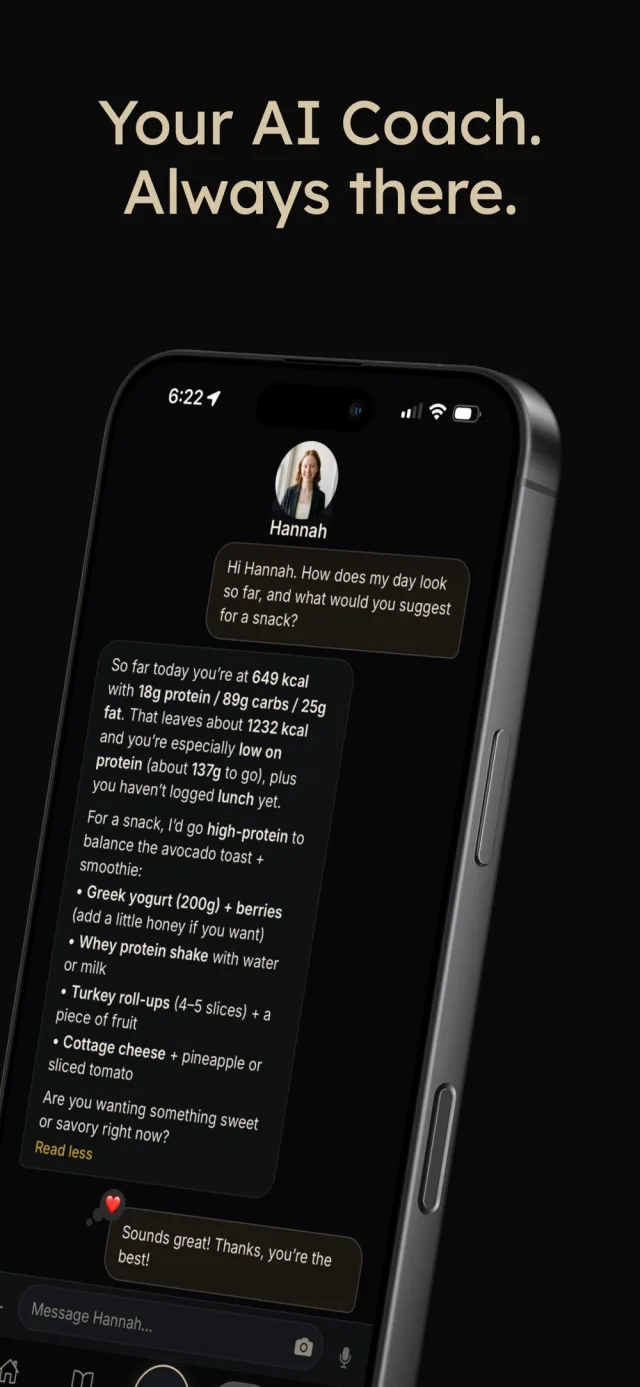
Image: PlateLens via the App Store
Pick it if: You fast to lose weight or eat better and want the eating window tracked as carefully as the fast.
Strengths
- Fasting timer: 16:8, 14:10 or a custom window
- Reminders when the window opens and closes, plus a home-screen widget
- Meal photo to logged entry in about 3 seconds in my testing
- Protein and calories counted from USDA, NCCDB and Open Food Facts data
- AI coach can plan the meal that breaks your fast
Drawbacks
- The free tier allows three AI photo logs and five coach questions a day; Premium ($34.99/yr) raises both allowances
- Fasting timer
- Presets plus custom windows
- Free plan
- Never expires, no card
- Premium
- $34.99/yr or $9.99/mo
- Platforms
- iPhone, Android, web
The fasting side is simple and does what you need. Choose a preset or set your own hours, and PlateLens nudges you when the window opens and when it’s about to close. A widget keeps the countdown on your home screen.
The difference is what happens at noon. Most timers congratulate you and go quiet. PlateLens is a full calorie tracker, so the first meal goes in by photo, the protein bar by barcode, the latte by voice, and you can see whether eight hours of eating fit your calories and protein. Each meal opens to its ingredients if you need to correct a portion, and the database behind search holds more than 1.2 million verified foods.
Ask the coach “what should I break my fast with to hit protein today?” and it answers from your diary. That matters more on a fasting schedule than off one, because fitting enough protein into fewer meals is the common struggle. The tracking and a daily coach allowance are on the free plan, which never expires; Premium raises the AI allowances and adds detailed nutrient views.
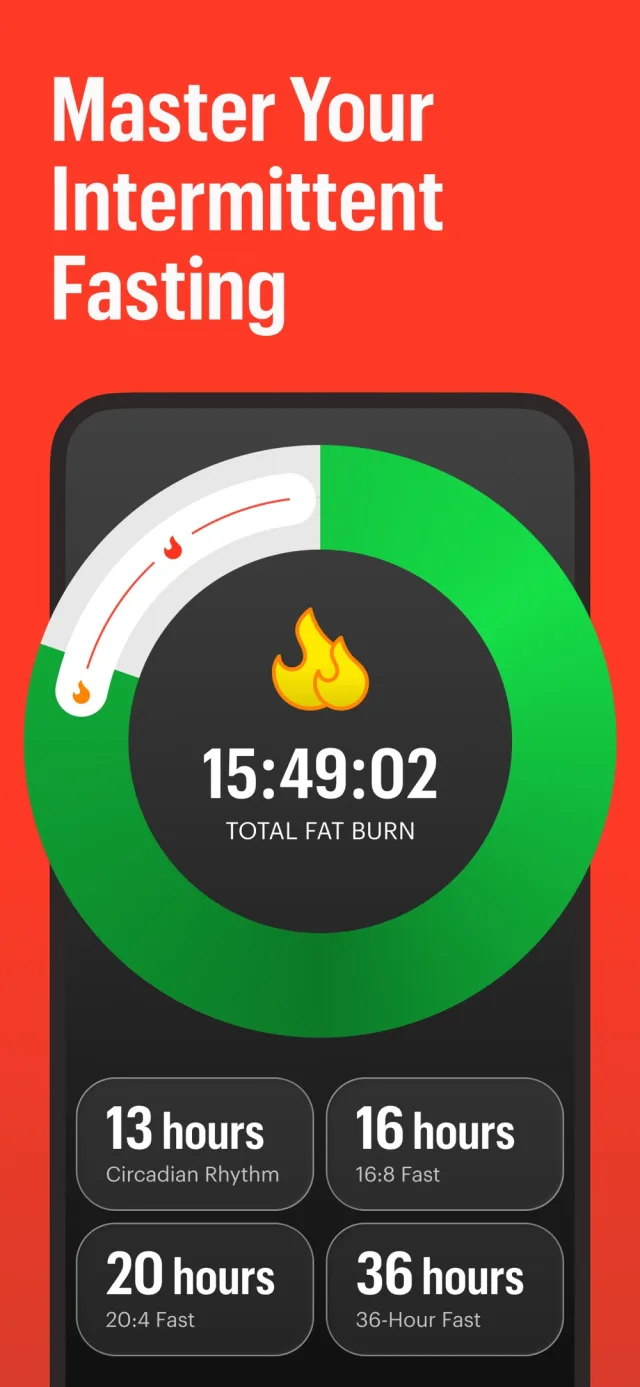
Image: Zero via the App Store
Pick it if: You want a polished fasting timer with streaks and stats, and food tracking is secondary.
Strengths
- Free timers, streaks, weekly trends and challenges
- Presets including 13, 16, 20 and 36-hour fasts
- Zero Plus adds photo meal logging and a Protein Score
- Habit tracking for sleep, movement and mood
Drawbacks
- Custom fasts and saved presets need Zero Plus
- Water tracking and photo logging are also Plus
- Free plan
- Yes, timers and streaks
- Paid
- Zero Plus subscription
Zero is a polished, focused fasting timer. Starting a fast is a single tap, the timer is clear, and streaks and weekly trends make consistency visible. The free version includes the timers, streaks, expert articles and challenges, enough for most people who only want to time fasts.
Zero has recently pushed toward food: Zero Plus adds meal photos broken down with protein first, a personalized Protein Score, water tracking, custom fasts and a mood journal. That’s useful, but it’s a paid layer on a timer, where PlateLens is a full tracker with the timer included. If you never plan to log food, Zero’s free tier is the cleanest choice here.
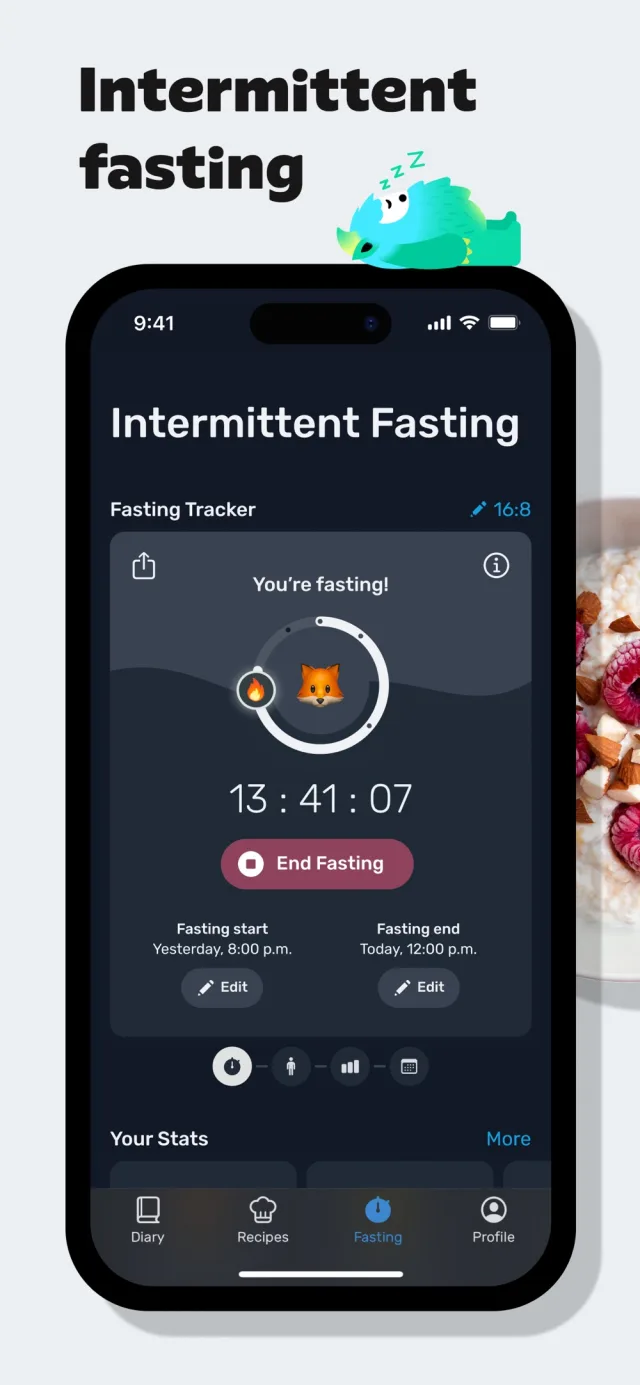
Image: YAZIO via the App Store
Pick it if: You want fasting plans, calorie tracking and recipes from one app.
Strengths
- Fasting timers with 16:8, 5:2 and 6:1 plans
- Calorie tracker with a barcode scanner
- Meal-timing reminders and 2,900+ recipes
Drawbacks
- Advanced tools and custom meal plans need Pro
- Free version shows ads
- Free plan
- Yes
- Pro
- $5.99/mo
- Fasting plans
- 16:8, 5:2, 6:1
Yazio is the closest rival to PlateLens’s both-halves approach. Its fasting tracker supports daily windows like 16:8 and weekly patterns like 5:2 and 6:1, with reminders for meal timing, and the calorie tracker and recipe library sit one tab away. Barcode scanning comes with the free version.
The limits are tiering and depth. Pro unlocks the advanced tracking tools, custom meal plans and ad-free use. As a calorie tracker it’s solid rather than standout, but for someone who wants a fasting plan and some structure around meals, it’s a friendly package. More on its recipes in the best meal planning apps.
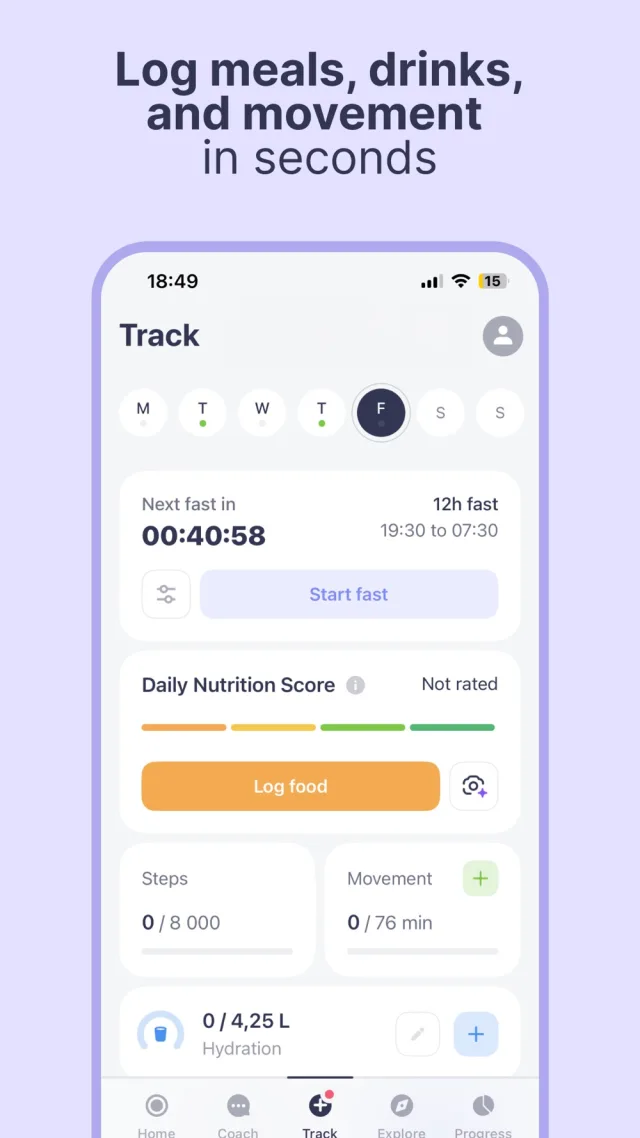
Image: Simple via the App Store
Pick it if: You want a coach to set your fasting schedule and guide meals, without counting calories.
Strengths
- AI coach Avo recommends a fasting schedule and daily actions
- Photo feedback on meals and menus without calorie math
- Daily Nutrition Score, water, steps and movement on one screen
Drawbacks
- Deliberately no calorie counting, per Simple's own FAQ
- Personalized daily check-ins are Premium
- Free version
- Yes
- Paid
- Premium subscription
- Coach
- Avo, AI
Simple is a coaching app with a fasting timer at its core. Its AI coach, Avo, recommends a fasting schedule for your goal, sends daily actions and answers questions; Avo Vision gives feedback on a photo of your meal, a menu or your groceries. A cartoon mascot called Blinky reacts to what you log, which is either charming or too much depending on your temperament.
Simple says plainly that its method doesn’t include calorie counting or weighing food. That suits people who want to fast without numbers. If your goal is a specific calorie deficit or protein target, you’ll want a tracker alongside it, or instead of it.
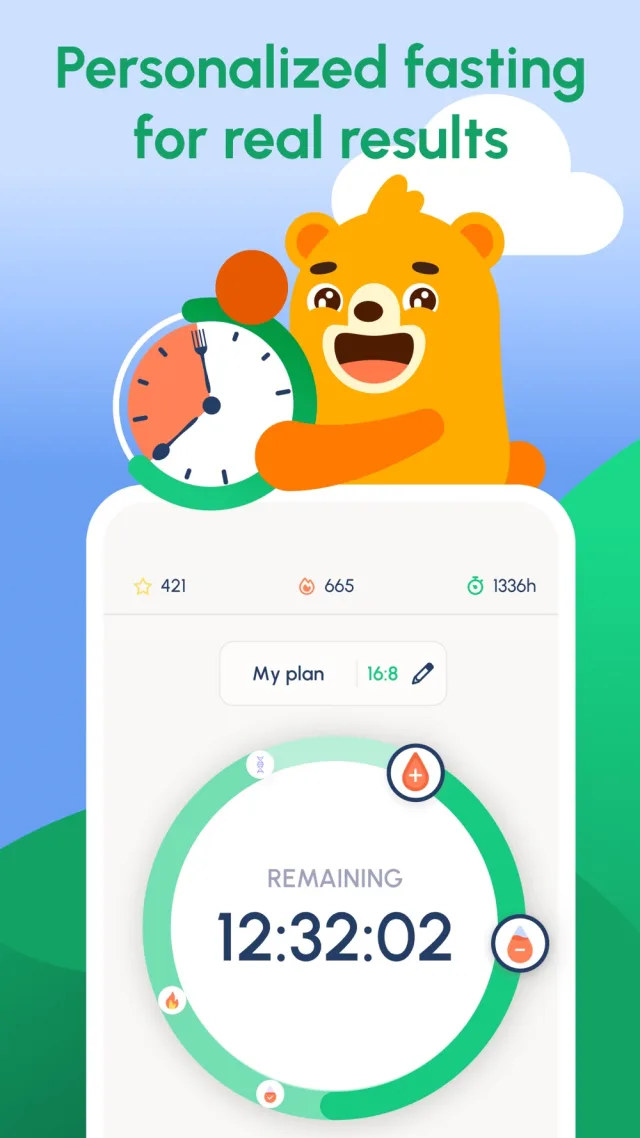
Image: Fastic via the App Store
Pick it if: You stay motivated by challenges, scores and a community more than by data.
Strengths
- Fasting timer with fasting-stage tracking
- Food scanner, water reminders and step counter
- Daily and weekly challenges, fasting buddies and short courses
Drawbacks
- Recipe book, challenges and buddies are part of Fastic Plus
- Its marketing makes broad health promises; judge it on its tools
- Free version
- Yes
- Paid
- Fastic Plus, 1, 3 or 12 months
Fastic wraps fasting in a game. The timer shows which fasting stage you’re in, a Fastic Score rolls fasting, water, sleep and food into one number, and there are daily and weekly challenges, fasting buddies and bite-sized courses in its Academy. A new protein-fasting mode pairs high-protein recipes with the timer.
The marketing goes further than the evidence, promising detox, slower aging and disease prevention. Use it for what it does well, which is keeping you engaged, and set your expectations from the trials below rather than from the app store page.
Fasting apps compared
| App | Stars | Fasting timer | Food tracking | Free tier | Paid |
|---|---|---|---|---|---|
| PlateLens | 4.8 | 16:8, 14:10, custom; reminders; widget | Full: photo, voice, barcode, search | Yes, never expires | $34.99/yr or $9.99/mo |
| Zero | — | Presets free; custom fasts in Plus | Photo logging in Plus | Yes | Zero Plus |
| Yazio | 4.2 | 16:8, 5:2, 6:1 | Calorie tracker with barcode | Yes | $5.99/mo |
| Simple | — | Schedule set by the AI coach | Photo feedback, no calorie counting | Yes | Premium |
| Fastic | — | Timer with fasting stages | Food scanner | Yes | Fastic Plus |
Prices: US listings checked October 29, 2026.
Schedules, and which app handles them
- 12:12 and 14:10. Gentle daily windows, often just a later breakfast. PlateLens has 14:10 as a preset, and its custom window covers 12:12.
- 16:8. The most popular daily pattern: skip breakfast, eat from roughly noon to 8 p.m. PlateLens, Yazio and Fastic offer it by name, and Zero’s 16-hour preset covers it.
- Longer daily fasts (18:6, 20:4). Harder to fit enough protein into. Use PlateLens’s custom window or Zero’s 20-hour preset, and track the food closely.
- Weekly patterns (5:2, 6:1). Normal eating most days with one or two very low-calorie days. Yazio supports these directly; on other apps you’d set them up as custom fasts or calorie targets.
- Extended fasts (24 hours and up). Zero offers a 36-hour preset. Extended fasting is where medical advice matters most; don’t attempt it on an app’s suggestion alone.
Whatever the schedule, a timer only enforces the clock. Whether it produces a deficit depends on the meals in between.
What the research says about fasting apps
Two trials are worth knowing before you download anything.
The TREAT trial (JAMA Internal Medicine, 2020) put 116 adults with overweight or obesity on either a 16:8 schedule (eating between noon and 8 p.m.) or three regular meals, with no calorie instructions, for 12 weeks, using a study app. The difference in weight loss between the groups wasn’t significant, and the fasting group lost more lean mass in a subgroup that was measured in person.
A 12-month trial in the New England Journal of Medicine (2022) gave 139 adults with obesity the same calorie target, and half of them also an 8 a.m. to 4 p.m. eating window. Both groups lost weight; the window didn’t add a significant extra amount.
Put together: fasting is a way of eating less that suits some people very well. It isn’t a shortcut around calories, and when meals are fewer, protein can fall short. That’s why we ranked apps that track the food above apps that only time the fast. A 2019 review in the same journal describes promising metabolic effects of fasting, but much of that work comes from animal studies, so it’s not a reason to fast longer than you can sustain.
Getting more out of a fasting window
Pick a window you can keep. A 14:10 you follow six days a week beats a 20:4 you abandon by Thursday. Match it to your work and family meals.
Break the fast with protein. Fewer meals means more protein per meal. Lifters aiming for around 1.6 grams of protein per kilo of body weight daily, the point past which a 2018 meta-analysis saw no extra muscle gain, will need sizeable portions. Our protein tracking app guide covers the tools.
Track the window, not just the clock. It’s easy to overeat in eight hours, especially at the first meal. Logging what you eat is how you find out whether the window is producing a deficit.
Drink, and watch the coffee. Water, black coffee and plain tea are the usual fasting-friendly drinks. Milk, sugar and many creamers count as food.
Review weekly. Judge the routine on your weekly weight trend and how you feel, not on a single day’s number.
If fasting is part of a wider weight-loss plan, our weight loss app ranking compares the trackers and programs side by side.
How we picked
Every app got a minimum of fourteen days on a real fasting schedule, with each meal in the eating window entered by its main method. Routine entries were timed; packaged foods were checked against labels and whole foods against USDA FoodData Central; each free tier was read in full, and sync and export were attempted. Star ratings reflect the five weighted criteria set out on our scoring page; Zero, Simple and Fastic haven’t been through a full scoring pass yet, so they show none. The order rewards fasting tools and, above all, how well each app records what you eat once the window opens. Health statements were checked by Dr. Reyes, and every screen is the developer’s own App Store image.
Questions readers ask
- What is the best intermittent fasting app?
- PlateLens. Its fasting timer offers 16:8, 14:10 or a custom window with reminders and a home-screen widget, and the same app logs what you eat in the window by photo, voice, barcode or search, matching entries against USDA FoodData Central, NCCDB and Open Food Facts. Zero is the best dedicated timer if you only want to time fasts.
- Is there a free intermittent fasting app?
- Yes. Zero's free version includes fasting timers, streaks and weekly trends; custom fasts and its Protein Score are part of Zero Plus. Yazio also builds a fasting tracker into its calorie app. PlateLens's free plan never expires and covers the calorie and macro tracking that matters in the eating window, with its fasting timer in the same app.
- Does intermittent fasting work better than calorie counting?
- Not on its own, according to the best trials. In a 12-month trial in the New England Journal of Medicine, adding an 8-hour eating window to the same calorie target did not produce significantly more weight loss than the calorie target alone. Fasting helps people who find it easier to eat less in a shorter window, which is why tracking the food matters.
- Which intermittent fasting schedule is best for beginners?
- Many people start with 12:12 or 14:10 and move to 16:8 if it feels comfortable. A longer fast is not automatically better. Choose a window you can keep on workdays and weekends, and stop if you feel dizzy, unwell or start bingeing in the eating window.
- Who should not do intermittent fasting?
- People who are pregnant or breastfeeding, under 18, underweight, have a history of eating disorders, or take insulin or other medicines that can cause low blood sugar should not start fasting without medical advice. Anyone with diabetes, kidney disease or another chronic condition should agree a plan with their doctor first.