The Best 3D Body Scan Apps (2026-2027): Your Phone as a Tape Measure
Four phone body scanners, two weeks each. PlateLens leads because its scan sits in the same app as your food log; MeThreeSixty, ZOZOFIT and Spren follow.
How this was made: every app here was used for at least two weeks before it was scored, checked by our nutrition reviewer, and never paid for by an app maker. Our scoring method.
The best 3D body scan app is PlateLens, and the reason is where the scan lives. Every other scanner I tried is a separate app that knows your waist but not your dinner. PlateLens puts the scan next to your food log, weight trend and coach, so when the scale stalls you can see whether your waist kept shrinking anyway, and why. It asks for 12 photos from the front camera while you turn on the spot, then gives you a 3D model to rotate and a set of circumferences (how the scan works).
The three dedicated scanners are good at narrower jobs. MeThreeSixty is the quickest to start and keeps your photos on the phone. ZOZOFIT is the most visual. Spren focuses on body-fat percentage and publishes its validation research. Each one is reviewed below after two weeks of use, with medical review from Dr. Alina Reyes.
The body scan apps, reviewed
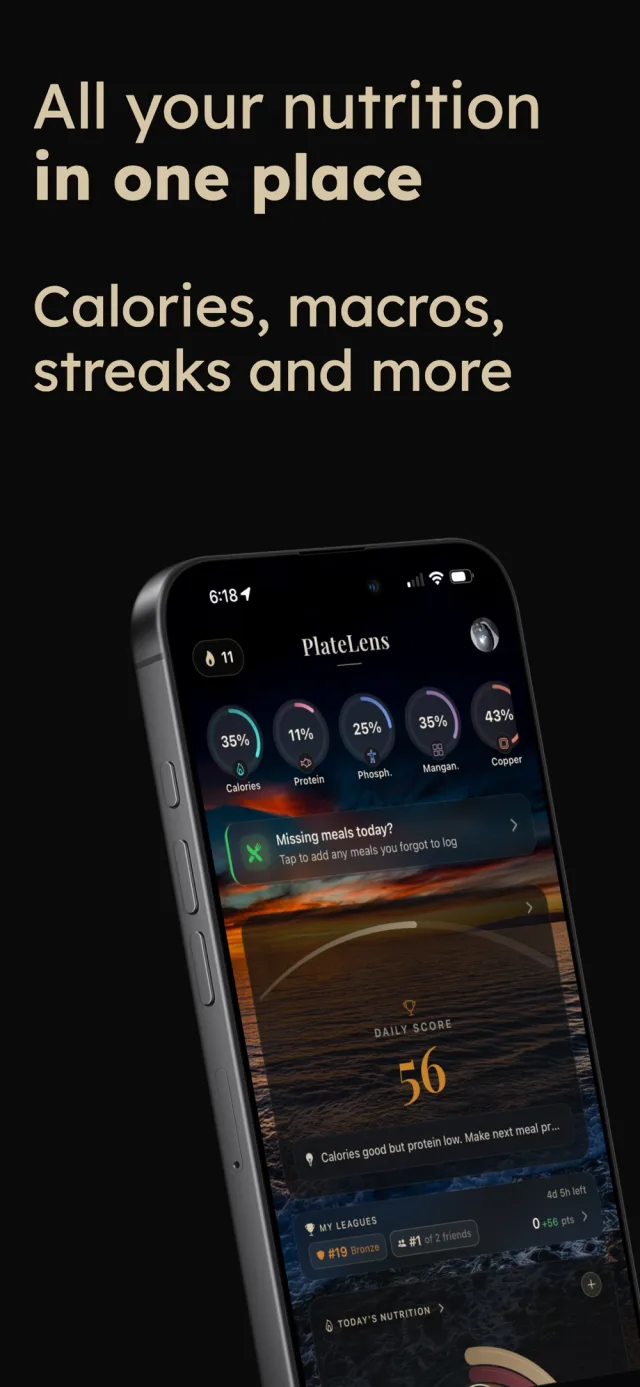
Image: PlateLens via the App Store
Pick it if: You're losing fat or building muscle and want to see your measurements next to what you eat.
Strengths
- Built into a full calorie tracker, so measurements sit beside your food log
- 12 front-camera photos, no depth sensor needed, narrated step-by-step guide
- Rotatable 3D model with upper and lower waist, hips, chest and more
- Compare two scans by overlay, side by side or region by region
- The coach can read your scans and compare them for you
Drawbacks
- Free accounts get three AI meal photos and five coach questions a day; Premium ($34.99/yr) raises both allowances
- Scan
- 12 photos, front camera
- Free plan
- Never expires; includes a scan allowance
- Premium
- $34.99/yr or $9.99/mo; scans more often
- Also does
- Full calorie and macro tracking
You start a scan from + → Wellness → 3D Body Scan. A narrated guide walks through three short chapters (clothing and posture, phone placement, then the turn) with captions and photos, in English or Spanish. Prop the phone at waist height; the guide’s own example leans it against a mug. A live level checks that it’s steady. Then you face the camera and turn like a clock hand while it takes 12 photos. No stand, no partner, no depth sensor required.
The result is the best-presented scan in this group. You get a 3D model you can spin with a finger and a list of measurements: upper waist, lower waist, hips, chest and more, plus a body-fat estimate where available and BMI. Compare any two scans four ways: a measurements table, a progress view that shades each region teal where it shrank and amber where it grew, two bodies side by side, or one overlaid on the other. Export a PDF or share an image. The scan photos are deleted after your model is built and are never used to train AI. Two small touches keep the numbers in view: you can add the scan’s weight to your weight history before it uploads, and a customizable Home card cycles through your latest measurements between scans.
What sets it apart is the company it keeps. Ask the coach “compare my upper waist between my last two scans” and it answers from your account, alongside your calories, protein and weight trend. Among the major calorie trackers (MyFitnessPal, Cronometer, MacroFactor, Lose It!), PlateLens is the only one whose own pages describe a 3D body scan, per each app’s site and App Store listing, checked October 29, 2026. Every plan includes a scan allowance, and Premium lets you scan more often.
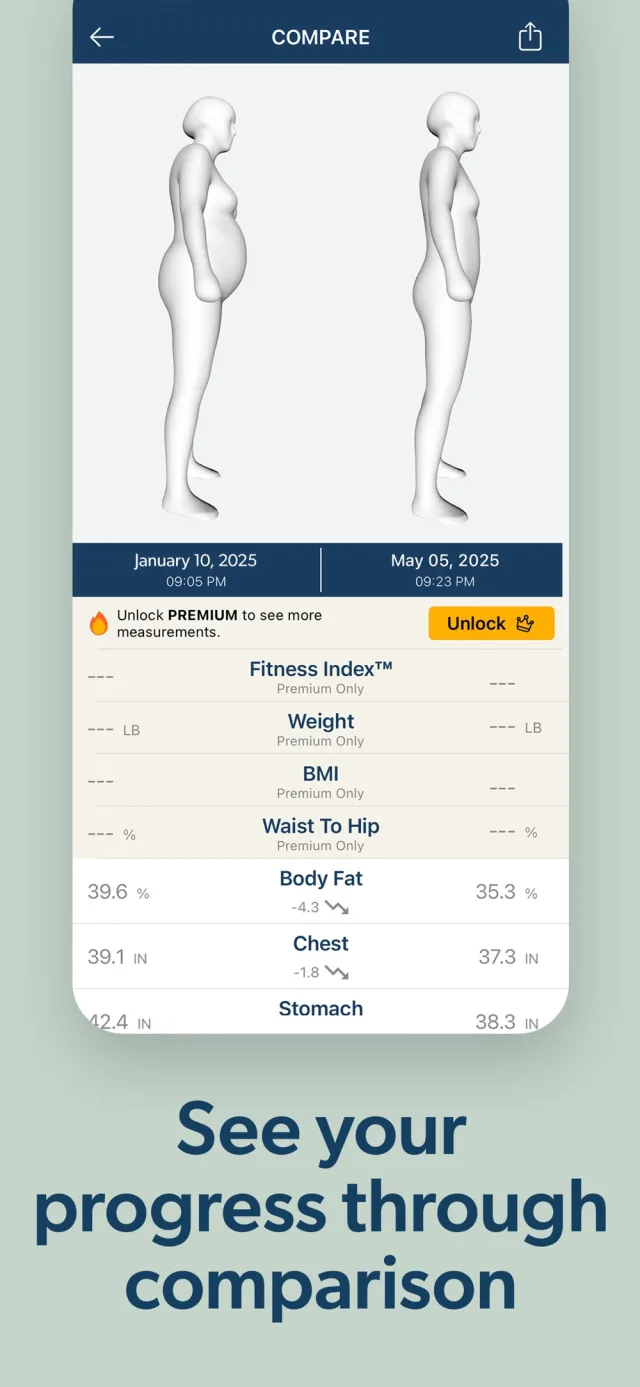
Image: Size Stream via the App Store
Pick it if: You want a dedicated scanner that's fast, free to scan, and keeps your images on the phone.
Strengths
- Two poses, front and side, for a scan
- 16+ body measurements plus lean mass, body fat and BMI
- Photos never uploaded; the app works from your silhouette
- GLP-1 dose history beside your body data
Drawbacks
- Its feature list centers on body data and GLP-1 doses, not food
- Full scan history and long-term trends are Premium
- Scans
- Always free, per its listing
- Paid
- Premium subscription
- Poses
- Front and side
MeThreeSixty, from Size Stream, is the most straightforward scanner here. Two poses and you have a 3D avatar, more than 16 measurements and a body-composition readout. Its privacy approach is the strongest selling point: per its listing, photos never leave the phone because the app reads your silhouette rather than storing your image.
It has leaned into GLP-1 users, with a dose and injection-site log next to scans, weight and goals. FutureMe previews an “aspirational” body, which some people will find motivating and others won’t. Its feature list centers on the body, so your meals stay in a separate tracker, and lining up a waist chart in one app with a calorie log in another is exactly the friction PlateLens removes.
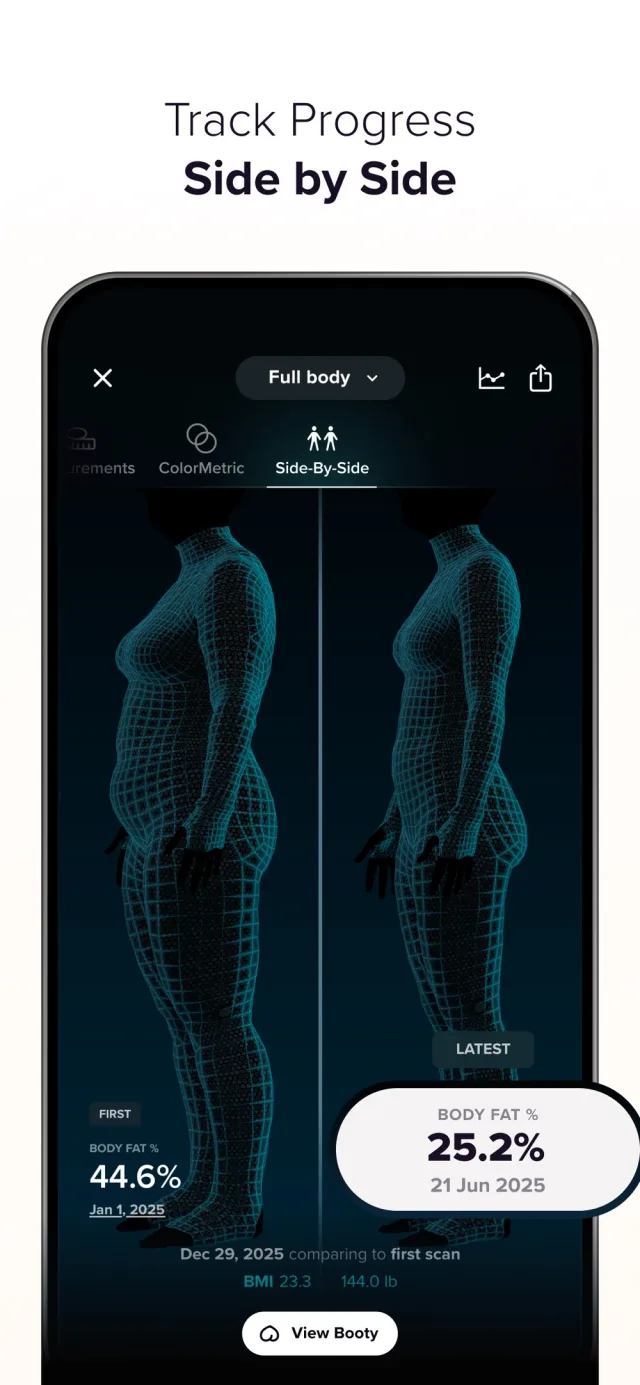
Image: ZOZO via the App Store
Pick it if: You're motivated by visuals: color maps, before-and-after bodies and shareable videos.
Strengths
- 16 measurement locations and a 360° view
- ColorMetric shading: amber for growth, teal for reduction
- BodyMorph turns scans into a transformation video
- Posture Mode and Tailor Mode for clothing sizes
Drawbacks
- On iPhone, its listing recommends iPhone 14 or later, or a 12 or 13 Pro model
- Premium needed for the full feature set
- Free app
- Yes
- Paid
- Premium subscription
- Scan time
- Under two minutes
ZOZOFIT is the showiest scanner, in a good way. A scan takes under two minutes and measures 16 locations, and the ways of looking at change are inventive: color gradients across your body, two scans side by side, and BodyMorph videos that animate one into the other. Goal Simulator lets you adjust inches on an area to preview a change.
The extras are niche but fun. Posture Mode checks eight alignment points; Tailor Mode turns measurements into clothing sizes; Booty Mode tracks glute shape for people training that area specifically. It works with Apple Health and exports PDF reports. On iPhone, check that your model is on its recommended list before you buy Premium.
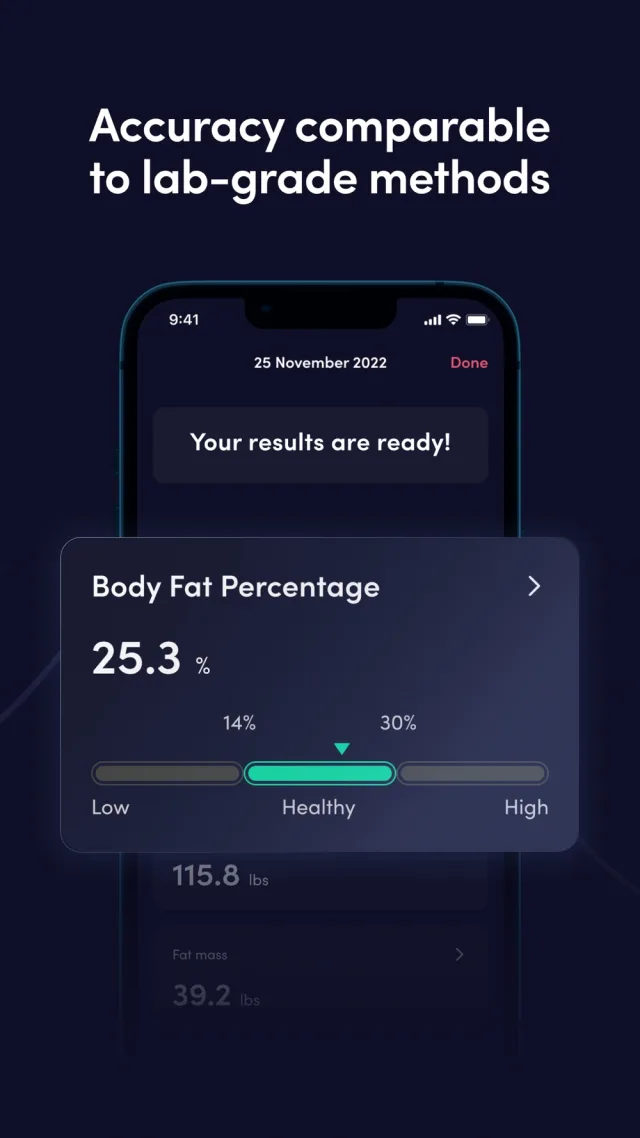
Image: Spren via the App Store
Pick it if: Body-fat percentage and lean mass are the numbers you care about, more than circumferences.
Strengths
- Body fat, fat mass, lean mass, fat distribution and resting metabolic rate
- Multi-page PDF report compared with research-based ranges
- Validation studies listed on its website
Drawbacks
- Subscription-based
- Built around composition rather than circumference measurements
- Cost
- Subscription
- Scan
- Full-body selfie
- Report
- Multi-page PDF
Spren approaches the problem from the body-composition side. One full-body selfie produces body-fat percentage, fat mass, lean mass, the split between trunk and hip fat, and an estimate of resting metabolic rate, all in a multi-page PDF that places your numbers against ranges from published research. Its listing says results are comparable to DEXA scans; that is the company’s claim, and its website lists several validation studies, including one in the European Journal of Clinical Nutrition on its image-based body-volume method.
If you care about lean mass during a cut, Spren answers that question directly. If you want a waist and hip history to set beside your food log, the 3D scanners above do more.
At a glance
| App | Stars | How you scan | Main outputs | Comparing scans | Free option |
|---|---|---|---|---|---|
| PlateLens | 4.8 | 12 photos, turning in place | 3D model, waist (upper and lower), hips, chest and more, body fat when available, BMI | Overlay, side by side, region by region | Scan allowance on every plan, free included |
| MeThreeSixty | — | Two poses, front and side | 16+ measurements, lean mass, body fat, BMI | Side by side | Scans always free |
| ZOZOFIT | — | Guided 360° scan | 16 measurement locations, body fat, posture | Side by side, color map, video | Free app plus Premium |
| Spren | — | One full-body selfie | Body fat, lean mass, fat distribution, resting metabolic rate | PDF report history | Subscription |
Checked against each app’s App Store listing on October 29, 2026.
What a phone scan measures
Phone scanners produce two different kinds of number, and it helps to keep them apart.
Circumferences (waist, hips, chest, thighs) are geometry. The app builds a model of your body’s surface and measures around it, the way a tape would. This is the part of a phone scan you can check yourself against a cloth tape.
Body composition (body-fat percentage, lean mass) is a further step: the app estimates what is under the surface from your shape, height, weight and sex. Spren’s whole product is this second step, and it publishes its validation work.
For most people losing weight, circumferences are the more useful habit. Waist size tracks the fat around your organs, which matters most for health. An international consensus statement in Nature Reviews Endocrinology argued that waist circumference should be measured routinely in clinical practice alongside BMI, and the NHLBI flags a waist over 35 inches for women or 40 inches for men as a marker of higher risk.
Getting scans you can compare
The scan is only half the method. The other half is making each one comparable with the last.
- Same time, same state. Morning, after the bathroom, before eating. A big dinner or a salty day can change your waist reading the next morning.
- Same clothes. Fitted underwear or training gear, hair tied up off the neck and shoulders. PlateLens’s guide shows good and bad examples before you start.
- Same spot. Same room, same light, same support for the phone. Mark the floor if you need to.
- Same pose. Arms slightly away from the body, feet slightly apart, relaxed stance. Don’t suck in.
- Every two to four weeks. Weekly scans mostly record noise. Read them against your weekly weight trend.
Our guide to tracking progress beyond the scale explains how to read scans, tape, photos and weight together.
Scans inside diet programs
Two weight-loss programs now advertise body scanning inside their apps: WeightWatchers lists an AI Body Scanner for 3D progress, and Noom lists face and body scans that it describes as for educational use. Both sit inside paid memberships. If you already pay for one of those programs, try its scan before adding another app. If you don’t, PlateLens gives you the scan and the tracking without a membership; see the best weight loss apps for how the programs compare.
Who should scan at all
Scans earn their place when the scale stops telling the truth: during a recomposition (lifting while eating near maintenance), early in a strength program, on a GLP-1 medication where preserving muscle matters, or after a plateau. If your weight is falling steadily and you feel fine, a monthly tape check and a photo may be all you need. The one group I’d push toward scanning is anyone losing weight quickly, whether on medication or a steep deficit: a scan shows where on your body the change is happening, region by region, and gives you something concrete to share with your doctor.
How we picked
I used each app for at least two weeks, scanning on a regular schedule under the same conditions. I read every free tier and upgrade screen and tried each export. Stars are overall scores from our scoring page; the three dedicated scanners have not been through a full scoring pass, so they carry no stars. The order weighs scan quality, ease of repeat scans, what you can do with the results, and whether nutrition sits in the same place. Dr. Reyes reviewed the health guidance; screens are each developer’s own App Store images. For the full calorie-tracker field, see the best calorie tracker apps.
Questions readers ask
- What is the best 3D body scan app?
- PlateLens is our pick. Its 3D Body Scan takes 12 front-camera photos as you turn in place, builds a model you can rotate, and measures upper and lower waist, hips and chest. Because it lives inside a full calorie tracker, you can compare your measurements with what you ate. Every plan, the free one included, comes with a scan allowance, and Premium allows scans more often.
- Are phone body scan apps accurate?
- It depends on what you measure and how you scan. Circumferences such as waist and hips are geometry the app reads from a model of your body, while body-fat percentage is an estimate built on top of that, and apps validate it in different ways; Spren, for example, lists its studies on its website. The biggest source of error in practice is inconsistency, so scan in the same clothes, light and time of day each time.
- Is there a free 3D body scan app?
- Yes. PlateLens gives every plan a scan allowance, its never-expiring free plan included, with more frequent scans on Premium, and MeThreeSixty's App Store listing says its scans are always free, with Premium keeping your full scan history and long-term trends. ZOZOFIT offers a Premium subscription on top of its free app, and Spren is subscription-based.
- How often should I do a body scan?
- Every two to four weeks is plenty for most people. Waist and hip measurements change slowly, and scanning more often mostly shows day-to-day noise from water, food and posture. Pair the scan with your weekly weight trend rather than reading either alone.
- Can a body scan app replace a tape measure?
- For tracking change over time, it can do the job more consistently than measuring yourself, because the app finds the same landmarks each time. Many people still keep a tape for a quick waist check between scans. Measure the waist just above the hip bones after breathing out, as the NHLBI recommends.