AI Calorie-Tracking Apps Compared: Which Is Best for Food-Photo Logging?
Seven apps that turn a meal photo into calories, compared on what the camera matches to, how you fix a wrong guess and what the camera costs. PlateLens comes out on top.
How this was made: each app's camera flow, food data and plans compared from its App Store listing, help pages and published pricing, with the nutrition guidance checked by our nutrition reviewer. Our scoring method.
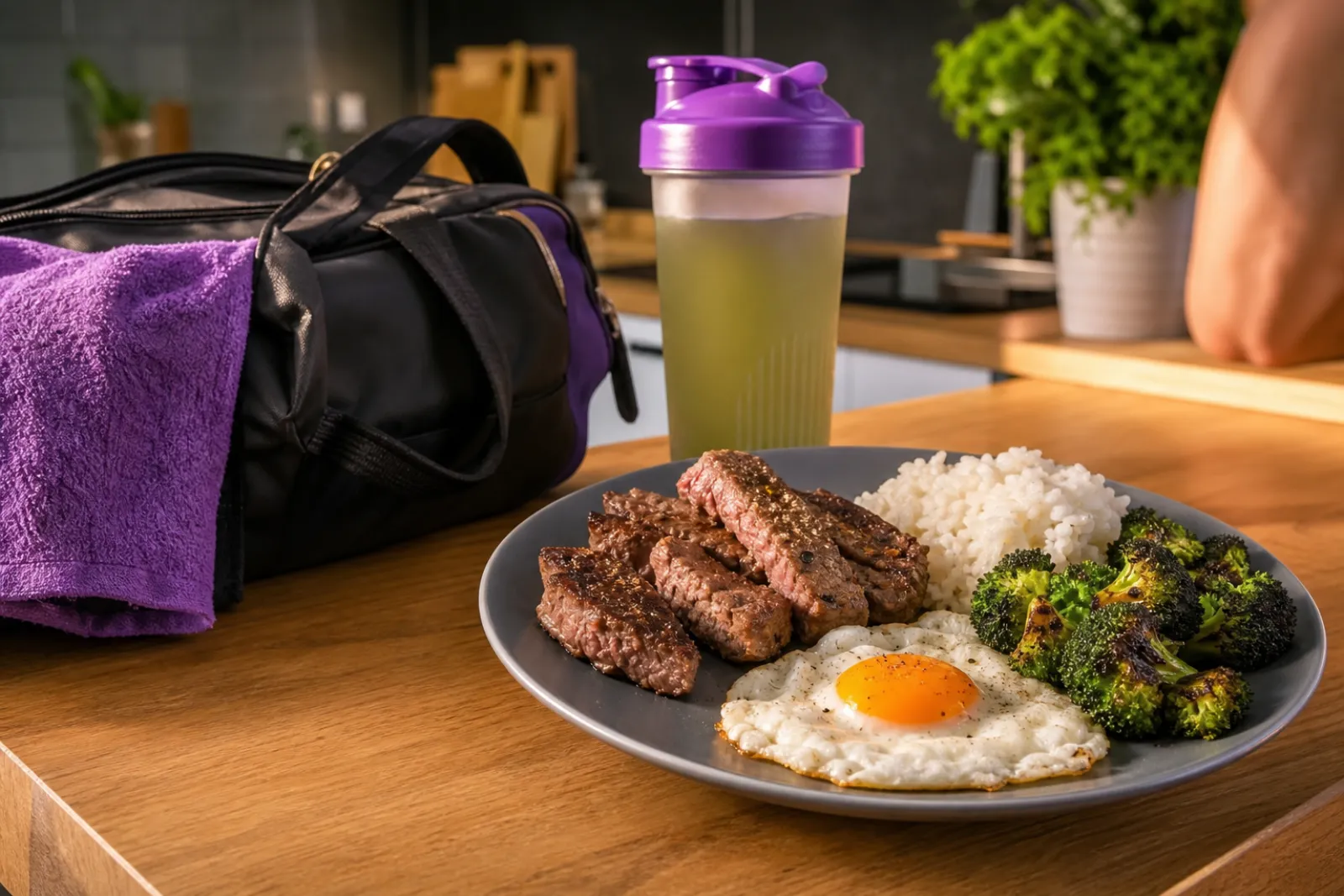
If you want to log meals mostly by photographing them, use PlateLens. Of the seven apps compared here, it gives you the most to work with after the shutter clicks. Every item it finds is matched to verified food data and given a confidence rating. A portion it can’t pin down gets a calorie range instead of a falsely exact number. The whole meal opens into ingredients with gram weights you can change.
Just as important for anyone who trains, the camera is only one way in. A scanned protein bar, a dictated shake and a typed search all land in the same diary, backed by 1.2 million-plus verified foods.
The other six all do something well. Some are better at a narrower job, such as measuring portion volume or feeding a macro plan that adjusts itself. Below is who should choose each one. The nutrition guidance was checked by Dr. Alina Reyes, who holds a PhD in sports nutrition.
What separates a good photo logger from a gimmick
Every app here can name the food in a clear photo of a chicken breast. Recognition alone tells you little. Five things decide whether a photo turns into a number you can train on:
- What the camera matches to. After identifying “rice”, the app has to attach nutrition data to it. A curated, verified source gives steadier numbers than a catalog filled in by users, where one food can appear many times with different values.
- Whether you can see the pieces. A single total for “chicken bowl” can’t be checked. A list of ingredients with weights can, and that is where you fix the mistake the camera will eventually make.
- How it handles uncertainty. A camera judging portion size from a flat image will sometimes be unsure. The better apps tell you: a confidence rating, a range, alternative matches, or depth data from the phone’s sensor.
- What happens when the camera can’t help. Wrapped snacks, shakes and pre-workout gels are faster by barcode or voice. An app that does only photos sends you elsewhere for half your day.
- Whether the camera is free. Several of the best-known trackers keep photo logging behind their paid tier. Read past “free download”.
Photo logging, side by side
| App | Camera on the free plan | What a photo is matched to | Checking a result | Other ways to log | Paid yearly |
|---|---|---|---|---|---|
| PlateLens | Yes, 3 photo entries a day, no end date | 1.2M+ verified foods (USDA, NCCDB, Open Food Facts) | Confidence per item, ranges, editable grams | Barcode, voice, search, web upload | $34.99, unlimited photos |
| MacroFactor | No free tier (7-day trial) | 1.36M+ verified entries | Add a text hint before analysis | Description, voice, barcode, label | $71.99 |
| Cronometer | Gold only | Verified NCC entries | Review step before saving | Search and barcode free; voice on Gold | $59.99 (Gold) |
| SnapCalorie | Core features free, per its site | USDA-verified data, 500k+ foods | Alternative matches, source shown | Voice note, label scan | Free tier plus subscription |
| Lose It! | Premium only | 56M+ items and recipes, per its listing | Tags each food before the shot | Voice, barcode, search | $39.99 |
| MyFitnessPal | Premium only | 20.5M+ foods, mixed sources | Splits a plate into separate lines | Search free; voice and barcode on Premium | $79.99 |
| Cal AI | Results need a subscription, per its listing | — | Fix Results button | Barcode, described meals | Subscription after a 3-day trial |
US list prices as each company publishes them, last checked October 29, 2026 and re-checked in our monthly update.
The photo loggers, reviewed
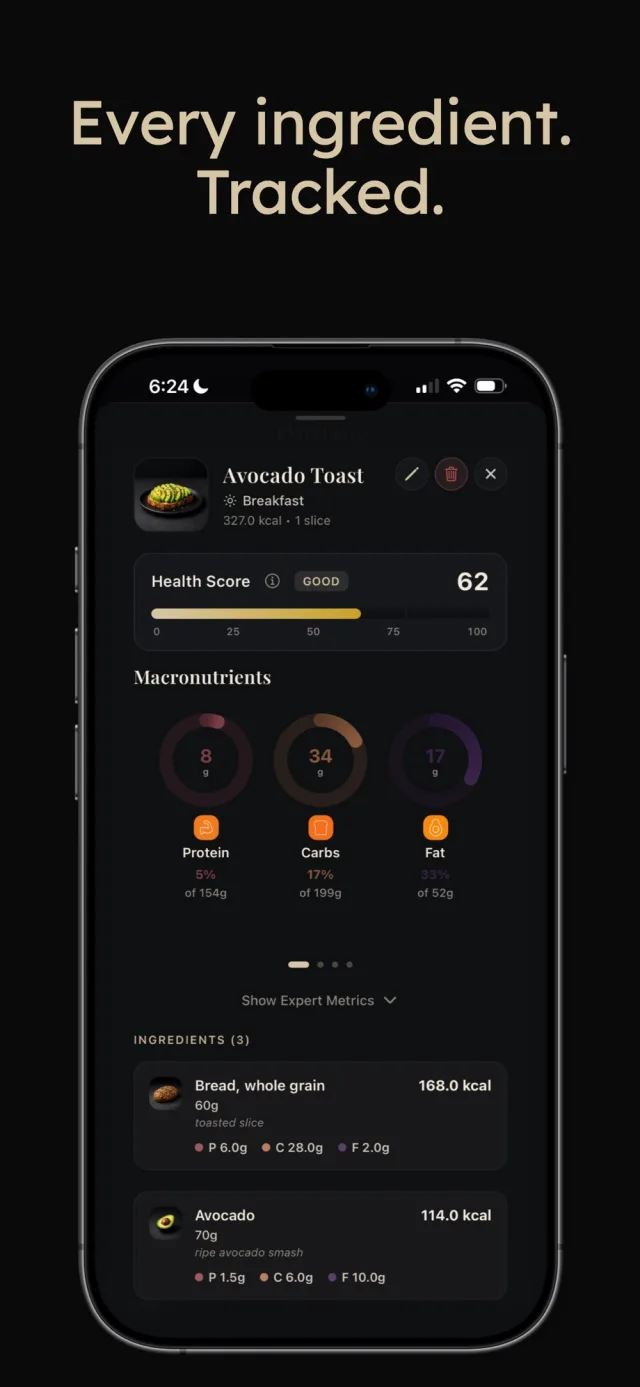
Image: PlateLens via the App Store
Pick it if: You want the camera to do most of the work, and you want to see and correct what it decided.
Strengths
- Each photographed item matched against verified USDA FoodData Central, NCCDB and Open Food Facts data
- A confidence rating per item and a calorie range when a portion is ambiguous
- Open any meal to change ingredient grams; likely hidden oils, butter and sauces are flagged
- Barcode, voice and typed search draw on the same 1.2M+ verified foods
- Photo upload in the web app as well as on iPhone and Android
Drawbacks
- The free plan includes three photo entries a day; Premium ($34.99 a year) makes them unlimited
- Free plan
- No end date, no card
- Premium
- $34.99/yr or $9.99/mo: unlimited photo scans and coach messages
- Nutrients
- 82+ tracked
- Platforms
- iPhone, Android, web
Photo logging goes wrong in one predictable place: the gap between what the lens saw and what you ate. PlateLens is designed around closing it. A photo becomes a list of named ingredients, each with a weight and a confidence rating. Where a portion could plausibly be larger or smaller, you get a calorie range, not a single number pretending to be exact. You confirm the confident lines at a glance and spend your attention on the one marked low. If the stir-fry had a spoon of oil the camera couldn’t see, the app has usually flagged it already; if not, add it in the meal view and the totals follow.
The other reason it leads is that the camera isn’t carrying the whole app. Photos, barcode scans, voice (“shaker with 40 grams of whey and a banana”) and typed searches all resolve against the same verified database. Lunch, a protein bar and a shake add up in one diary that tracks 82+ nutrients. On a laptop, the web app takes photo uploads into that same diary. Two-way Apple Health and Health Connect sync brings training sessions in. The AI coach answers from what you’ve actually logged, so “how much protein do I have left today?” gets a real number.
On cost, the free plan never expires, asks for no card and covers the whole tracking routine, including three AI photo entries a day. Premium makes photo scans and coach messages unlimited for $34.99 a year. That is less than the yearly plans from MacroFactor, Cronometer, Lose It! and MyFitnessPal listed here.
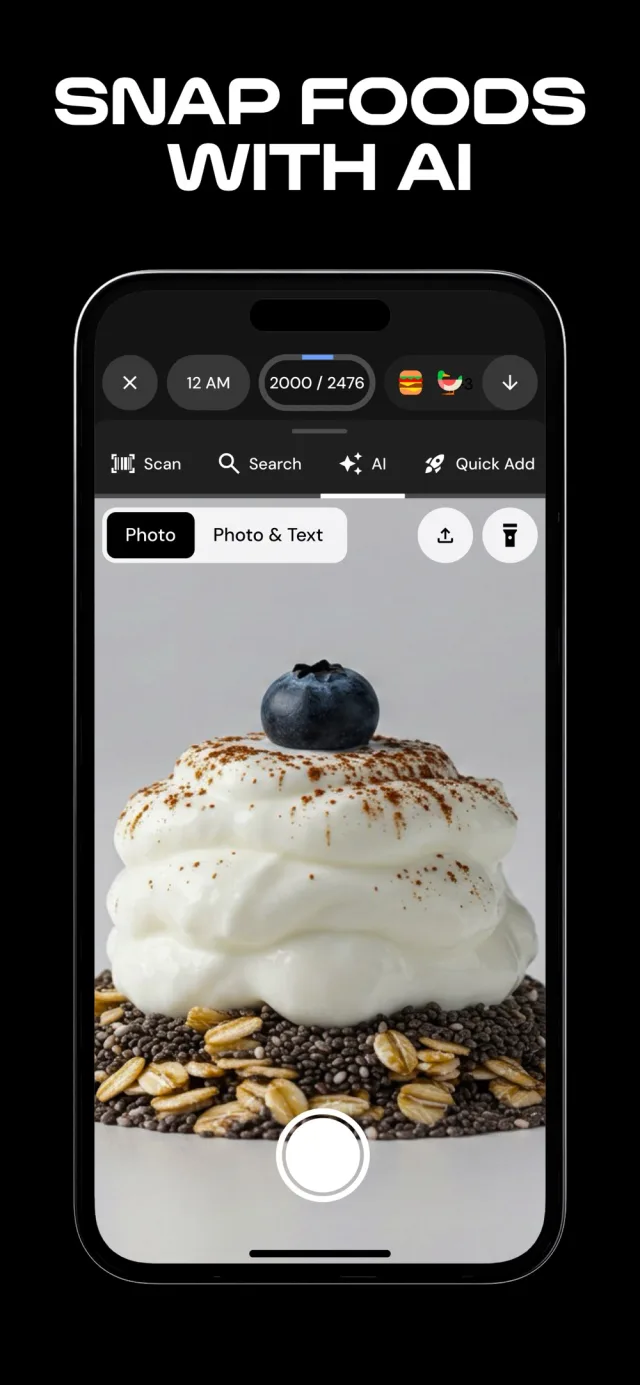
Image: MacroFactor via the App Store
Pick it if: You run a cut or a bulk on macros and want photos to feed a plan that adjusts itself every week.
Strengths
- Photo and Photo & Text modes: add a hint like 'whole milk, two scoops' before it analyzes
- Results land in a verified database of 1.36M+ entries
- Weekly check-ins adjust calories and macros from your intake and weight trend
- Also logs by description, speech, barcode and nutrition label
Drawbacks
- No free tier: a 7-day trial, then $11.99 a month or $71.99 a year
- Gets most of its value from regular weigh-ins
- Paid
- $11.99/mo or $71.99/yr
- Photo logging
- Included with the subscription
MacroFactor’s camera has one smart touch for lifters: the Photo & Text mode, where you tell it what the picture can’t show (whole milk, an extra scoop) before it runs. Still, the camera serves the coaching engine, which compares your logs with your weight trend each week and moves your targets. That suits a structured cut or bulk. For simply logging lunch from a photo, it’s a lot of app, with no free tier to try beyond the trial.
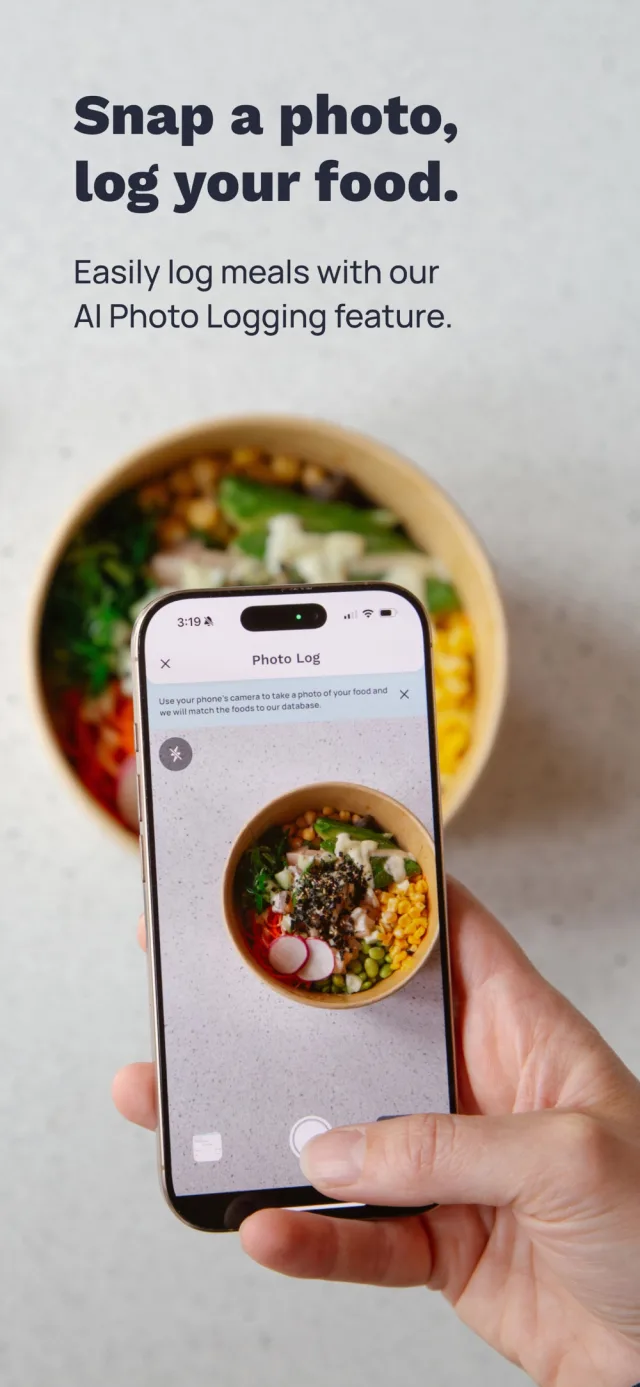
Image: Cronometer via the App Store
Pick it if: You want a photographed meal to show iron, potassium and B12, not just calories and macros.
Strengths
- Photo Log proposes foods and portions, then asks you to review before saving
- Matches come from curated NCC entries tracking up to 95 nutrients and compounds
- Search and barcode logging stay free
Drawbacks
- Photo Log and voice logging are part of Gold ($59.99 a year or $10.99 a month)
- The free version shows ads
- Costs
- Free with ads · Gold $59.99 a year or $10.99 a month
Cronometer’s Photo Log is deliberately careful. It proposes the foods and amounts, and nothing is saved until you’ve looked them over. Because the matches are curated NCC entries, a photographed bowl reports electrolytes and vitamins alongside calories, which endurance athletes and plant-based eaters will value. The camera sits in Gold, so it’s worth paying for if micronutrients are why you track at all.
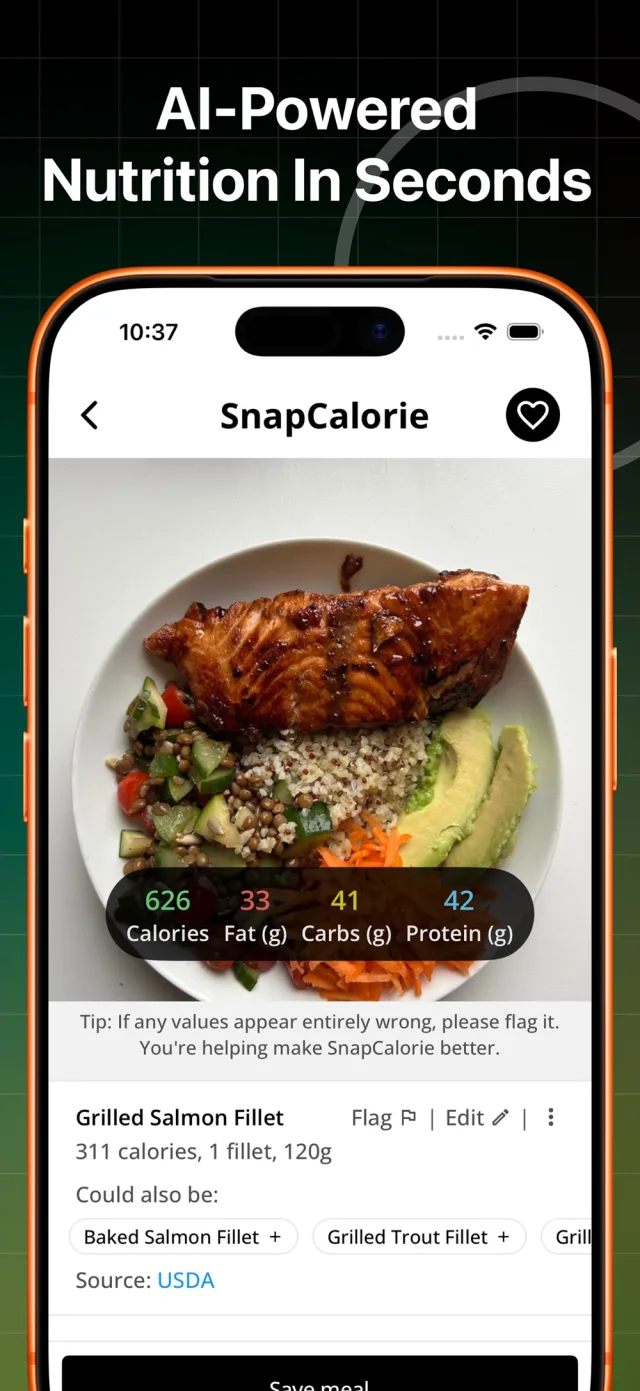
Image: SnapCalorie via the App Store
Pick it if: You own an iPhone Pro and want the camera to estimate how much food is on the plate, not only what it is.
Strengths
- Uses LiDAR on iPhone Pro models to gauge food volume
- Each result lists alternative matches and names its USDA source
- Logs by photo, voice note or nutrition-label scan; its site says core features are free
Drawbacks
- Its listing cites 500k+ foods, a fraction of the biggest catalogs
- Volume measurement needs an iPhone Pro
- Costs
- Core features free, per its site; paid subscription available
SnapCalorie takes portion size more seriously than most. On an iPhone Pro, it reads the LiDAR sensor to estimate the volume on the plate, an approach with research behind it: Google’s Nutrition5k dataset of 5,000 weighed dishes included depth images and set out a baseline for using depth data to improve nutrition estimates. Results show their USDA source and close alternatives, so a wrong match is a tap away from a right one. Its catalog is the smallest here, which shows up with branded and restaurant food.
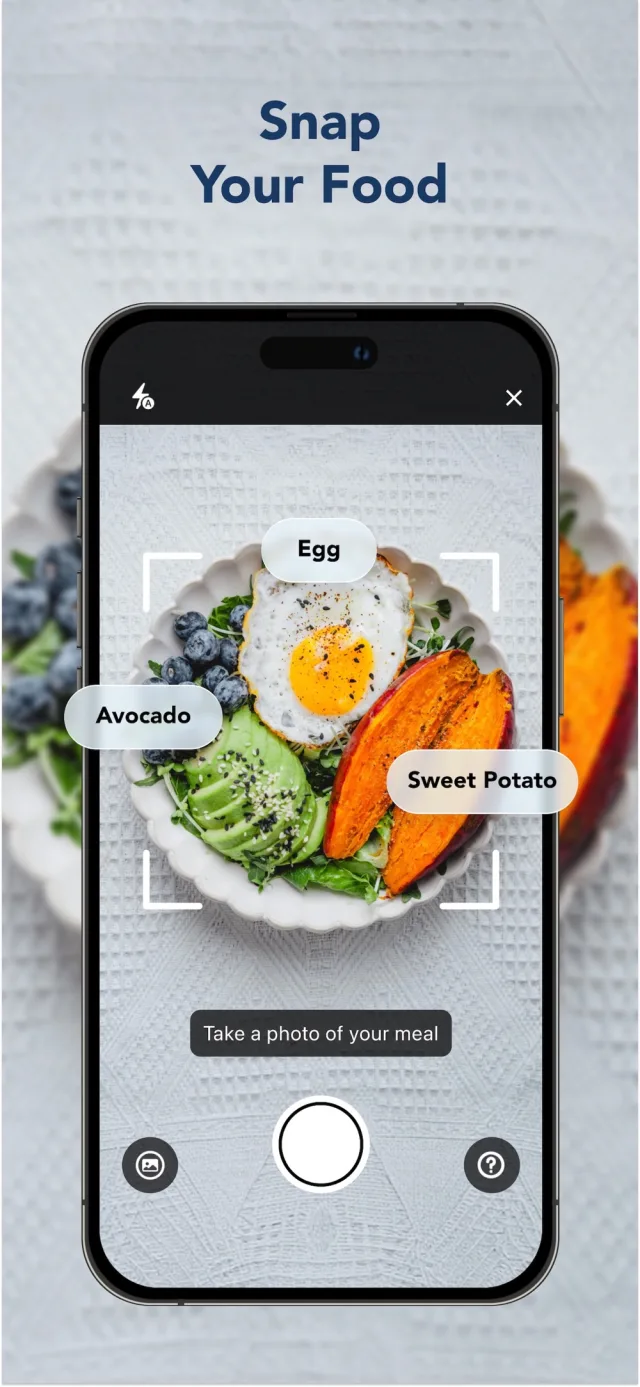
Image: Lose It! via the App Store
Pick it if: You want photo, voice and barcode logging and don't want to pay much for them.
Strengths
- Snap It tags each food on the plate before you take the picture
- Premium bundles photo, voice and barcode logging for $39.99 a year
- Clear weekly pace and goal screens for a slow, steady cut
Drawbacks
- Snap It is a Premium feature, and Lose It!'s help center says the barcode and label scanners are moving there too
- Free plan
- Yes, without Snap It
- Premium
- $39.99/yr
Lose It! labels the foods it sees while you’re still framing the shot, which makes it easy to catch a misread before you commit. The appeal is the price of the bundle: camera, voice and barcode for $39.99 a year. If you were going to pay for one of the classic trackers anyway, this is the cheapest way to get a camera with it.
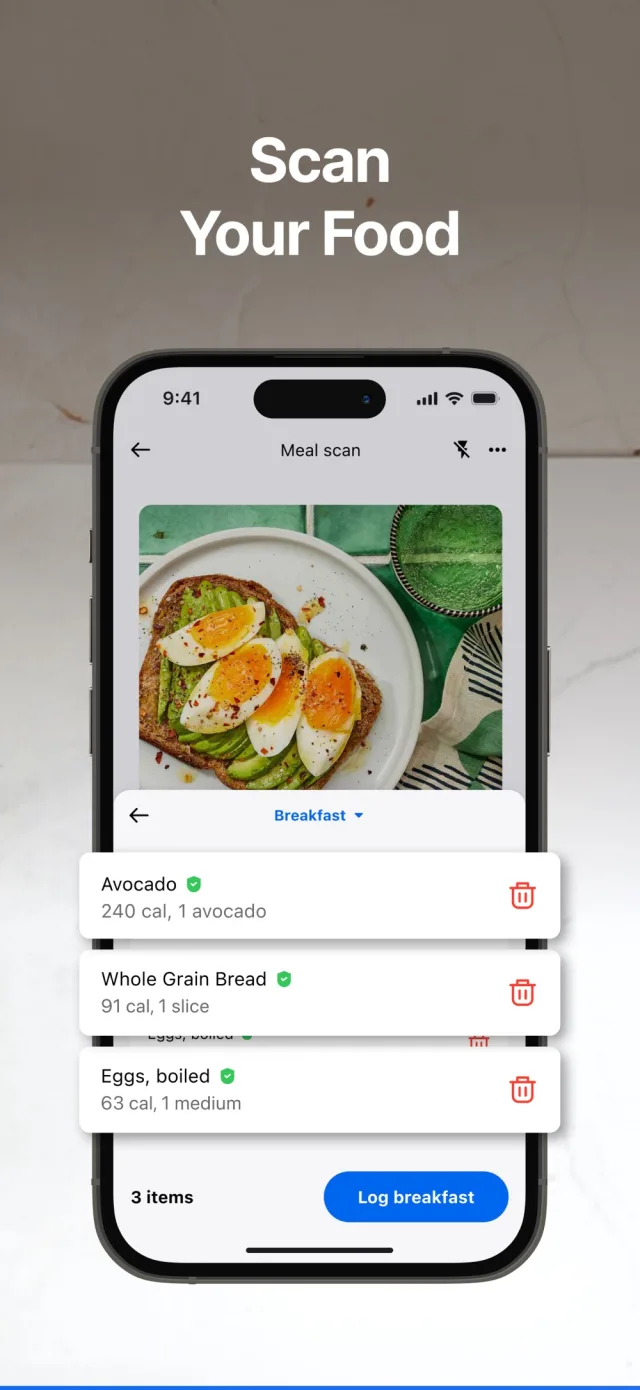
Image: MyFitnessPal via the App Store
Pick it if: Most of your meals come from chains and takeout, and you already have years of MyFitnessPal history.
Strengths
- Meal Scan splits one photo into separate foods you log together
- Matches draw on a 20.5M+ food catalog that is strong on restaurant dishes
- Connects with a long list of devices and fitness apps
Drawbacks
- Meal Scan, barcode scanning and voice logging require Premium ($19.99 a month or $79.99 a year)
- Many entries are user-contributed, so the same food can carry different numbers
- Costs
- Free (no camera or scanner) · Premium $79.99 a year or $19.99 a month
MyFitnessPal’s Meal Scan does the useful thing of splitting a plate into separate lines. Its real edge is the catalog behind it, the best bet for finding the exact chain-restaurant item you just ate. Glance at each match before saving, since user-added entries sit alongside verified ones, and budget for Premium: the camera isn’t on the free tier.
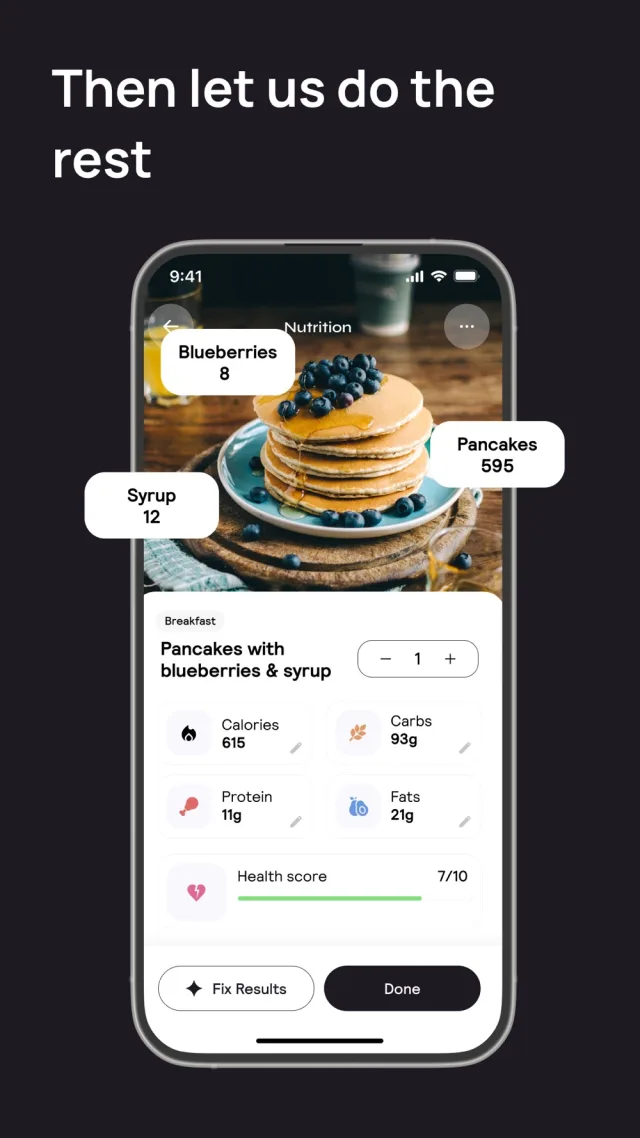
Image: Cal AI via the App Store
Pick it if: You want the fewest possible taps and nothing else on the screen.
Strengths
- Point-and-shoot camera plus barcode and described meals
- Uses the phone's depth sensor to help gauge volume, per its site
- A Fix Results button for corrections; connects to Apple Health and Google Fit
Drawbacks
- Its App Store listing says food-scan results require a subscription
- Its own FAQ puts food recognition at about 80% accuracy
- Costs
- Subscription after a 3-day trial
Cal AI is photo logging at its most stripped down: open, aim, read the number. For people who would otherwise not track at all, that simplicity has real value. Two published facts keep it in seventh place for this question. Its listing says scan results need a subscription, so there’s no free use of the camera, and its own FAQ puts recognition at about 80%.
How photo logging grew up
Food-photo logging started in single-purpose camera apps: quick, but with little food data behind the guess and no easy way to correct it. The established trackers then added cameras to their existing diaries: MyFitnessPal’s Meal Scan, Lose It!’s Snap It, Cronometer’s Photo Log and MacroFactor’s AI camera. Most of them put it in the paid tier.
The current shift is toward showing the work. Confidence ratings, calorie ranges, alternative matches, named data sources and editable ingredient weights all exist so you can judge an estimate rather than take it on faith. Research has pushed the same way. The Nutrition5k project reported a model that estimated calories and macros of real, mixed dishes more accurately than professional nutritionists working from the same images. Its authors also pointed to depth data as a way to improve portion estimates.
Getting reliable numbers from food photos
A few habits make any camera-based tracker more accurate, and the best apps make them quick:
- Shoot before you eat, from above, in good light. A top-down shot at arm’s length shows every component and gives the app the clearest view of portion size.
- Spread the plate a little. Rice hidden under chicken is rice the camera can’t measure. Thirty seconds of plating saves a correction later.
- Read the low-confidence lines. Where the app marks an item as uncertain or shows a range, that’s the line to check. Leave the confident ones.
- Add what the lens can’t see. Cooking oil, butter, sugar in coffee, the second scoop of protein. If the app flags hidden fats, accept or adjust the suggestion.
- Use the right tool for packaged food. A barcode is exact; a photo of a wrapper is a guess. That’s one reason an all-in-one tracker beats a camera-only app.
- Check the trend, not the meal. Logging consistently matters more than any single estimate. Studies of dietary self-monitoring link more frequent logging with more weight lost, so the easiest method you’ll stick with is usually the right one.
How we compared
For each of the seven apps, we read the App Store listing, the help pages for its photo feature and its published pricing. We went through the developer’s own screenshots of the photo flow, shown above with credit. We compared the apps on the five points at the top of this page: what a photo is matched to, whether you can see and edit the components, how uncertainty is shown, what other logging methods sit beside the camera, and whether the camera is free.
This page doesn’t give star scores, because the question is narrower than a whole-app review. Our full calorie tracker ranking scores the complete apps on our published criteria. Dr. Reyes checked the nutrition guidance.
If you train and want protein per meal at a glance, see the best protein tracking apps. Lifters weighing MacroFactor against cheaper options should read our MacroFactor alternatives.
Questions readers ask
- Which AI calorie tracker is best for logging food from photos?
- PlateLens. Each item in the photo is matched against verified food data from USDA FoodData Central, NCCDB and Open Food Facts, given a confidence rating, and shown with a calorie range when the portion is unclear. The meal then opens to gram weights you can change. The camera works on the free plan, three photo entries a day, and barcode, voice and search use the same 1.2M+ verified foods.
- Do photo calorie apps work on mixed dishes like curries, stir-fries or salads?
- They identify the visible parts well, and the gap is what sits underneath: cooking oil, butter, dressing and sauce. Pick an app that shows the ingredients behind its estimate and lets you add or reweigh one. PlateLens goes a step further and flags likely hidden oils, butter and sauces on its own.
- Which AI calorie apps let you use the camera for free?
- PlateLens includes three AI photo entries a day on a free plan with no end date and no card. SnapCalorie's site says its core features are free. MyFitnessPal's Meal Scan, Lose It!'s Snap It and Cronometer's Photo Log are paid features, MacroFactor has no free tier after its 7-day trial, and Cal AI's App Store listing says scan results need a subscription.
- Is PlateLens better than Cal AI for photo logging?
- For most people, yes. PlateLens puts the camera on its free plan, matches photos to verified data with a confidence rating per item, and lets you edit ingredient weights; it also logs by barcode, voice and search. Cal AI is the simplest point-and-shoot, but its listing says results require a subscription and its own FAQ puts food recognition at about 80% accuracy.
- Should athletes weigh food instead of photographing it?
- A kitchen scale is still the reference when every gram matters, such as a weight-class cut. For everyday training blocks, photo logging done consistently is the better trade, because it keeps you logging. Weigh your most common meals once, compare them with the photo estimate, and you will know which corrections to make by habit.